EasyManua.ls Logo

Kenwood KDC-U456 - User Manual

Kenwood KDC-U456
28 pages
Print Icon
To Next Page IconTo Next Page
Loading...
GET0851-001A (MW/M0/M20)© 2012 JVC KENWOOD Corporation
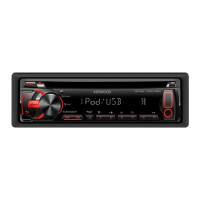
KDC-U456
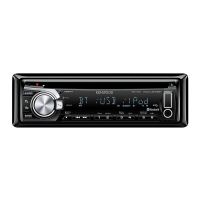
KDC-U356
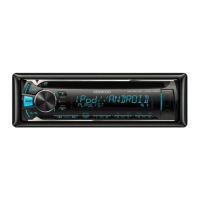
KDC-U3056
CD-RECEIVER
INSTRUCTION MANUAL
KDC-3257UGM
KDC-3357URM
KDC-3157UAM
“Made for iPod,” and “Made for iPhone” mean that an electronic accessory has been designed to connect specifically to iPod, or
iPhone, respectively, and has been certified by the developer to meet Apple performance standards. Apple is not responsible
for the operation of this device or its compliance with safety and regulatory standards. Please note that the use of this
accessory with iPod or iPhone may affect wireless performance.
iPhone, iPod, iPod classic, iPod nano, and iPod touch are trademarks of Apple Inc., registered in the U.S. and other countries.
The “AAC” logo is a trademark of Dolby Laboratories.
Android is trademark of Google Inc.
EN_KDC-U456[MWM0M20]f.indd 1EN_KDC-U456[MWM0M20]f.indd 1 8/29/12 10:57:42 AM8/29/12 10:57:42 AM

Questions and Answers

  • V
    Victor ElliottAug 20, 2025
    Why does my Kenwood KDC-U456 say “PROTECT”?
    • T
      tjacksonAug 20, 2025
      If the Kenwood Car Receiver displays “PROTECT”, ensure the speaker wire terminals are properly insulated. Then, reset the unit. If the problem persists, it may require professional attention.
  • L
    lirebeccaAug 22, 2025
    What to do if my Kenwood KDC-U456 Car Receiver sound cannot be heard?
    • W
      wavilaAug 22, 2025
      If you cannot hear any sound from your Kenwood Car Receiver, try the following: First, adjust the volume to a suitable level. Second, check all cords and connections to ensure they are properly connected. Third, clean the connectors.
  • T
    Tanya BerryAug 25, 2025
    What does “NO DISC” mean on my Kenwood KDC-U456 Car Receiver?
    • J
      james55Aug 25, 2025
      If your Kenwood Car Receiver displays “NO DISC”, insert a playable disc into the loading slot.
  • K
    Kendra LongAug 26, 2025
    What does “NA FILE” mean on my Kenwood Car Receiver?
    • S
      Scott NelsonAug 27, 2025
      If your Kenwood Car Receiver displays “NA FILE”, ensure the disc contains supported audio files.
  • J
    Jeremy JonesAug 27, 2025
    What does “TOC ERR” mean on my Kenwood Car Receiver?
    • K
      Karen FarrellAug 28, 2025
      If your Kenwood Car Receiver displays “TOC ERR”, make sure the disc is clean and correctly inserted.
  • M
    Michael MorganAug 29, 2025
    What does “READ ERR” mean on my Kenwood Car Receiver?
    • M
      mitchelltonyAug 29, 2025
      If your Kenwood Car Receiver shows “READ ERR”, copy the files and folders onto the USB device again. If the issue continues, reset the USB device or try using a different USB device.
  • D
    Douglas WilliamsAug 31, 2025
    What does “USB ERR” mean on my Kenwood Car Receiver?
    • D
      donaldjamesAug 31, 2025
      If your Kenwood Car Receiver displays “USB ERR”, remove the USB device, turn the unit off, and then turn it back on. If that doesn't work, try connecting a different USB device.
  • C
    Courtney KellySep 2, 2025
    What does “NO DVICE” mean on my Kenwood Car Receiver?
    • S
      Stephen SmithSep 2, 2025
      If your Kenwood Car Receiver displays “NO DVICE”, connect a USB device and switch the source to USB again.
  • R
    Ronald SteeleSep 4, 2025
    What does “NA DVICE” mean on my Kenwood KDC-U456?
    • N
      nterrySep 4, 2025
      If your Kenwood Car Receiver displays “NA DVICE”, connect a supported USB device and check the connections.
  • L
    Laura DavisSep 6, 2025
    What does “iPod ERR” mean on my Kenwood Car Receiver?
    • P
      patrick88Sep 6, 2025
      If your Kenwood Car Receiver displays “iPod ERR”, try reconnecting the iPod. If the error persists, reset the iPod.

Summary

BEFORE USE

Warning

Safety warning about driving.

Caution

Safety precautions for operation and maintenance.

Maintenance

Guidance on cleaning and disc handling.

RADIO TUNER

MEDIA SOURCE PLAYBACK

CD; USB; iPod OPERATIONS

AUDIO SETTINGS

Audio Control

General audio adjustments.

EQ PRO

Equalizer settings for bass, mid, treble.

Sound Enhancements

Bass boost, loudness, subwoofer settings.

TROUBLESHOOTING

Sound and Unit Errors

Solutions for no sound, "PROTECT", or general malfunctions.

Error Messages and Solutions

Explanations for displayed error codes and their remedies.

INSTALLATION; CONNECTION

In-Dash Installation

Steps for mounting the unit in the dashboard.

Wiring Precautions

Important safety warnings for electrical connections.

Kenwood KDC-U456 Specifications

General IconGeneral
TunerFM/AM
CD PlaybackYes
Display TypeLCD
Preout Level (V)2.5V
Speaker Impedance (Ohms)4-8 Ohms
MP3 PlaybackYes
WMA PlaybackYes
Channels4
RMS Power Output22W x 4
Peak Power Output50W x 4
CD TextYes
Remote ControlYes
Detachable FaceYes
TypeCar Receiver
USB InputYes
FM Frequency Range87.5 MHz - 108.0 MHz
AUX InputYes

Related product manuals