EasyManua.ls Logo

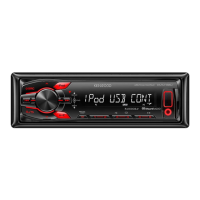
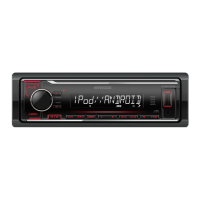
Kenwood KMM-124 - User Manual

Kenwood KMM-124
40 pages
Print Icon
To Next Page IconTo Next Page
Loading...
Data Size: B6L (182 mm x 128 mm)
Book Size: B6L (182 mm x 128 mm)
B5A-2103-00 (EN/E2N)© 2017 JVC KENWOOD Corporation
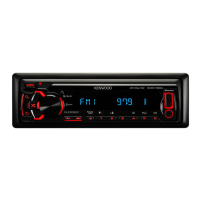
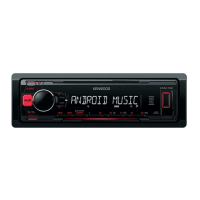
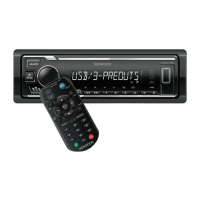
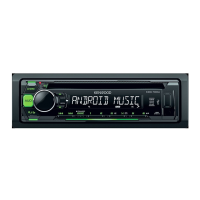
KMM-204
KMM-124
KMM-104RY
DIGITAL MEDIA RECEIVER
INSTRUCTION MANUAL
ЦИФРОВОЙ МЕДИА-РЕСИВЕР
ИHCTPУKЦИЯ ПO ЭKCПЛУATAЦИИ
KMM-104GY
KMM-104AY
JS_KWD_KMM_204_EN_C00.indd 1JS_KWD_KMM_204_EN_C00.indd 1 20/6/2017 9:01:17 AM20/6/2017 9:01:17 AM

Questions and Answers

  • S
    Stacy BrownAug 16, 2025
    How to fix Kenwood Car Receiver when sound cannot be heard?
    • E
      Edward JohnsonAug 16, 2025
      If you cannot hear any sound from your Kenwood Car Receiver, try the following: - Adjust the volume to the optimum level. - Check the cords and connections.
  • X
    Xavier ElliottAug 19, 2025
    What to do if my Kenwood Car Receiver has poor radio reception?
    • B
      Brandon RichardsonAug 19, 2025
      If your Kenwood Car Receiver has poor radio reception, connect the antenna firmly.
  • W
    wesleykelleyAug 22, 2025
    What to do if my Kenwood Car Receiver does not turn on?
    • N
      Natalie KleinAug 22, 2025
      If your Kenwood Car Receiver does not turn on, reset the unit.
  • E
    Erin RobertsAug 26, 2025
    What to do if my Kenwood Car Receiver displays “NO DEVICE” or “READING” keeps flashing?
    • L
      leejessicaAug 26, 2025
      If your Kenwood Car Receiver displays “NO DEVICE” or “READING” keeps flashing, try the following: - Switch off the developer options on the Android device. - Reconnect the Android device. - If this does not solve the problem, the connected Android device does not support [BROWSE MODE].
  • C
    caitlin91Aug 28, 2025
    What to do if sound cannot be heard during playback on Kenwood Car Receiver?
    • M
      Michael Carey PhDAug 28, 2025
      If sound cannot be heard during playback on your Kenwood Car Receiver: - Reconnect the Android device. - If in [HAND MODE], launch any media player application on the Android device and start playback.
  • A
    Amber WalkerAug 31, 2025
    What to do if my Kenwood Car Receiver says “iPod ERROR”?
    • M
      markleonAug 31, 2025
      If your Kenwood Car Receiver displays “iPod ERROR”, try the following: - Reconnect the iPod. - Reset the iPod.
  • A
    Anita AtkinsSep 3, 2025
    What to do if my Kenwood Car Receiver displays “ANDROID ERROR”/ “NA DEVICE”?
    • L
      lozanoloriSep 3, 2025
      If your Kenwood Car Receiver displays “ANDROID ERROR” or “NA DEVICE”, try the following: - Reconnect the Android device. - Restart the Android device.
  • B
    Bethany ThomasSep 6, 2025
    Why is the elapsed playing time not correct on my Kenwood Car Receiver?
    • B
      Brandon YangSep 6, 2025
      If the elapsed playing time is not correct on your Kenwood Car Receiver, this is caused by how the files are recorded.
  • J
    johnmaxwellSep 9, 2025
    Why are correct characters not displayed on my Kenwood Car Receiver?
    • V
      Vincent BlakeSep 9, 2025
      If correct characters are not displayed on your Kenwood Car Receiver, this unit can only display uppercase letters, numbers, and a limited number of symbols. Depending on the display language you have selected, some characters may not be displayed correctly.
  • H
    Hunter ChristensenSep 12, 2025
    Why does my Kenwood Car Receiver display “COPY PRO”?
    • M
      Michael HuynhSep 12, 2025
      If your Kenwood Car Receiver displays “COPY PRO”, a copy-protected file is being played.

Summary

Basics

Getting Started

Radio Operation

Search for Radio Stations

Guide to searching for radio stations using seek and auto scan methods.

Radio Tuning and Settings

USB, iPod, and Android Connectivity

USB;iPod;Android Control and Search

Advanced USB and AUX Features

AUX Input Setup

Guide to connecting and configuring the AUX input, including naming the source.

Audio Settings and Controls

Audio Control Adjustments

Detailed settings for subwoofer, bass, mid, treble levels, and EQ adjustments.

Sound Enhancement Options

Features like preset EQ, bass boost, loudness, subwoofer phase, and sound reconstruction.

Display Settings and Customization

Adjust Dimmer and Brightness

Controls for dimming the display and setting brightness levels for specific zones.

Color Select and Text Scroll

Options to customize display colors and control text scrolling behavior.

Troubleshooting Common Issues

General and Radio Troubleshooting

Solutions for common problems related to sound, power, radio reception, and file reading.

USB, iPod, and Android Troubleshooting

Resolving issues with device connection, playback errors, and flashing displays.

Display Information and Installation Precautions

Installation Safety Warnings

Critical safety advice regarding power supply, wiring, and preventing short circuits.

Installation and Unit Removal

In-Dash Mounting Procedure

Step-by-step instructions for installing the unit into the dashboard.

How to Remove the Unit

Procedure for safely detaching the unit from the dashboard using extraction keys.

Wiring Connections

ISO Terminal Wiring (VW;Audi;Opel)

Specific wiring instructions for ISO connectors in VW, Audi, and Opel vehicles.

Technical Specifications

Kenwood KMM-124 Specifications

General IconGeneral
Remote ControlNo
Peak Power Output50W x 4
Tuner TypeFM/AM
USB InputYes
AUX InputYes
Compatible FormatsMP3, WMA, WAV, FLAC
Steering Wheel ControlYes (with adapter)

Related product manuals