EasyManua.ls Logo

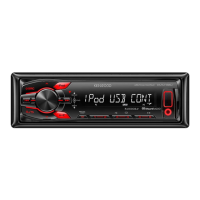
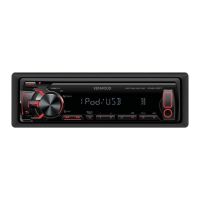
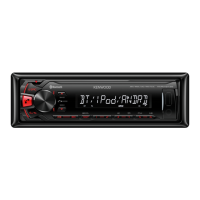
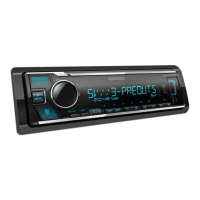
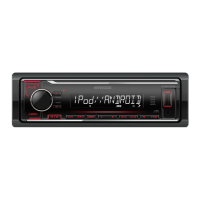
Kenwood KMM-204 - User Manual

Kenwood KMM-204
40 pages
Print Icon
To Next Page IconTo Next Page
Loading...
Data Size: B6L (182 mm x 128 mm)
Book Size: B6L (182 mm x 128 mm)
B5A-2104-00 (MN/HN)© 2017 JVC KENWOOD Corporation
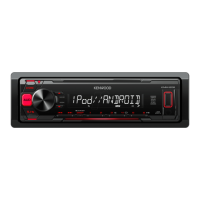
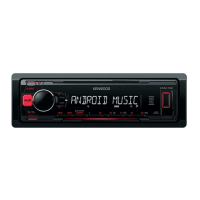
KMM-204
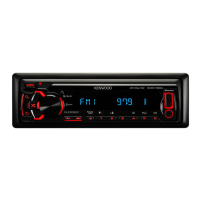
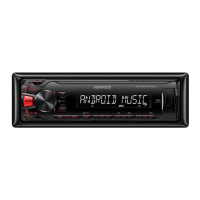
KMM-104
DIGITAL MEDIA RECEIVER
INSTRUCTION MANUAL
JS_KWD_KMM_204_MNHN_C00.indd 1JS_KWD_KMM_204_MNHN_C00.indd 1 22/6/2017 2:15:58 PM22/6/2017 2:15:58 PM

Questions and Answers

  • T
    Tyler HurleyAug 16, 2025
    How to fix Kenwood Car Receiver when sound cannot be heard?
    • G
      George StevensAug 16, 2025
      If you cannot hear any sound from your Kenwood Car Receiver, try the following: - Adjust the volume to the optimum level. - Check the cords and connections.
  • H
    Heather WalkerAug 19, 2025
    What to do if my Kenwood Car Receiver has poor radio reception?
    • E
      Eric StoutAug 19, 2025
      If your Kenwood Car Receiver has poor radio reception, connect the antenna firmly.
  • C
    Caroline HuffmanAug 22, 2025
    What to do if my Kenwood Car Receiver does not turn on?
    • R
      robert27Aug 22, 2025
      If your Kenwood Car Receiver does not turn on, reset the unit.
  • R
    Rebecca HuffmanAug 25, 2025
    What to do if my Kenwood Car Receiver displays “NO DEVICE” or “READING” keeps flashing?
    • M
      mark99Aug 25, 2025
      If your Kenwood Car Receiver displays “NO DEVICE” or “READING” keeps flashing, try the following: - Switch off the developer options on the Android device. - Reconnect the Android device. - If this does not solve the problem, the connected Android device does not support [BROWSE MODE].
  • S
    Sarah CampbellAug 28, 2025
    What to do if sound cannot be heard during playback on Kenwood Car Receiver?
    • M
      Ms. Tracy Wood MDAug 28, 2025
      If sound cannot be heard during playback on your Kenwood Car Receiver: - Reconnect the Android device. - If in [HAND MODE], launch any media player application on the Android device and start playback.
  • T
    Tiffany HessAug 31, 2025
    What to do if my Kenwood Car Receiver says “iPod ERROR”?
    • M
      Mark MclaughlinAug 31, 2025
      If your Kenwood Car Receiver displays “iPod ERROR”, try the following: - Reconnect the iPod. - Reset the iPod.
  • Z
    Zachary AdamsSep 3, 2025
    What to do if my Kenwood Car Receiver displays “ANDROID ERROR”/ “NA DEVICE”?
    • W
      watkinsashleySep 3, 2025
      If your Kenwood Car Receiver displays “ANDROID ERROR” or “NA DEVICE”, try the following: - Reconnect the Android device. - Restart the Android device.
  • K
    Kayla WhiteSep 5, 2025
    Why is the elapsed playing time not correct on my Kenwood Car Receiver?
    • H
      harry78Sep 5, 2025
      If the elapsed playing time is not correct on your Kenwood Car Receiver, this is caused by how the files are recorded.
  • E
    Erik MaddoxSep 8, 2025
    Why are correct characters not displayed on my Kenwood Car Receiver?
    • H
      hendrixchristineSep 8, 2025
      If correct characters are not displayed on your Kenwood Car Receiver, this unit can only display uppercase letters, numbers, and a limited number of symbols. Depending on the display language you have selected, some characters may not be displayed correctly.
  • S
    Stephanie RichardsSep 12, 2025
    Why does my Kenwood Car Receiver display “COPY PRO”?
    • R
      Ryan MendezSep 12, 2025
      If your Kenwood Car Receiver displays “COPY PRO”, a copy-protected file is being played.

Summary

Before Use

Critical Safety Warnings

Critical safety warnings to prevent injury or damage.

Operational Cautions

Important notes and precautions for safe operation.

Radio

Search for Radio Stations

Methods to find and tune into radio stations.

USB;iPod;ANDROID

Start Playback

How to begin playing media from USB, iPod, or Android devices.

USB;iPod;ANDROID Operations

Pandora

Start Pandora Listening

Connecting device and starting Pandora playback.

Audio Settings

Audio Control Adjustments

Fine-tuning bass, mid, treble, subwoofer, and EQ settings.

Display Settings

Troubleshooting

General Issues

Solutions for common problems like no sound or wiring errors.

Radio Reception Issues

Troubleshooting poor radio signal and static.

USB;iPod Issues

Resolving problems with USB and iPod connectivity and playback.

Troubleshooting Continued

Android Issues

Diagnosing and fixing problems with Android devices.

Pandora Issues

Troubleshooting common errors with the Pandora service.

Installation and Connection

Installation Warnings and Cautions

Essential safety advice before installing the unit.

Basic Installation Procedure

Step-by-step guide for connecting and mounting the unit.

Installation Details

In-Dash Mounting

Instructions for installing the unit into a dashboard.

Wiring Connection

Wiring Diagram and Connections

Detailed guide to connecting all wires for proper operation.

Specifications

Kenwood KMM-204 Specifications

General IconGeneral
DIN Size1 DIN
TunerFM/AM
BluetoothYes
USB PortYes
Display TypeLCD
Number of Channels4
Built-In EqualizerYes
USB InputYes
AUX InputYes
ID3 Tag DisplayYes
Remote ControlOptional
Power Output4 x 50 W
RMS Power Output4 x 22 W
Audio Formats SupportedMP3, WMA
Preamp Outputs2
EQ Bands3
Steering Wheel ControlYes

Related product manuals