
 To Next Page
J
Jason FordSep 23, 2025
Why is the elapsed playing time incorrect on my Kenwood KMM-108U Car Receiver?
- CChristopher WrightSep 23, 2025
The elapsed playing time on your Kenwood Car Receiver may not be correct because of how the tracks are recorded.

Why is the elapsed playing time incorrect on my Kenwood KMM-108U Car Receiver?
The elapsed playing time on your Kenwood Car Receiver may not be correct because of how the tracks are recorded.
Why is the radio reception poor on my Kenwood KMM-108U Car Receiver?
To improve poor radio reception on your Kenwood Car Receiver, ensure the antenna is firmly connected. Also, pull the antenna out completely to maximize signal reception.
What to do if “PROTECT” appears on Kenwood KMM-108U Car Receiver?
If “PROTECT” appears on your Kenwood Car Receiver and no operations can be performed, it may be due to improperly insulated speaker wires. Check to ensure the terminals of the speaker wires are insulated properly, then reset the unit.
How to fix a Kenwood Car Receiver that does not work?
If your Kenwood Car Receiver does not work at all, try resetting the unit.
What does “UPGRADE APP” mean on Kenwood KMM-108U Car Receiver?
If “UPGRADE APP” appears on your Kenwood Car Receiver, make sure you have installed the latest version of the Pandora application on your device.
What does “STATION NOT AVAILABLE” mean on Kenwood KMM-108U?
If “STATION NOT AVAILABLE” appears on your Kenwood Car Receiver, broadcast from the station is over.
What does “CANNOT CREATE” mean on Kenwood KMM-108U?
If “CANNOT CREATE” appears on your Kenwood Car Receiver, custom station name creation was unsuccessful.
What does “CANNOT SAVE” mean on Kenwood KMM-108U Car Receiver?
If “CANNOT SAVE” appears on your Kenwood Car Receiver, addition to the favorite category failed.
What does “CHECK DEVICE” mean on Kenwood KMM-108U?
If “CHECK DEVICE” appears on your Kenwood Car Receiver, check the Pandora application on your device.
What does “NA DEVICE” mean on Kenwood Car Receiver?
If “NA DEVICE” appears on your Kenwood Car Receiver, connect a supported USB device and check the connections.
Advises on safe operation, volume levels, and handling of batteries to prevent accidents.
Provides instructions for cleaning the unit's faceplate and connector with appropriate materials.
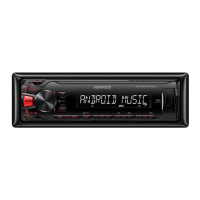
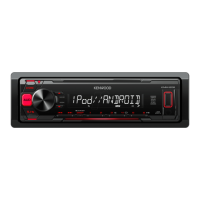
Details the physical layout and functions of the unit's faceplate and the RC-406 remote.
Explains core actions like power, volume, source selection, and display changes.
Guides users through disabling the demo mode, setting the clock, and configuring initial system preferences.
Covers methods for finding radio stations, including manual, seek, auto memory, and direct tuning.
Explains settings like Mono Set, TI, PTY Search, and Time Sync for optimizing radio reception.
Instructions for playing media from USB/iPod, pausing, skipping files, and selecting folders.
Details on activating and managing file repeat and random playback features for music playback.
Guides on selecting files from lists, direct music search, and searching by song name for USB/iPod media.
Explains setting skip search ratios and changing the active USB drive for media playback.
Steps for connecting and selecting a portable audio player via the AUX input.
Setup and playback instructions for the Pandora app, including station management.
Guides for connecting and playing iHeartRadio, adding favorites, and managing stations.
Instructions on searching for stations, skipping cities alphabetically, and deleting unwanted stations.
Detailed settings for Sub-W Level, Fader, Balance, EQ, Bass Boost, and Loudness.
Configuration for subwoofer output phase, LPF, and sound reconstruction features.
Explains how the audio system automatically mutes for incoming phone calls.
Options to adjust display brightness, dimmer, and text scrolling behavior.
Information on supported audio formats, playable files, and USB device requirements.
Specific information and compatibility notes for iPod/iPhone, Pandora, and iHeartRadio services.
Remedies for common problems such as no sound, unit power failure, and display errors.
Solutions for specific Pandora errors like 'ADD ERROR', 'CONNECT ERROR', and 'LICENSE ERROR'.
Solutions for specific iHeartRadio errors such as 'STATION NOT AVAILABLE', 'STREAM ERROR', and 'TIMED OUT'.
Lists technical parameters for FM/AM tuner reception and USB connectivity standards.
Details specifications for audio output, speaker impedance, tone controls, and auxiliary input.
Covers general operating specifications, power requirements, temperature, and physical installation dimensions.
Step-by-step instructions for installing the unit into a vehicle's dashboard console.
Guides on how to detach the faceplate and remove the unit from its mounting.
Illustrates the correct connections for speakers, power, ground, and control wires.
Lists and identifies the physical components included for the unit's installation.
 General
| Tuner | FM/AM |
|---|---|
| Bluetooth | Yes |
| USB Port | Yes |
| Aux Input | Yes |
| Display Type | LCD |
| MP3 Playback | Yes |
| WMA Playback | Yes |
| FLAC Playback | Yes |
| Detachable Face | Yes |
| Power Output | 50W x 4 |
| Subwoofer Preamp Output | Yes |
| Compatibility | Android |
| Remote Control | Optional |