3 PREPARATIONS FOR OPERATING APRS
22 CONTENTS TH-D72A/E
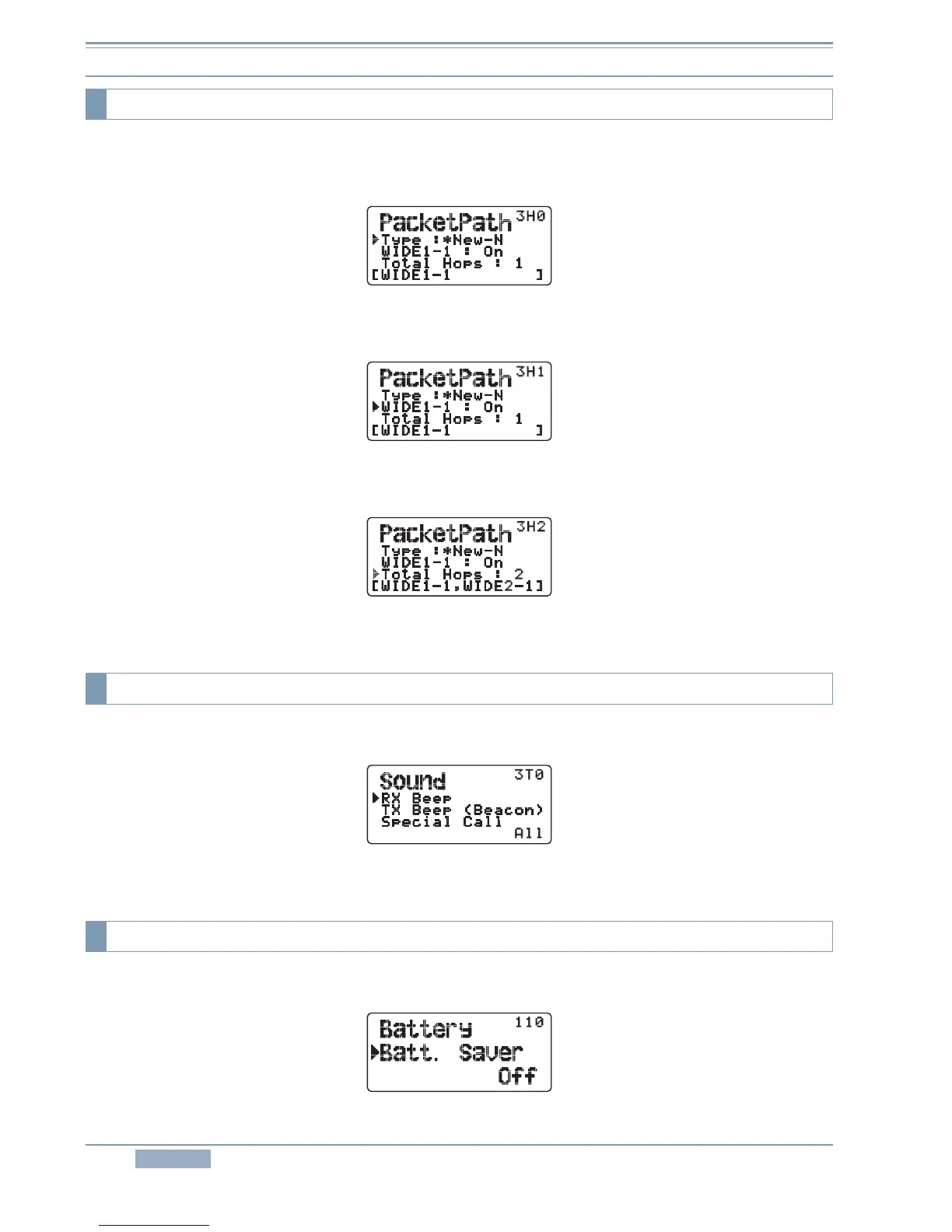
To configure the packetpath, select Menu 3H0 (APRS - PacketPath).
Configure the packet path type.
Figure 3-19 Menu 3H0 (PacketPath – Type)
Set WIDE1-1.
Figure 3-20 Menu 3H1 (PacketPath – WIDE1-1)
Set the number of packet hops.
Figure 3-21 Menu 3H2 (PacketPath – Total)
To configure the sound level, select Menu 3T0 (APRS – Sound).
Figure 3-22 Menu 3T0 (Sound – RX Beep)
To enable or disable the battery saver, select Menu 110 (Radio - Battery - Batt.Saver).
Figure 3-23 Menu 110 (Battery – Batt.Saver)
3.2.11 Packet Path
3.2.12 Sound
3.2.13 Battery Saver



 To Next Page