EasyManua.ls Logo

Kenwood TK-7180-K - User Manual

Kenwood TK-7180-K
7 pages
Print Icon
To Next Page IconTo Next Page
Loading...
KENWOOD CORPORATION
TK-7180-K FCC ID:K4437303110/IC:282F-37303110
TK-8180-K FCC ID:K4437313110
INSTRUCTION MANUAL
THANK YOU!
We are grateful you chose KENWOOD for your land mobile radio applications. We believe this easy-to-use
transceiver will provide dependable communications to keep personnel operating at peak efficiency.
KENWOOD transceivers incorporate the latest in advanced technology. As a result, we feel strongly that you will
be pleased with the quality and features of this product.
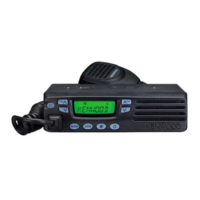
MODELS COVERED BY THIS MANUAL
The models listed below are covered by this
•TK- 7180 : VHF FM Transceiver
•TK- 8180 : UHF FM Transceiver
NOTICES TO THE USER
WARNING:
GOVERNMENT LAW PROHIBITS THE OPERATION OF UNLICENSED RADIO TRANSMITTERS WITHIN THE
TERRITORIES UNDER GOVERNMENT CONTROL.
ILLEGAL OPERATION IS PUNISHABLE BY FINE AND /OR INPRISONMENT.
REFER SERVICE TO QUALIFIED TECHNICIANS ONLY.
SAFETY:
It is important that the operator is aware of, and understands, hazards common to the operation of any
transceiver.
WARNING:
EXPLOSIVE ATMOSPHERES (GASES, DUST, FUMES, etc.)
Turn off your transceiver while taking on fuel, or while parked in gasoline service stations. Do not carry spare
fuel containers in the trunk of your vehicle if your transceiver is mounted in the trunk area.
INJURY FROM RADIO FREQUENCY TRANSMISSIONS
Do not operate your transceiver when somebody is either touching the antenna or standing within two to three
feet of it, to avoid the possibility of radio frequency burns or related physical injury.
DYNAMITE BLASTING CAPS
Operating the transceiver within 500 feet (150m) of dynamite blasting caps may cause them to explode.
Turn OFF your transceiver when in an area where blasting is in progress, or where “TURN OFF TWO-WAY
RADIO” sighs have been posted. If you are transporting blasting caps in your vehicle, make sure they are
carried in a closed metal box with a padded interior. Do not transmit while the caps are being placed into or
removed from the container.
PRECAUTIONS
Please observe the following precautions to prevent fire, personal injury, and transceiver damage.
• Do not attempt to configure the transceiver while driving , it is too dangerous.
• Do not modify the transceiver for any reason.
• Do not expose the transceiver to long periods of direct sunlight, nor place it near heating appliances.
• Do not place the transceiver in excessively dusty, humid , or wet areas, nor on unstable surfaces.
• If an abnormal odor or smoke is detected coming from the transceiver, turn OFF the power immediately.
Contact your KENWOOD dealer.
FCC WARNING
This equipment generates or uses radio frequency energy. Changes or modifications to this equipment may cause
harmful interference unless the modifications are expressly approved in the instruction manual. The user could
lose the authority to operate this equipment if an unauthorized change or modification is made.

Question and Answer IconNeed help?

Do you have a question about the Kenwood TK-7180-K and is the answer not in the manual?

Overview

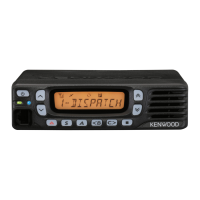
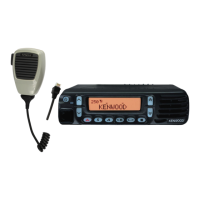
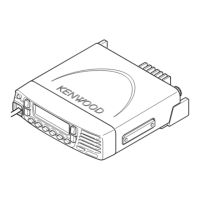
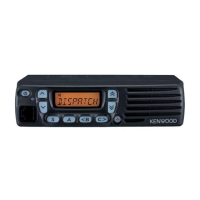
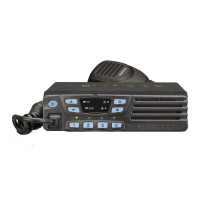
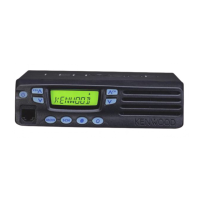
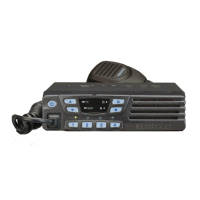
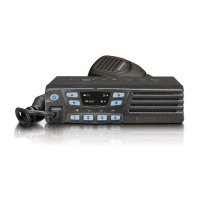
This document describes the KENWOOD TK-7180-K (VHF FM Transceiver) and TK-8180-K (UHF FM Transceiver) instruction manual. These transceivers are designed for land mobile radio applications, offering dependable communications.

Function Description:

These transceivers provide two-way radio communication for professional use. They are designed to operate within government-controlled territories, and unauthorized operation is prohibited. The devices feature programmable functions for volume control, channel selection, zone selection, and various other operational settings. They include indicators for transmission (TX), busy channels, and call status.

Important Technical Specifications:

  • Models: TK-7180-K (VHF FM Transceiver), TK-8180-K (UHF FM Transceiver)
  • FCC IDs: K4437303110 (TK-7180-K), K4437313110 (TK-8180-K)
  • IC IDs: 282F-37303110 (TK-7180-K), 282F-37313110 (TK-8180-K)
  • Power: Operates in 12V negative ground systems only.
  • Antenna: Manufacturer or dealer supplied antenna only.
  • Antenna Minimum Safe Distance: 120 cm (4 feet) at 50% duty cycle.
  • Antenna Gain: 0 dBd referenced to a dipole.
  • Duty Factor: Authorized to operate with a maximum duty factor of 50% in typical push-to-talk mode.
  • Display: LCD with Dot Matrix (12 digits for alphanumeric, 3 digits for Channel/GID), Signal strength indicator, Monitor on display, Talk around display, Scan display, Message stack display, Priority channel 1/2 display, Telephone ID display, Horn alert display, Option board display, Public address display, Zone add display, Auto Recording Display (VGS-1 option), Auto Reply Message Display (VGS-1 option), CH/GID add display, AUX A display, AUX B display, OST display.
  • Indicators: Red (TX display), Green (Busy display), Orange (Call display).

Usage Features:

  • Power ON/OFF: Press the switch to turn ON, press and hold for approximately 1 second to turn OFF.
  • Volume Adjustment: Use the Volume Up/Down switch to increase or decrease the volume.
  • Channel Selection: Use the Channel Up/Down switch to select a channel.
  • Transmitting:
    1. Select the desired channel.
    2. Monitor the channel to ensure it is not in use.
    3. Press the microphone PTT switch and speak into the microphone (approximately 1.5 inches / 3-4 cm from mouth for best sound quality).
    4. Release the PTT switch when finished speaking.
  • Receiving:
    1. Select the desired channel.
    2. Adjust the volume level if necessary when a signal is heard.
    3. Respond to the call as described in the transmitting instructions.
  • Time-out Timer (TOT): Prevents extended channel use. If transmission exceeds the programmed time, the transceiver stops transmitting and an alert tone sounds. Releasing the PTT switch stops the tone. A warning function can be programmed by the dealer to alert the user before TOT expires.
  • Programmable Functions: The front panel switches (Left Up, Left Down, Triangle, S, A, <B, C>, Square, Right Up, Right Down) are programmable. Default functions include Volume Up/Down, Squelch Off Momentary, CH/GID Down/Up, and Zone Up/Down.

Maintenance Features:

  • Service: Refer service to qualified technicians only.
  • Fuse Replacement: When replacing the fuse in the DC power cable, use a fuse of the same value. Never replace a fuse with a higher value.
  • Installation:
    • Requires 6mm (1/4 inch) or larger electric drill, 4.2mm (5/32 inch) drill bit, and circle cutters.
    • Mounting screws should not damage vehicle wiring or parts.
    • Securely install the transceiver using the supplied mounting bracket to prevent it from breaking loose in a collision.
    • Mount the microphone hanger within easy reach, ensuring it does not interfere with safe vehicle operation.
  • Unpacking: Identify all supplied accessories (Instruction Manual, DC power cable, Fuse, Mounting bracket, Screw Set) upon unpacking. Report any missing or damaged items to the carrier immediately.
  • FCC Warning: Changes or modifications not expressly approved in the instruction manual may cause harmful interference and could result in loss of authority to operate the equipment.

Safety Precautions:

  • Explosive Atmospheres: Turn off the transceiver when taking on fuel or at gasoline service stations. Do not carry spare fuel containers in the trunk if the transceiver is trunk-mounted.
  • Radio Frequency Transmissions: Avoid operating the transceiver when someone is touching the antenna or standing within two to three feet of it to prevent RF burns or physical injury.
  • Dynamite Blasting Caps: Turn off the transceiver within 500 feet (150m) of blasting in progress or where "TURN OFF TWO-WAY RADIO" signs are posted, to prevent caps from exploding. If transporting caps, ensure they are in a closed, padded metal box, and do not transmit while caps are being placed or removed.
  • Driving Safety: Do not configure the transceiver while driving.
  • Modifications: Do not modify the transceiver for any reason.
  • Environmental Conditions: Do not expose to long periods of direct sunlight, heating appliances, excessively dusty, humid, or wet areas, or unstable surfaces.
  • Abnormal Odor/Smoke: If detected, immediately turn off power and contact a KENWOOD dealer.
  • Vehicle Electronics: Be aware that various electronic equipment in your vehicle (e.g., electronic fuel injection, anti-skid braking, cruise control) may malfunction due to RF energy during transmission. Consult the vehicle dealer to determine compatibility.
  • RF Exposure Compliance: Install the antenna at or exceeding the minimum safe distance (120 cm / 4 feet) and ensure bystanders maintain this distance during transmission to satisfy FCC RF Exposure requirements for Occupational/Controlled Exposure Environment. Transmit only when persons outside the vehicle are at least the recommended minimum lateral distance away from the antenna/vehicle.

Kenwood TK-7180-K Specifications

General IconGeneral
BrandKenwood
ModelTK-7180-K
CategoryTransceiver
LanguageEnglish

Related product manuals