EasyManua.ls Logo

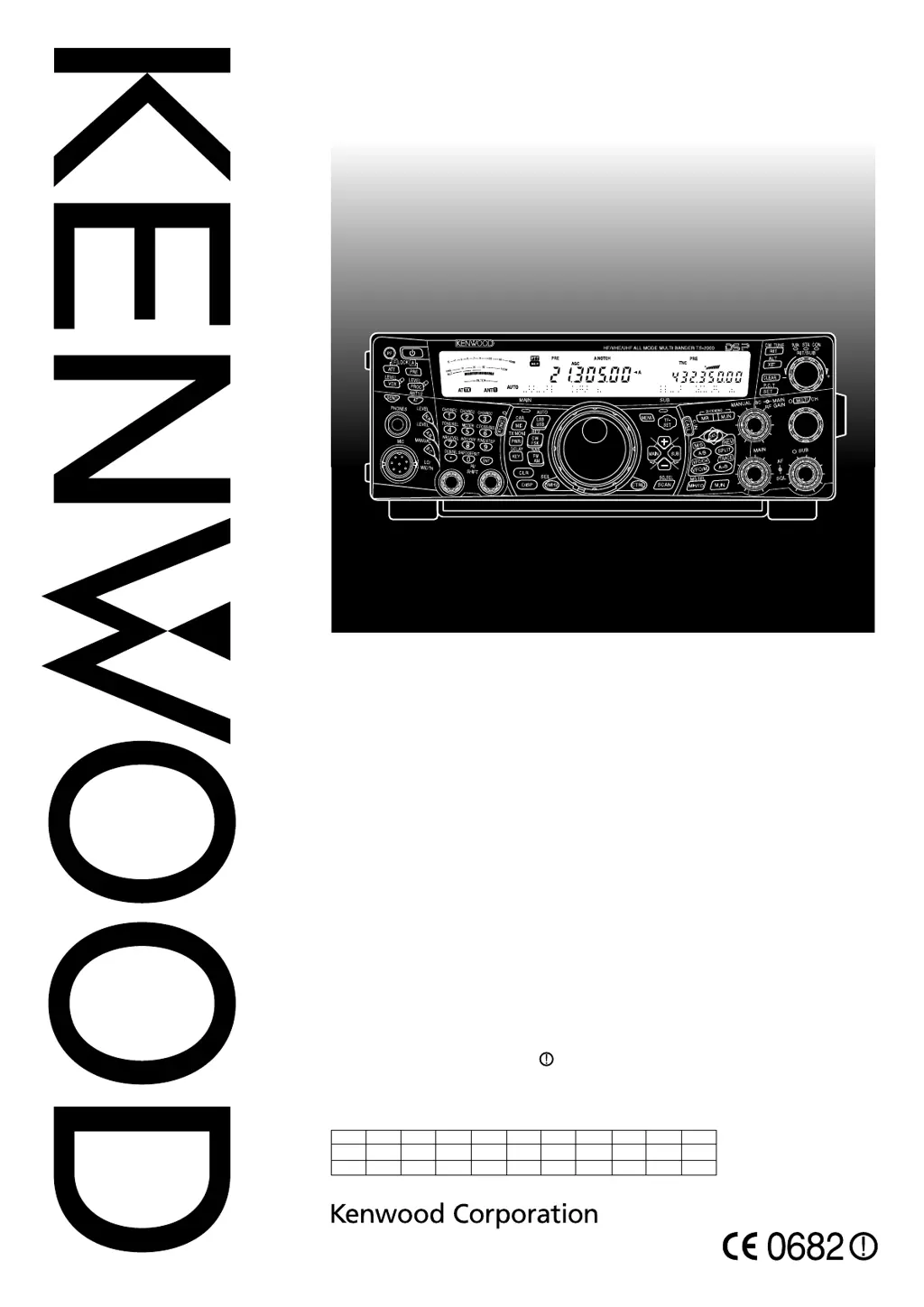
Kenwood TS-B2000 - User Manual

Kenwood TS-B2000
152 pages
Print Icon
To Next Page IconTo Next Page
Loading...
© B62-1221-50 (K, E)
09 08 07 06 05
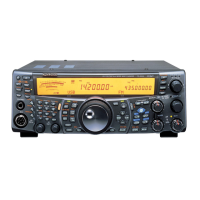
ALL MODE MULTI-BAND TRANSCEIVER
TS-2000
TS-2000X
TS-B2000
INSTRUCTION MANUAL
NOTIFICATION
This equipment complies with the essential requirements of Directive 1999/5/EC.
The use of the warning symbol means the equipment is subject to restrictions of
use in certain countries.
This equipment requires a licence and is intended for use in the countries as
below.
TAEBKDIFRFEDRGSIEITIIL
ULLNONTPSEESHCBGYCZCEE
UHVLTLTMLPKSISGBOR
6613OSI

Table of Contents

Other manuals for Kenwood TS-B2000

Questions and Answers

  • T
    Todd HermanSep 15, 2025
    Why is my Kenwood Car Receiver not receiving any signals?
    • G
      Gerald FrederickSep 15, 2025
      If you are not receiving signals or the receive sensitivity seems poor on your Kenwood Car Receiver, check the following: * Ensure the SQL control is not fully clockwise; turn it counterclockwise. * Make sure the Attenuator function is OFF by pressing [ATT/ F LOCK]. * Verify you are not in transmit mode by pressing [SEND] or releasing Mic[PTT]. * Check the receive bandwidth settings. * Select the correct antenna connector (ANT 1 or ANT 2) by pressing [FUNC],[AT/ ANT1/2]. * Ensure the receive preamplifier is ON by pressing [PRE/ LOCK A].
  • K
    Kaitlyn SampsonAug 25, 2025
    How to unlock frequency on Kenwood Car Receiver?
    • K
      Kevin RodriguezAug 25, 2025
      If the frequency cannot be changed on your Kenwood Car Receiver, the Frequency Lock function or Lock All function may be ON. To resolve this, press [FUNC],[F LOCK] to switch the Frequency Lock function OFF. Alternatively, press [FUNC],[LOCK A] to switch the Lock All function OFF.
  • N
    nbrockAug 25, 2025
    What to do if Kenwood TS-B2000 will not power up?
    • M
      Mr. James WallaceAug 26, 2025
      First, ensure the DC power supply is switched ON. Inspect the power cable, confirming correct polarities (Red: positive (+); Black: negative (–)). Check that the connections to the DC power supply are secure. Finally, check the power cable fuse. If it's open, find the cause, correct any issues, and install a new fuse of the specified rating.
  • N
    nellisAug 26, 2025
    What to do if Kenwood Transceiver received signals are totally unintelligible?
    • D
      David WilliamsAug 27, 2025
      If received signals are unintelligible, the wrong modulation mode may be selected. Press [LSB/USB], [CW/FSK], or [FM/AM] to select the correct modulation mode.
  • M
    Miss Lisa StevensSep 16, 2025
    What to do if Kenwood Car Receiver will not power up?
    • S
      Shawn GarciaSep 16, 2025
      If your Kenwood Car Receiver doesn't power up, ensure that the DC power supply is switched ON. Inspect the power cable, making sure the polarities are correct (Red: positive (+); Black: negative (–)). Confirm the connections to the DC power supply are secure. Also, check the power cable fuse. If it's open, find the cause, correct any problems, and install a new fuse of the specified rating.
  • A
    Alicia MarshallSep 23, 2025
    Why won't Memory Scan start on my Kenwood Car Receiver?
    • M
      Michael ElliottSep 23, 2025
      If the Memory Scan on your Kenwood Car Receiver will not start scanning, check the following: 1. Adjust the SQL controls to just eliminate background noise. 2. Unlock at least two memory channels. 3. Ensure that data is stored in at least two memory channels.
  • J
    Joseph ReynoldsSep 8, 2025
    What to do if Kenwood TS-B2000 linear amplifier does not operate?
    • L
      Lisa KempSep 8, 2025
      If the linear amplifier does not operate, first, check if the linear amplifier control relay is OFF and, if so, change Menu No. 39 to ON. Second, inspect the REMOTE connector wiring and correct as necessary.
  • R
    Ryan PattersonSep 8, 2025
    Why after switching ON Kenwood TS-B2000 Transceiver, “14.000.00 MHz USB” appears and all data is lost?
    • T
      Thomas HesterSep 9, 2025
      If, after switching ON the transceiver, “14.000.00 MHz USB” appears and all data is lost, the backup lithium battery voltage may be too low. Have a new battery installed by your dealer or at a KENWOOD Service Center.
  • A
    Austin FisherSep 2, 2025
    What to do if Kenwood TS-B2000 internal tuner is bypassed immediately after tuning is started?
    • A
      acomptonSep 2, 2025
      If the internal tuner is bypassed immediately after tuning starts, the SWR of the antenna system may be too high. Adjust the antenna system to lower the SWR.
  • R
    Rachel AdamsAug 31, 2025
    What to do if Kenwood TS-B2000 Transceiver memory scan will not start scanning?
    • C
      Christopher WhiteAug 31, 2025
      If Memory Scan won't start, first, adjust the SQL control to just eliminate background noise. Second, ensure at least two memory channels are unlocked. Third, make sure data is stored in at least two memory channels.

Kenwood TS-B2000 Specifications

General IconGeneral
BrandKenwood
ModelTS-B2000
CategoryTransceiver
LanguageEnglish

Related product manuals