Colposcope Digital Imaging System
19
5.2 Software Operations
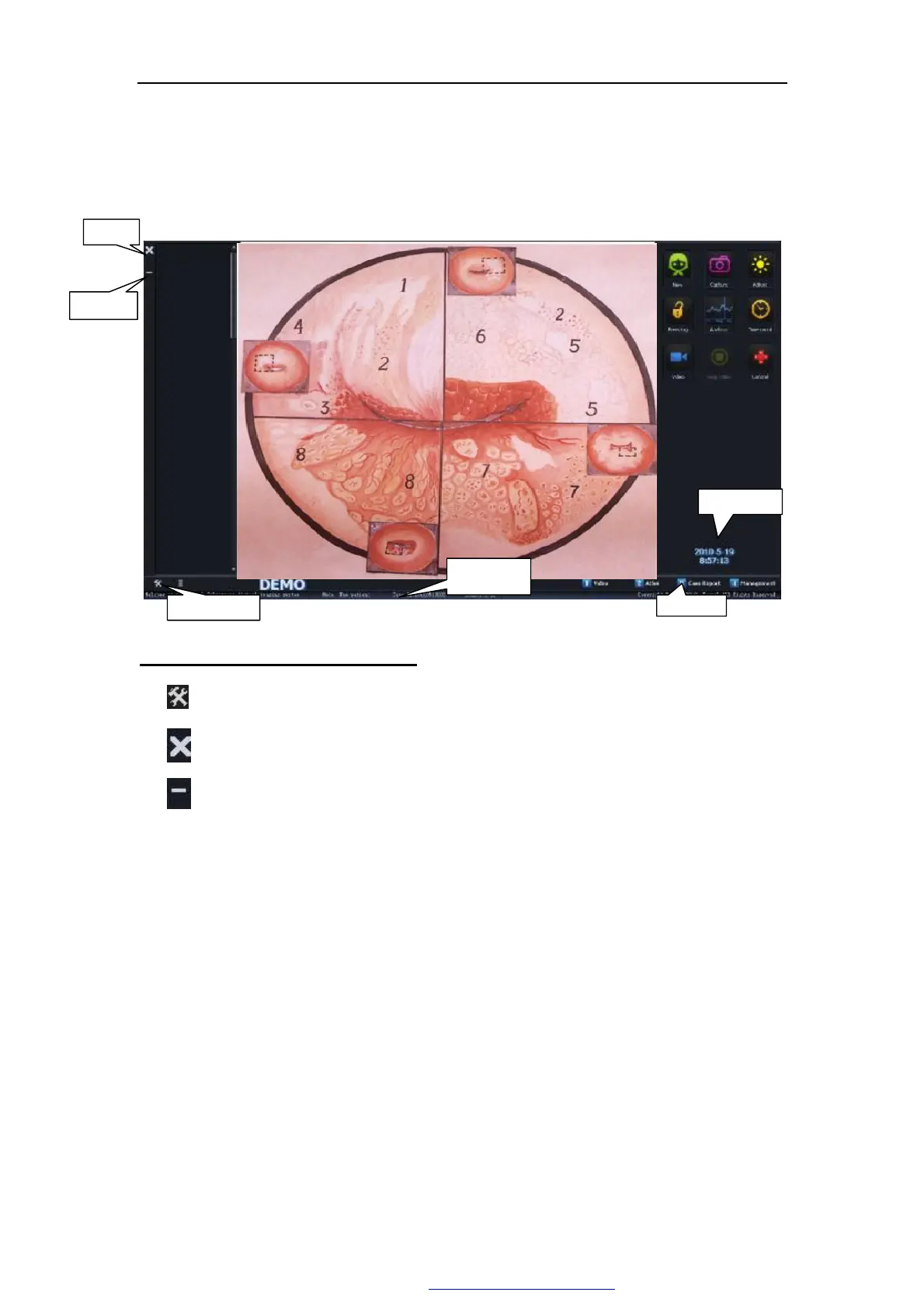
Open the software system,enter Figure 5-1.
Figure 5-1
Introduction of the system interface:
l System Settings: click this button to enter the system settings interface.
l Exit the system,
l Click this button to minimize digital colposcopy system interface.
l Buttons for function page Here has four buttons for function page: Image
gathering, atlas analysis, case-reporting, medical record management. The one-shot
enters the corresponding function contact surface.
l Statusline Demonstration current system's state:
Ø Pattern Demonstrates the new patient pattern and the subsequent visit
patient pattern;
Ø Medical record number Demonstration current patient medical record
number;
Ø Pictures number display the current caputure picture,and total pictures.
System setup
Exit
Minimize
System time
statusline
PDF 文件使用 "pdfFactory Pro" 试用版本创建 ÿ www.fineprint.com.cn



 To Next Page