Colposcope Digital Imaging System
42
Figure 6-1, use a screwdriver unlock the fuse in counterclockwise, remove the fuse
as shown in Figure 6-2. Put a new fuse, and then screw into the fuse seat in clockwise as
Figure 6-3.
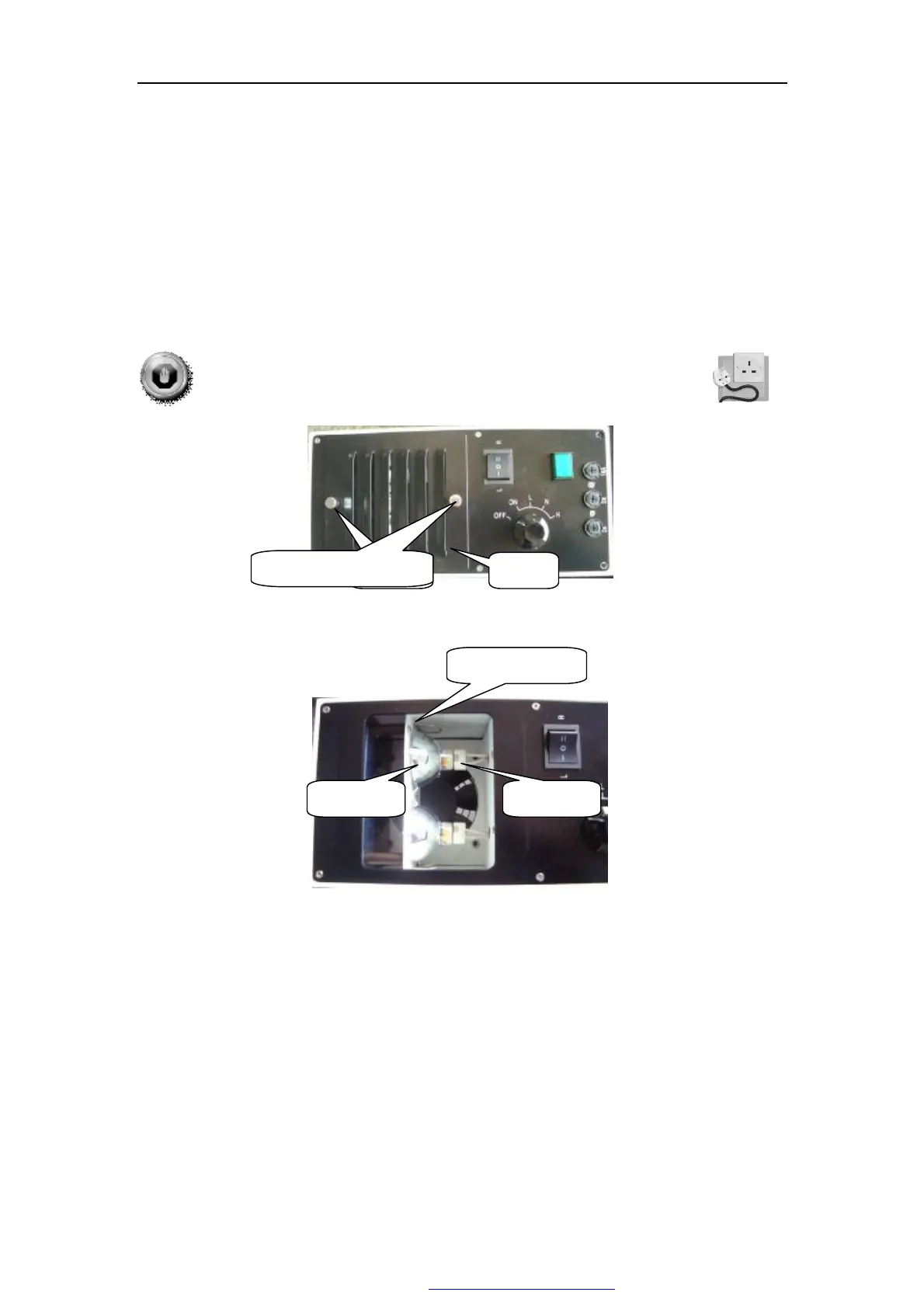
6.6 Light source lamp change
WARNING:Power off the light source, and cut off the power line.
Pic 6-4
Pic 6-5
1. Unscrew the fasten screw ,open the board, as Pic 6-5
2. Disconnect the cable of replaced light bulb ,break from the fixed cark card
outwardly, remove the light components after loosening .
3. Change a new one,fasten the screw.link the bulb seat.
4. Tighten the screw,fasten the board.
紧固钉
Locking screw
Board
Fixed cark card
Lamp line
Light bulb
PDF 文件使用 "pdfFactory Pro" 试用版本创建 ÿ www.fineprint.com.cn



 To Next Page