2 3
Connections, Buttons and LEDs
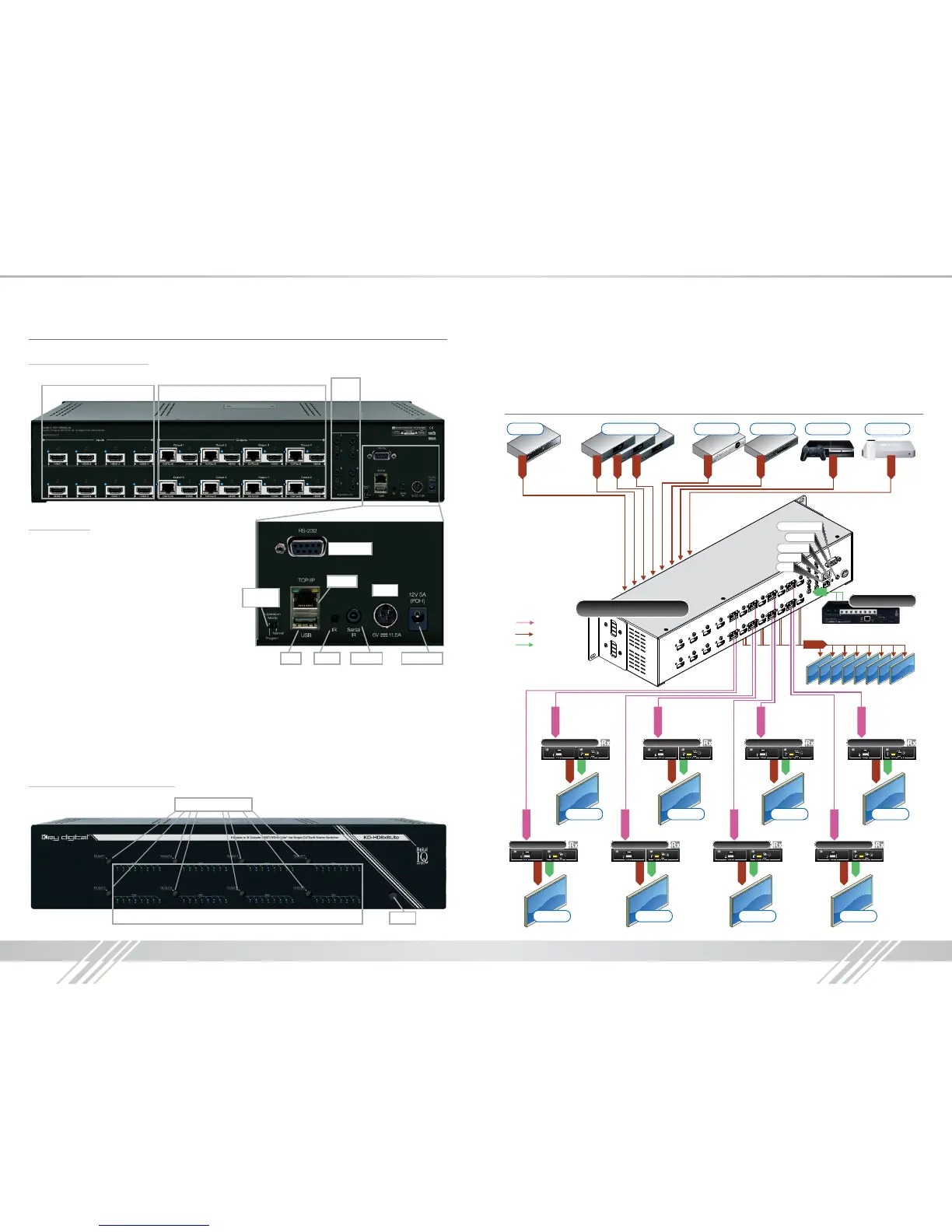
Rear Panel Connections:
HDMI Inputs & LEDs
I/O
Ports
HDMI & CAT5e/5 Outputs & LEDs
Power
Operation
Mode
RS-232 Port
Power POHSerial IRIR EyeUSB
TCP/IP
Connections
› HDMI Inputs: Located on the left side of the
back panel. The Inputs have a blue LED that
will illuminate when a source is connected and
synced.
› HDMI & CAT5e/6 Outputs: Located in the
middle of the back panel. The Outputs have
a blue LED that will illuminate when a output
device is connected and synced.
› The RS-232, Serial IR, Optical IR Sensor,
Operation Mode Switch, TCP/IP, USB and
Power connections are located on the right
side of the back panel.
› I/O Ports: Located to the right of the Outputs.
› The Operation Mode switch is used to update the unit’s rmware, which is done via RS-232,
USB or TCP/IP. The rmware version as well as all RS-232 commands is available through the
RS-232 command ‘H’. A detailed list of RS-232 commands is available later in this guide.
› If newer rmware is made available, complete updating instructions will be included with it. Check
the Key Digital website for any rmware updates.
Front Panel Buttons and LEDs
IR Eye
Input LEDs
Output Select Buttons
› There are 4/6/8 Output buttons along the front panel.
› Pressing an output button will select the next HDMI input.
› A blue LED will indicate which Input has been selected for each Output.
› There is also an Optical IR window located on the right side of the front panel for IR remote
control signals.
Application Example
CAT5e/6
CAT5e/6
CAT5e/6
CAT5e/6
CAT5e/6
CAT5e/6
CAT5e/6
CAT5e/6
Blu-Ray
HDMI
Satellite STB DVD-HD PS3 AppleTVCable Boxes 1-3
HDMI
HDMI
HDMI
HDMI
HDMI
HDMI
HDMI
HDMI
KD-HD8x8Lite
HDMI
Single CAT5e/6
IR
RS232 Control
Serial IR
Optical IR
USB
TCP/IP
IR
Display 5



 To Next Page