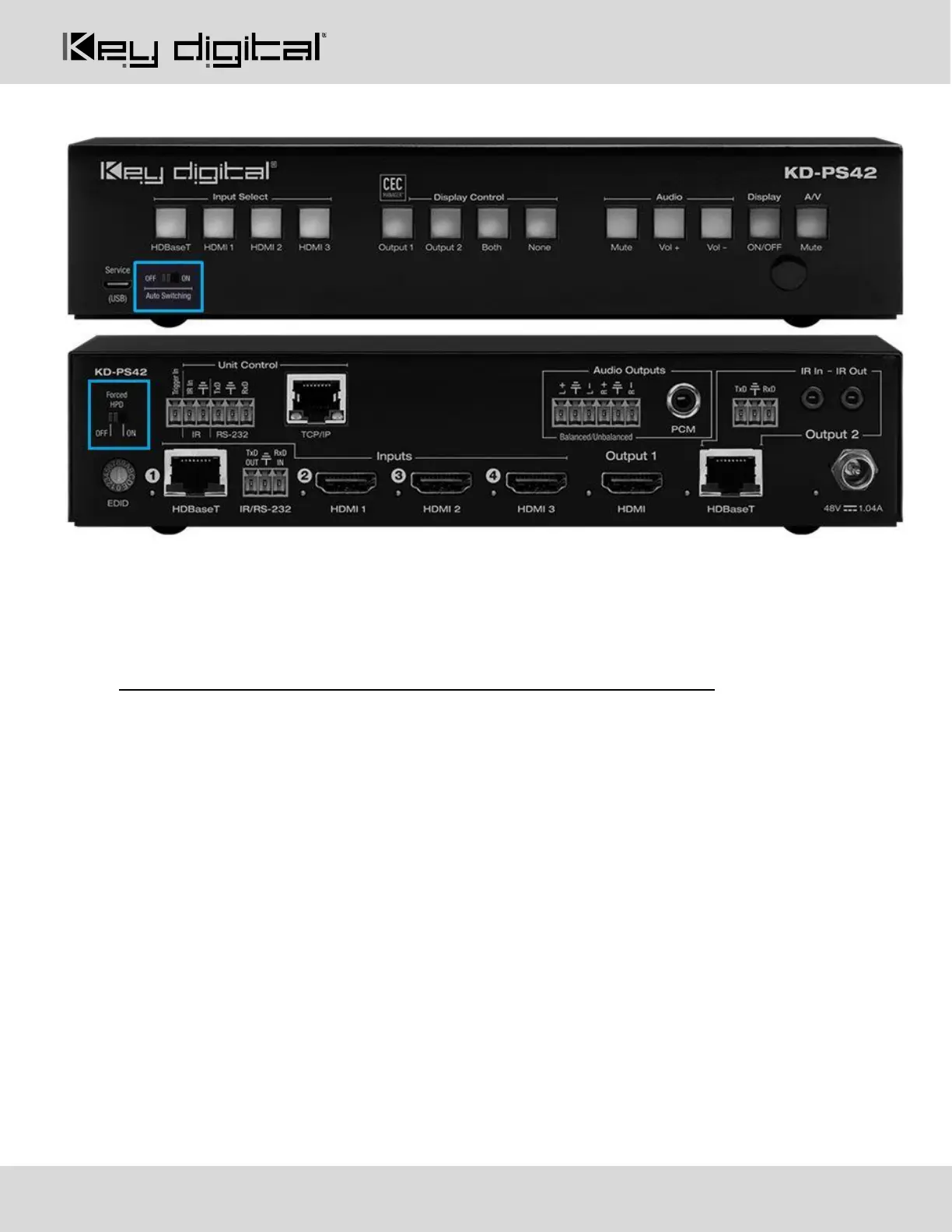
Auto Switching and Forced HPD Switches
Auto Switching
• ON: Unit will automatically select a newly detected active source. If current source is disconnected or
becomes inactive, auto sensing will sequentially advance to an active input/source
• OFF: Unit is in normal mode and regular switching functionality will occur
• IF Auto sensing has been set via any method other than the front toggle switch, it will be automatically
disabled when the KD-PS42 is manually controlled by the front panel button, IR, RS-232, TCP/IP, or
USB control. If fixed Auto Switching is required, please set via the front toggle switch
Forced HPD Troubleshooting Tool
• ON: Hot Plug Detection (HPD) voltage is fixed on at the connected displays and sources
• OFF: HPD voltage is passed through HDMI cabling as typical HDMI behavior.


 To Next Page