10 11
➔ IR Out:
» Pass-through from signal of corresponding IR In port or bi-directional RS-232,
as determined by the position of the Control Rotary
» Driving power: 5V with 32mA minimum current
» Typically connected with an IR emitter
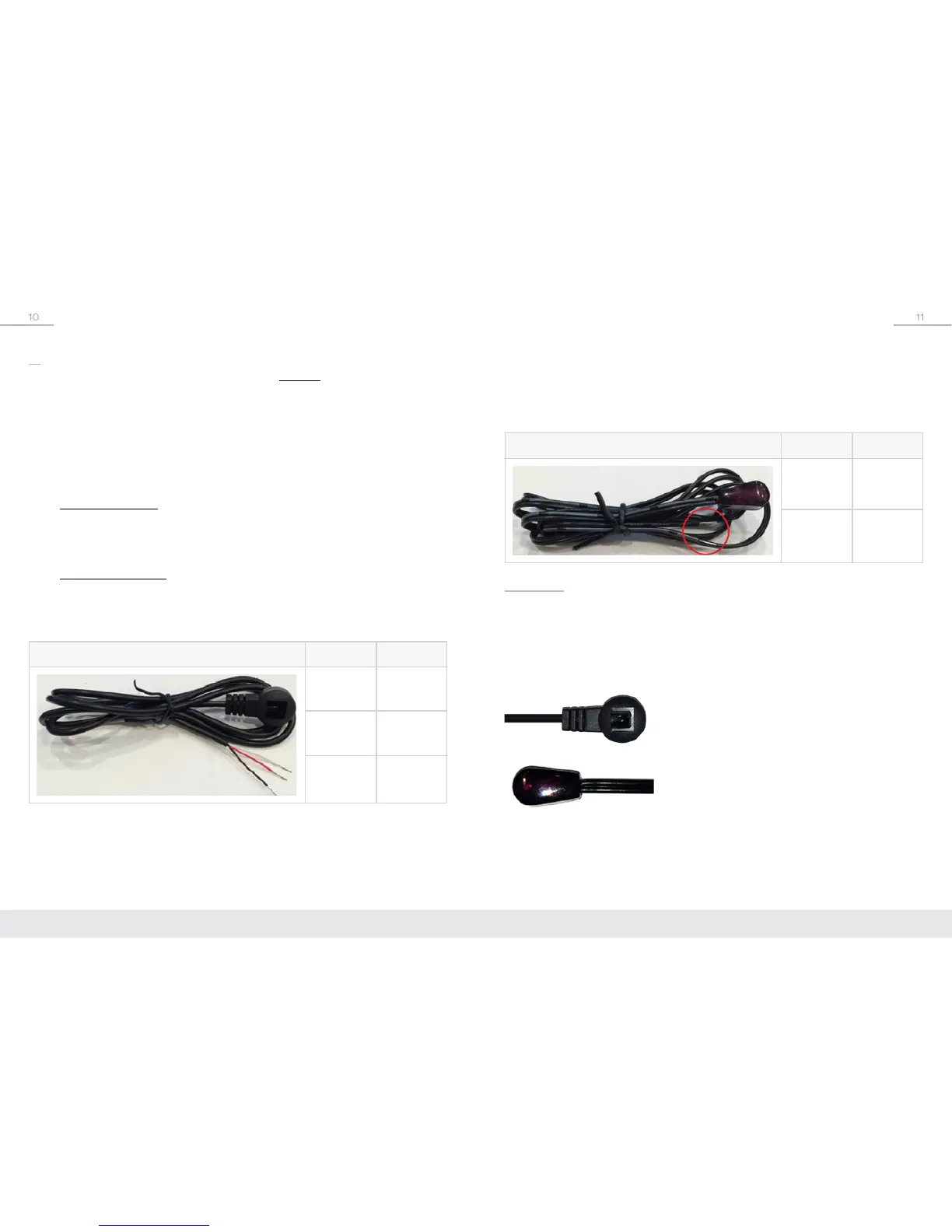
IR Emitter / OUT Pinout Wire Signal
Dashed/
Marked
IR Signal
Solid/
Black
Ground
IR Cabling
Your KD-X222/X222PO includes an IR Sensor and an IR Emitter.
Signal acceptance:
The IR Sensor receives signals from a 90° angle at up to 30 ft.
away. It accepts a maximum IR burst frequency of 55kHz.
Only
the included IR sensors are compatible with the KD-X222/ KD-X222PO.
Third-party IR Sensors may not be compatible.
The included IR Sensor.
Connects to the IR In port on.
The included blinking-type IR Emitter.
Connects to the IR Out port.
IR
Bi-directional IR control extension is supported.
IR can not be used at the same
time as RS-232.
» “IR In” port on the Tx unit extends to the “IR Out” port of the Rx unit
» IR signal, ground, and 5V power are required
➔ IR In:
The IR In port is different for the Tx and Rx units. The Tx unit’s IR In port supports
a Serial IR (hardwired) connection. The Rx unit’s IR In port supports an IR Sensor.
»
Tx Unit / Serial IR:
» A fixed 5V input signal on 2 phoenix pins
» Signal and ground are required
» Typically fed from a dedicated control system or an IR distribution block
»
Rx Unit / IR Sensor:
» IR Sensors can be connected directly into the Rx unit’s IR In port, without
the need for an external IR distribution block
» IR signal on the Tip, with 5V powering of the IR sensor on the power wire.
IR Sensor / IN Pinout Wire Signal
Red 5V Power
White IR Signal
Black Ground


 To Next Page