8 9
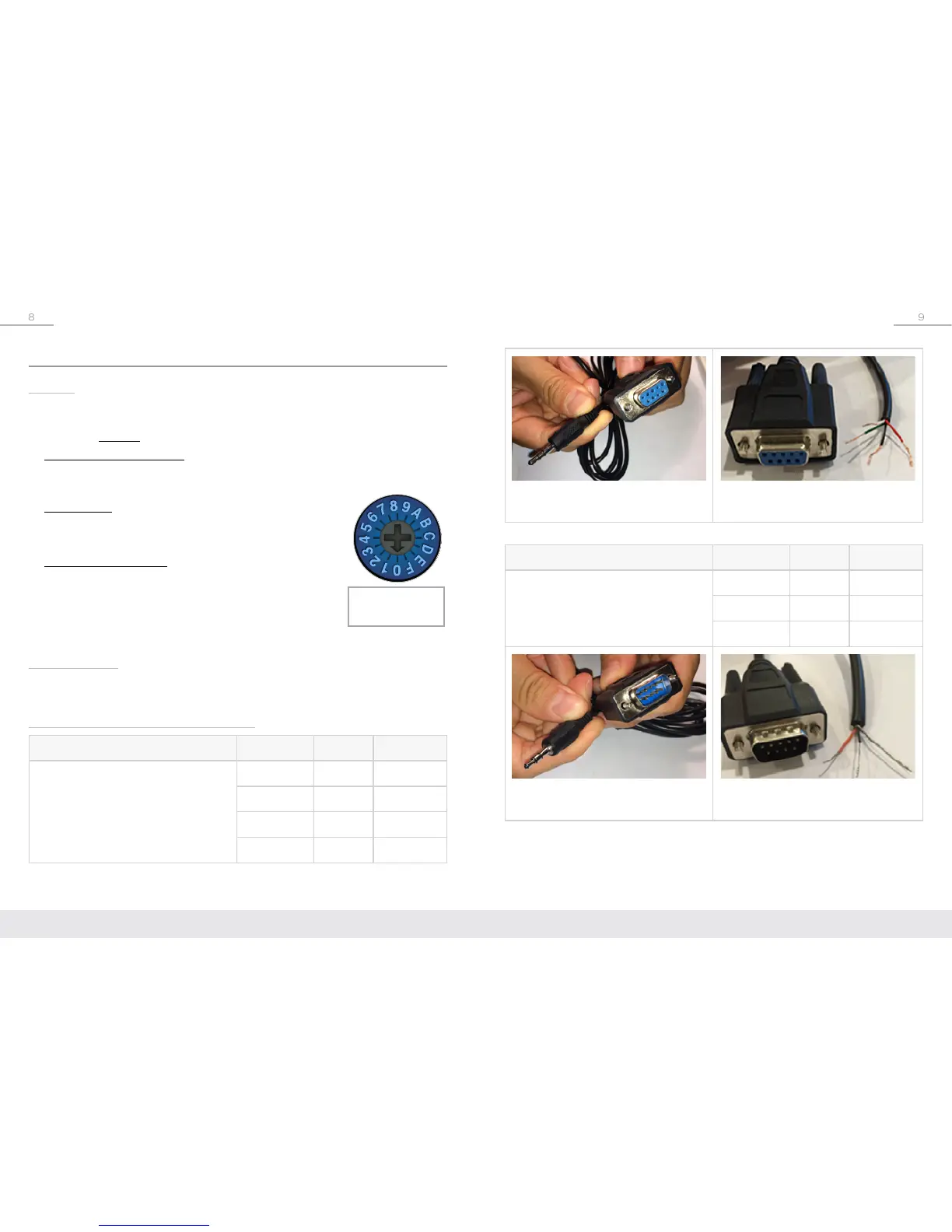
KD-3.5FDB96 with 3.5mm
TRS Connector
KD-3.5FDB96 after
stripping wire
Model Wire DB9 Pin Signal
KD-3.5MDB96
3.5mm Stereo to Male DB9
(sold separately)
Red 2 TxD
Black 3 RxD
Shield 5 Ground
KD-3.5MDB96 with 3.5mm
TRS Connector
KD-3.5MDB96 after
stripping wire
Extending IR or RS-232 Control
RS-232:
Bi-directional RS-232 is achieved utilizing the IR Out (RS-232) port on the Tx and Rx
units. The connector is 3-pin phoenix and the pinout is the same on the Tx and Rx
unit.
RS-232 can not be used at the same time as IR.
➔ RS-232 Pass-through Mode
» Send and receive (bi-directional) RS-232 commands for controlling remote
equipment. Supports baud rate up to 115,200bps.
➔ Control Mode
» Provides control of Tx units as well as connectivity status
» See RS-232 Commands section for more information
➔ Firmware Upgrade Mode
» Two different types of firmware may be updated:
MCU (KD-X222/KD-X222PO units),
and HDBaseT (extension over CAT5e/6)
RS-232 Cabling
RS-232 cables are available through Key Digital and other wire suppliers, and can
also be fabricated by skilled technicians.
Key Digital RS-232 Cable Pinout Charts
Model Wire DB9 Pin Signal
KD-3.5FDB96
3.5mm Stereo to Female DB9
(sold separately)
Red 2 TxD
White 3 RxD
Black 5 Ground
Green N/C NA
Rotary Control
Switch


 To Next Page