12 13
Control Rotary
The Control rotary enables the integrator to choose the
desired setting for IR Out (RS-232) ports, RS-232 Mode,
and Hot Plug Detection control.
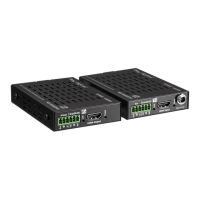
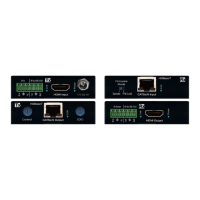
The Control Rotary is located on the Tx unit.
IMPORTANT! Please apply light pressure to the Control
rotary when making your selection
Control Rotary Position Assignments:
Position IR Out (RS-232) Mode Hot Plug Detection Control
0
Serial IR Bypass
1
Serial IR Bypass
2
Serial IR Forced HPD On
3
Serial IR Forced HPD On
4
RS-232 Pass-Through Bypass
5
RS-232 Pass-Through Bypass
6
RS-232 Pass-Through Forced HPD On
7
RS-232 Pass-Through Forced HPD On
8
RS-232 Control Bypass
9
RS-232 Control Bypass
A
Firmware Upgrade for MCU Forced HPD On
B
Firmware Upgrade for MCU Forced HPD On
C
Firmware Upgrade for HDBaseT Bypass
D
Firmware Upgrade for HDBaseT Bypass
E
Firmware Upgrade for HDBaseT Forced HPD On
F
Firmware Upgrade for HDBaseT Forced HPD On
Settings
EDID Control
EDID authentication is provided from the KD-X222/ KD-X222PO Tx unit to the
connected input / source device. The EDID file (AKA “handshake”) is selected using
the EDID Control rotary on the Tx unit and provides a list of compatible video and
audio formats as well as digital data, informing the source device what it should
output. Most sources will comply with a new EDID file without a power-cycle, but
each source may behave differently.
Default EDID Control Table, selected via EDID Control rotary
Position EDID Description
EDID Control Rotary
0
Copy EDID from CAT5e/6 Output
1
1080i, 2CH AUDIO
2
1080i, DOLBY/DTS 5.1
3
1080i, HD AUDIO
4
1080p, 2CH AUDIO
5
1080p, DOLBY/DTS 5.1
6
1080p, HD AUDIO
7
4Kx2K@30, 2CH AUDIO
8
4Kx2K@30, DOLBY/DTS 5.1
9
4Kx2K@30, HD AUDIO
A
4Kx2K@60, 2CH AUDIO
B
4Kx2K@60, DOLBY/DTS 5.1
C
4Kx2K@60, HD AUDIO
D
1280x720p@60 DVI (no audio)
E
1920x1080@30 DVI (no audio)
F
3840x2160p@30 DVI (no audio)


 To Next Page