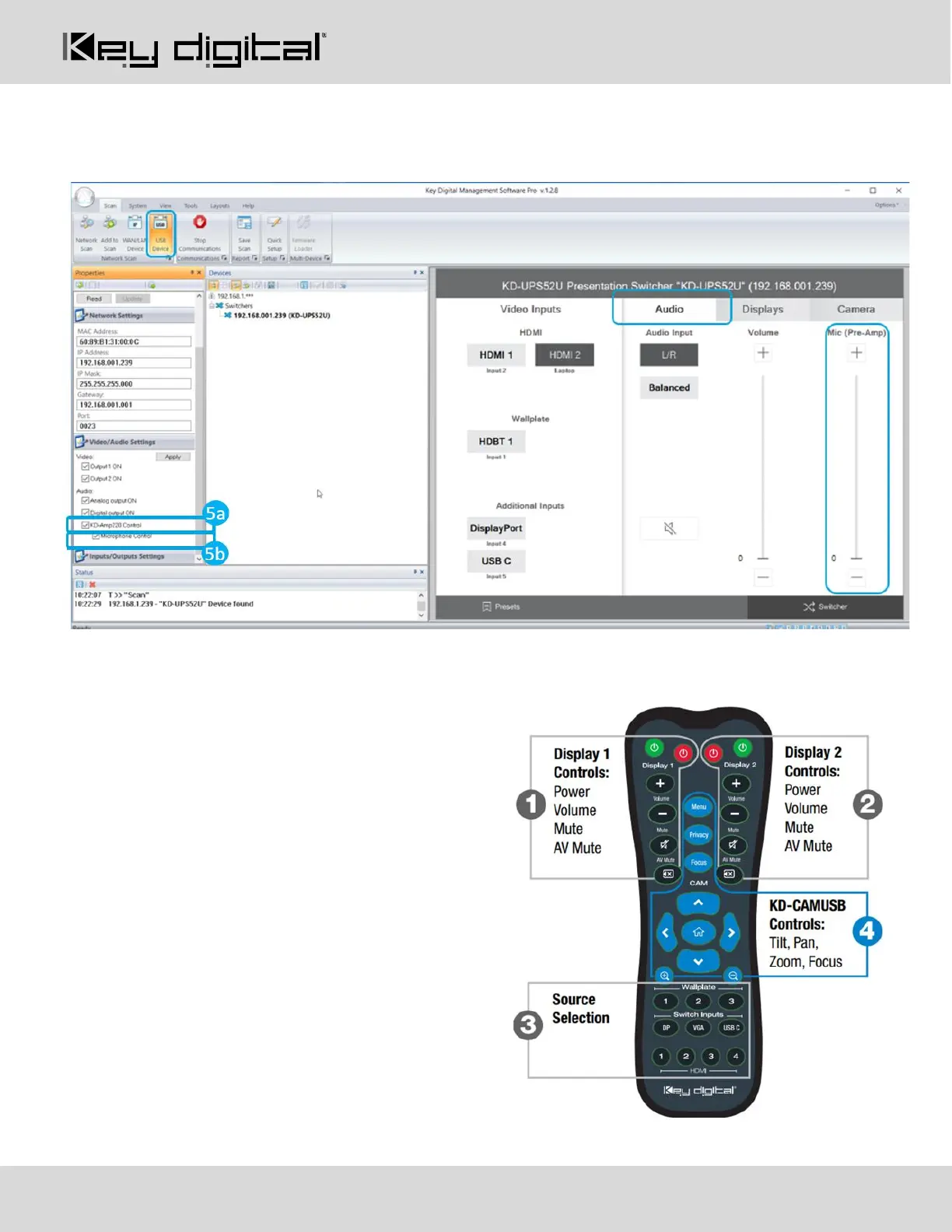
11. If utilizing KD-AMP220 integration control mode, choose the KD-AMP220 Control selection box (fig. 5a)
in the Audio/Video properties section. To control the mix level of KD-AMP220’s microphone input,
choose the selection box for Microphone Control (fig. 5b).
12. Your unit is now ready to control from the KDMS™ Control Panel, KD-App, or by professional control
system.
Control
Option 1: Control via Remote Control
1. Output 1 display/projector control via CEC
2. Output 2 display/projector control via CEC
3. Input selection of KD-UPS52U connected
sources
4. KD-CamUSB (sold separately) IR control



 To Next Page