TCP/IP and RS-232 Commands
• KD-UPS52U allows control over serial interface for bi-directional
communication.
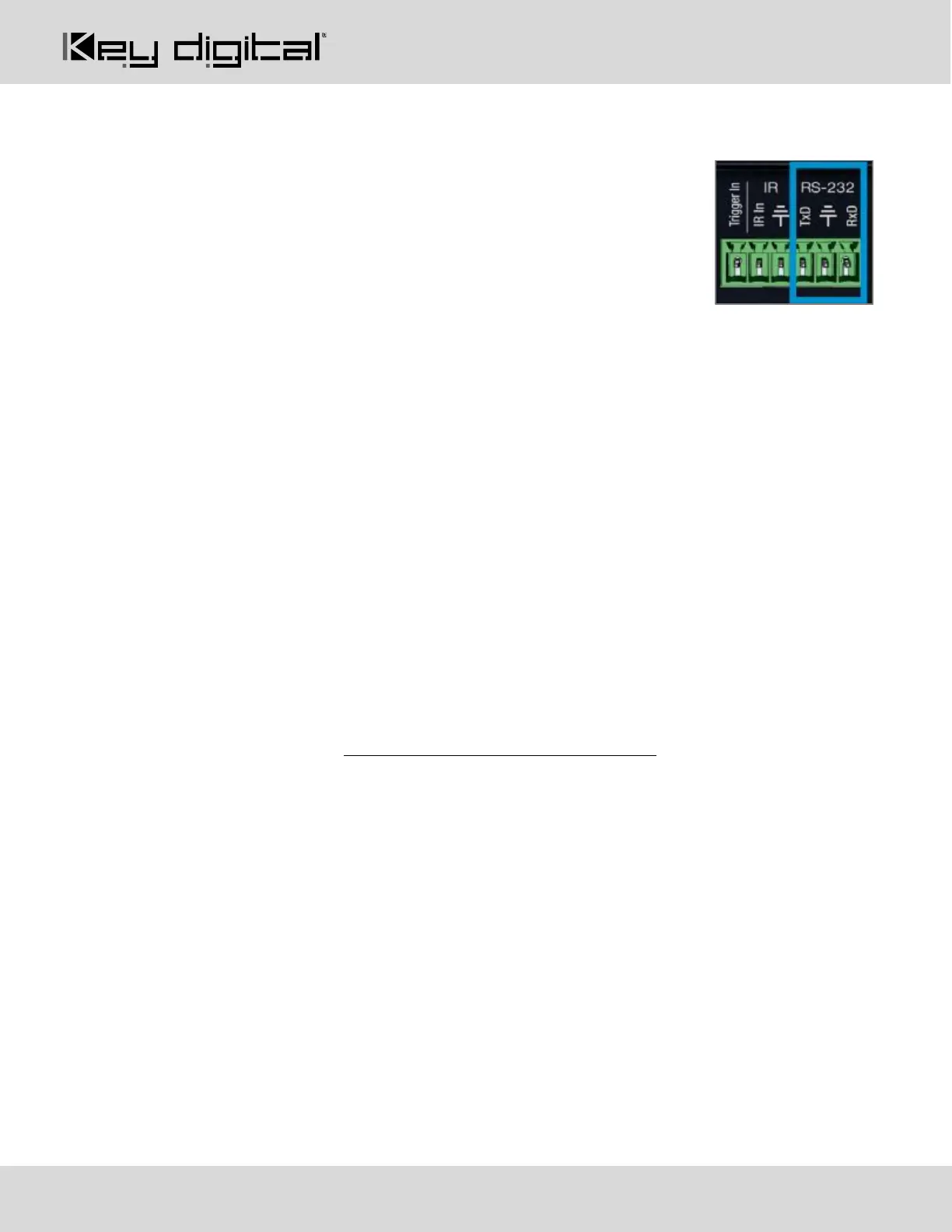
• Use Unit Control pins 4, 5, and 6 for RS-232 communication
• Serial interface may also be accessed using a TCP/IP connection or using
the USB Service port
• Default IP address is 192.168.1.239, with default port 23
• A single TCP/IP connection made at KD-UPS52U, KD-X100MRx, or KD
Transmitter enables IP connection to the KD-UPS52U and the KD Transmitter. Ensure that the KD-
UPS52U and the KD Transmitter each device has been assigned a unique IP address to avoid IP
conflicts.
Connection Protocol
• Baud Rate = 57,600 bits per second as default
o Note: Activating KD-CamUSB or KD-Amp220 control mode will automatically adjust the baud-
rate to 9,600. It must be 9,600 to support KD-CamUSB and KD-Amp220 Integrated Systems
• Data Bits = 8
• Stop Bits = 1
• Parity = None
• Flow Control = None
• Carriage Return = Required at end of each string
Notes:
• Commands are not case-sensitive
• Spaces are shown for clarity; commands should NOT have any spaces
• After a new command is received, a prompt should be sent back
Help Command (H). Returns entire API in readable format:
-------------------------------------------------------------------------
-- Key Digital Systems HELP --
-------------------------------------------------------------------------
-- KD-UPS52U F/W Version : 1.00 --
-- --
-- H : Help --
-- STA : Show Global System Status --
-- --
-- Video Output Setup Commands: xx = [01-02,A=All], yy = [01-02,U,D] --



 To Next Page