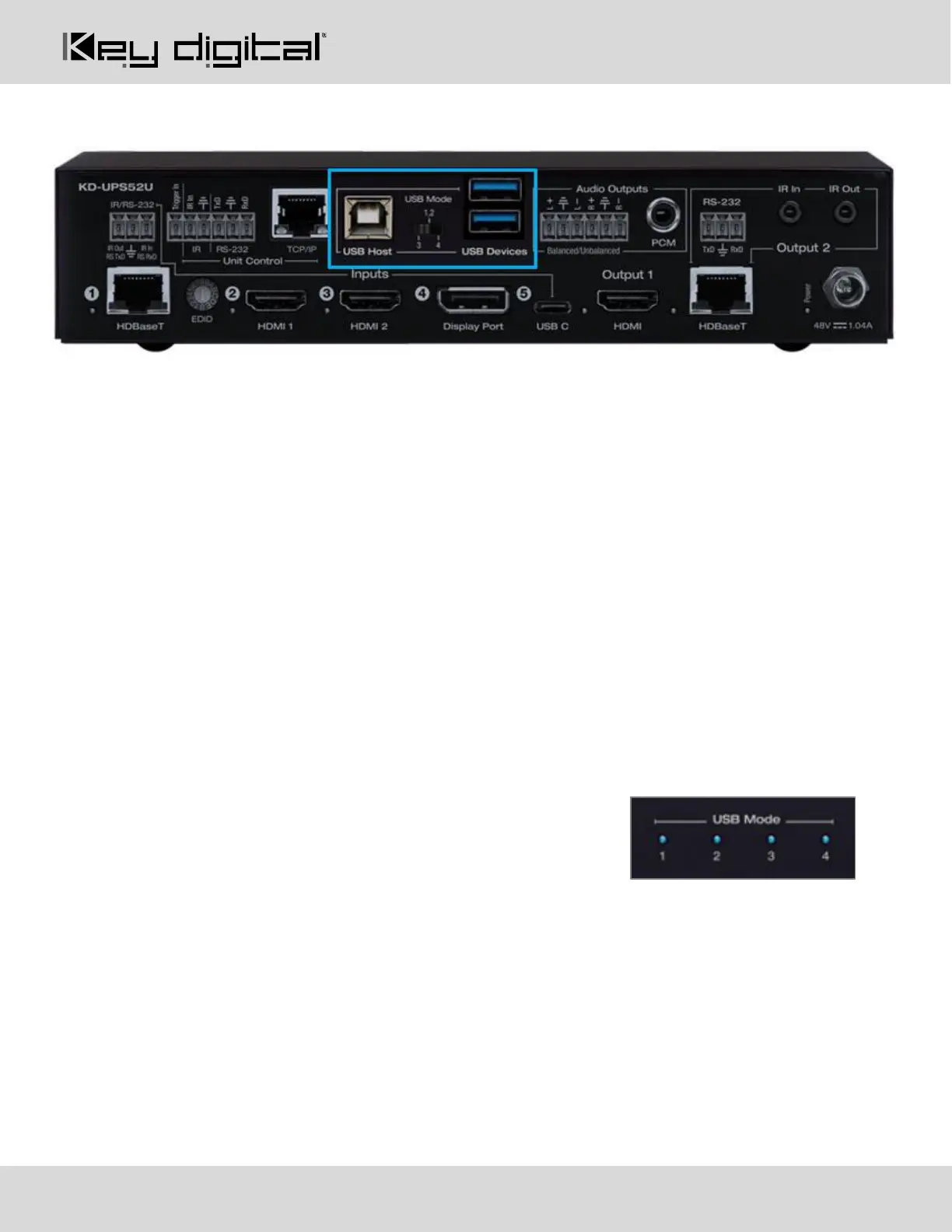
USB Ports and Mode Switch
USB Host Port
• Used for connecting to USB host (ie computer, conferencing appliance)
• Not used for connected to USB devices (ie web cam, USB mic, keyboard, mouse, touchscreen)
• Supports USB 2.0 and previous
• Use Mode switch to determine USB signal flow. Refer to below USB Modes table
USB Device Ports
• Used for connecting to USB endpoints (ie web cam, USB mic, keyboard, mouse, touchscreen)
• Not used for connected to USB host (ie computer, conferencing appliance)
• Supports use with USB hubs but may not exceed 15 endpoint devices
• Provides 5V 500mA power
• Supports USB 2.0 and previous
• Use Mode switch to determine USB signal flow. Refer to below USB Modes table
USB Mode Selection and Table
KD-UPS52U has several USB modes to accommodate multiple scenarios for USB pass-thru.
The USB mode lights on the front of the unit illuminate to indicate the
current scenario selected.
Mode 1: USB Host is connected to the KD Transmitter, USB device is connected to HDBaseT Rx
Mode 2: USB Host is connected to the KD Transmitter, USB device is connected to KD-UPS52U device ports
Mode 3: Supports two routes for USB control
• USB Host connected to KD-UPS52U, USB device is connected to KD-X100MRx
• USB Host connected to KD Transmitter, USB device is connected to KD-UPS52U
Mode 4: Supports two routes for USB control
• USB Host connected to KD-X100MRx, USB device is connected to KD-UPS52U
• USB Host connected to KD-UPS52U, USB device is connected to KD Transmitter



 To Next Page