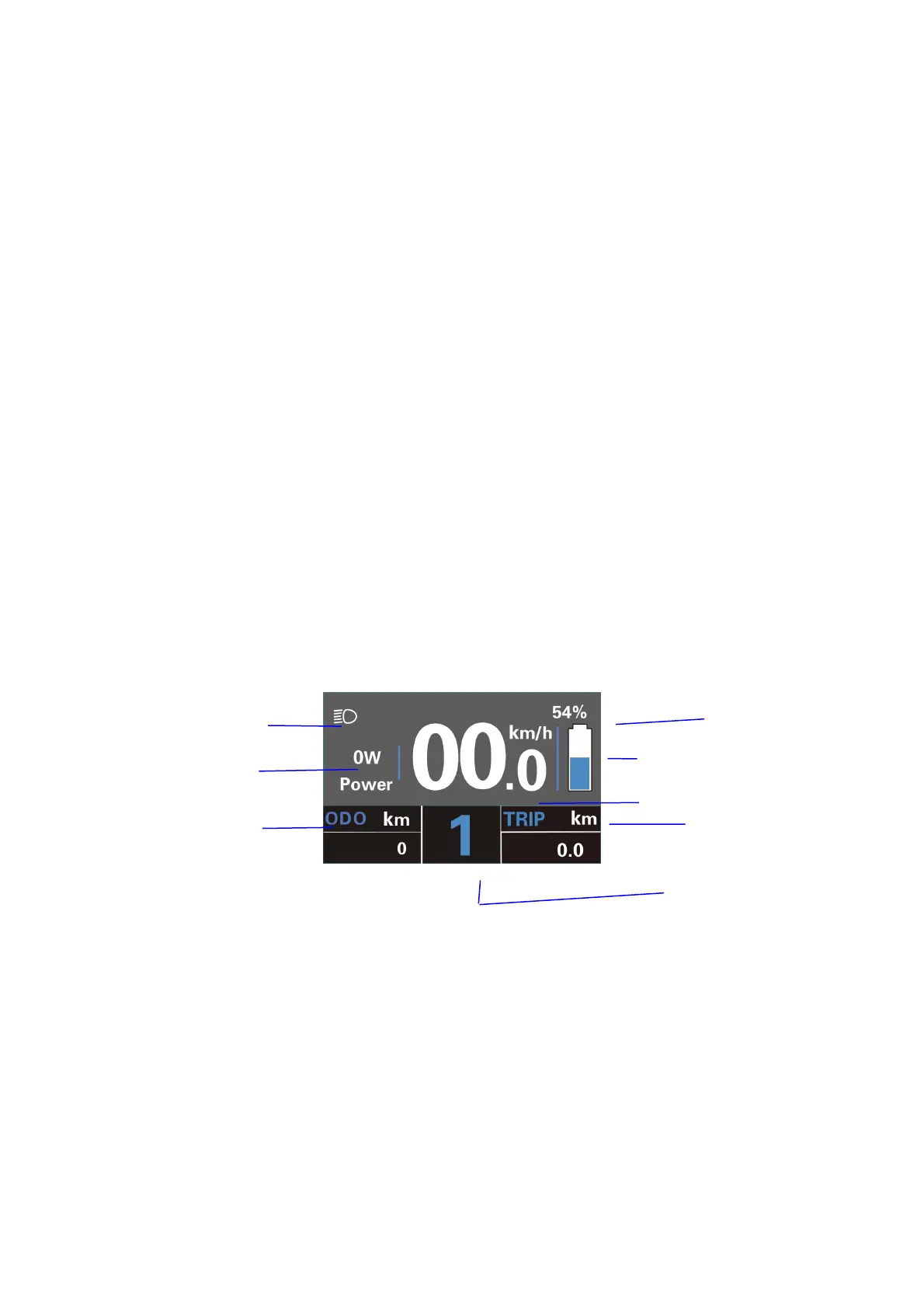
Function Summary
KD218 has many functions to meet the Users’ needs. The indicating contents are
as follows:
●Battery and battery percentage
●Motor Power
●assist-level
●Speed indication (incl. current speed, Max. speed and Ave. speed)
●ODO and trip distance
●The push-assist function
●Trip time
●Backlight On/Off
●Error code indication
●Pedaling frequency indication (optional)
●USB connection indicator (optional)
●The remaining range indication (optional)
●Various Parameters Settings (e.g., wheel size, speed-limited, battery level bar,
assist level, controller limited current, password enable, etc.)
●Recover Default Settings
Functional Area Distribution:
General Operations
◆Switching the E-bike System On/Off
Press the ON/OFF button to switch on E-bike system and provide the power supply
for the controller. Likewise, hold the ON/OFF button for 2s again, the E-bike system will
be switched off .The E-bike system no longer uses the battery power.
When the E-bike system is switched off, the leakage current is less than 1 μA.
■When E-bike is parked for more than 10 minutes, the E-bike system will be switched off
automatically.



 To Next Page