Tianjin Key-Disp Technology Co.,Ltd
1.Power-on Password Disable/Enable
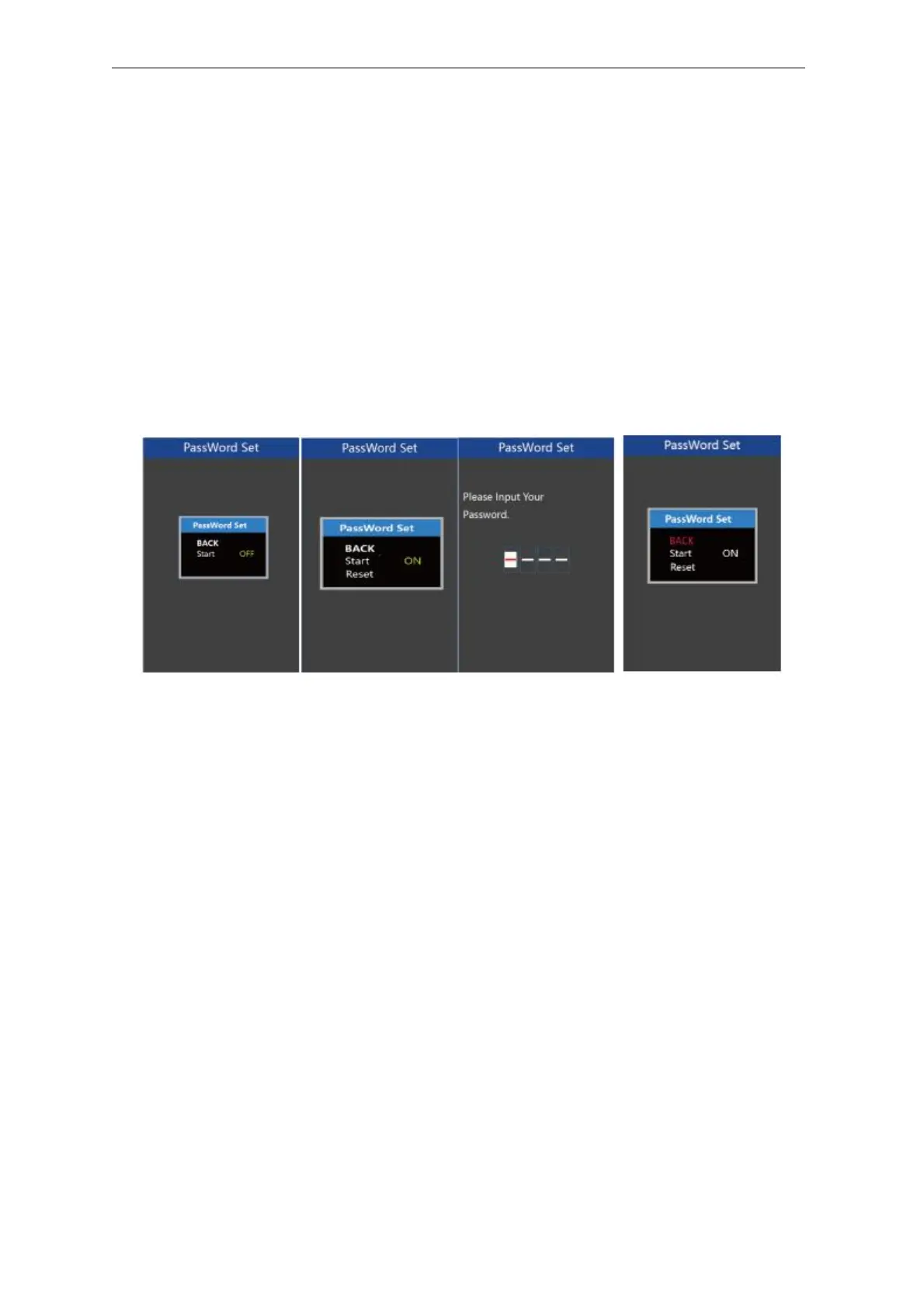
To enable or disable Start PassWord settings, press the “+” or the “-” button to
select ON or OFF. ON means enabling a power-on password while OFF means disabling
a power-on password. The default value is OFF.
To enable a power-on password, choose ON and press “i” button to confirm and
input the current password or default password’1212’. Press the “+”or the “-”button to
change the number and press the “i”button to confirm digits one by one until the correct
password( current password or default password’1212’ ) is completed.
To disable the current password, choose OFF and press “i” button to confirm and
input the current password correctly. The screen displays ‘PassWord Canceled
Successfully’. *Then the display password is restoring the default code ‘1212’.
Password Enable/Disable Settings Interface
2.Power-on Password Reset
From the last interface above, press the “+” or the “-” button to select ‘Reset PassWord’ and
press the “i” button to confirm to access power-on password reset interface. There are 3 pages
for setting up a new password:
In the first page, please enter the current password or default password ‘1212’ correctly.
Then it moves to the second page for inputting a new password. Press the “+” or the “-” button
to increase or decrease the number and then press the “i” button to confirm digits one by one
until a new 4-digit password is completed.
Finally, it comes to the third page and reenter the new password again for confirmation. The
screen displays ‘ PassWord Reset Successfully’
When switching on the E-bike system next time, please enter the new password to power on
the display.
User
Manual-KD718



 To Next Page