Tianjin Key-Disp Technology Co.,Ltd
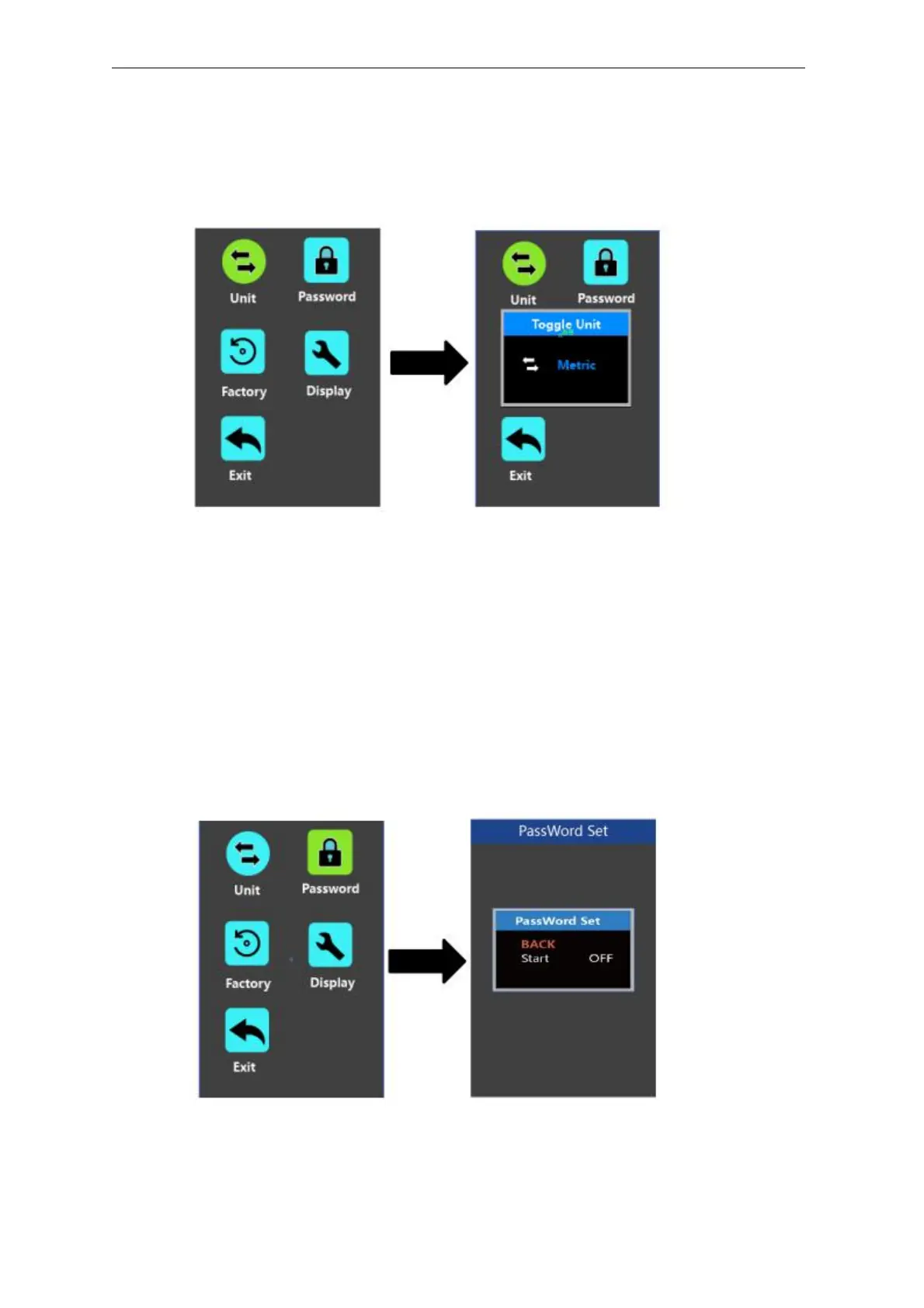
◆Unit km/mile toggling
Unit represents unit toggling settings.
To toggle the unit, press the “+” button or the “-” button to choose the desired unit and
press the “i” button to confirm The default unit is “Metric (km)”.
To store a changed setting, briefly press the “i” button to confirm.
Mile and Kilometer Toggling Interface
◆
Password Settings
Password means display power-on password settings
To access the power-on password setting page, select ‘Password’ in the menu and
press “i” button to confirm.
PassWord Set means power-on password settings. Power-on password is a 4-digit
code. The default password is ‘1212’.
Password Setting Interface
User
Manual-KD718



 To Next Page