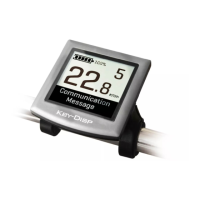
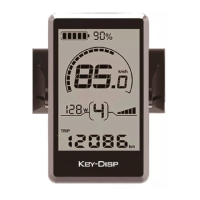
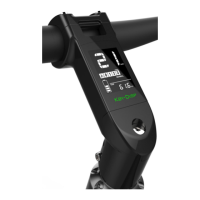
Function and Button Definition
◆Function Summary
KD831 has a lot of functions to meet the riders’ needs. The indication elements are
● Intelligent Battery SOC indicator
● Assist level adjustment and indication
● Speed indication
● Motor-output indicator
● Trip time
● Trip distance and Total distance
● The push-assistance function and indicator
● Lighting control and indicator
● Error Code indication
◆Button Definition
There are four buttons, power button, mode button and plus & minus buttons on KD831 display. In
this manual, we use words ON/OFF, i, +, - to represent these four buttons. The top edge and the
bottom edge of the display will be working as “plus” button and “minus” button. The touch feeling is
like a rocker switch.
Install Instructions
KD831 can be mounted on the left side of handlebar close to its grip. Adjust the angle for a
good screen view. Cut off the power before connecting the corresponding connectors between
display and controller.
General Operation
◆Switching the E-bike system On/Off
To switch on the E-bike system, hold the ON/OFF button for 2s.
To switch off the E-bike system, hold the ON/OFF button for 2s.
When E-bike system is switched off, the leakage current is less than 1 μA.
* if sticky button for ON/OFF or push assist (- button in KD831 serves as push assist function
button) or overvoltage or short-circuit MOS tube happens, the corresponding error code will be
indicated on the display. Please refer to attached list 1 for more details. If user operates the display
improperly such as over pressing the on/off button or pressing on/off button and – button
simultaneously, turn off the display and restart it.
■
In case of no use of bike for approx. 10 minutes, the display switches off automatically.


 To Next Page