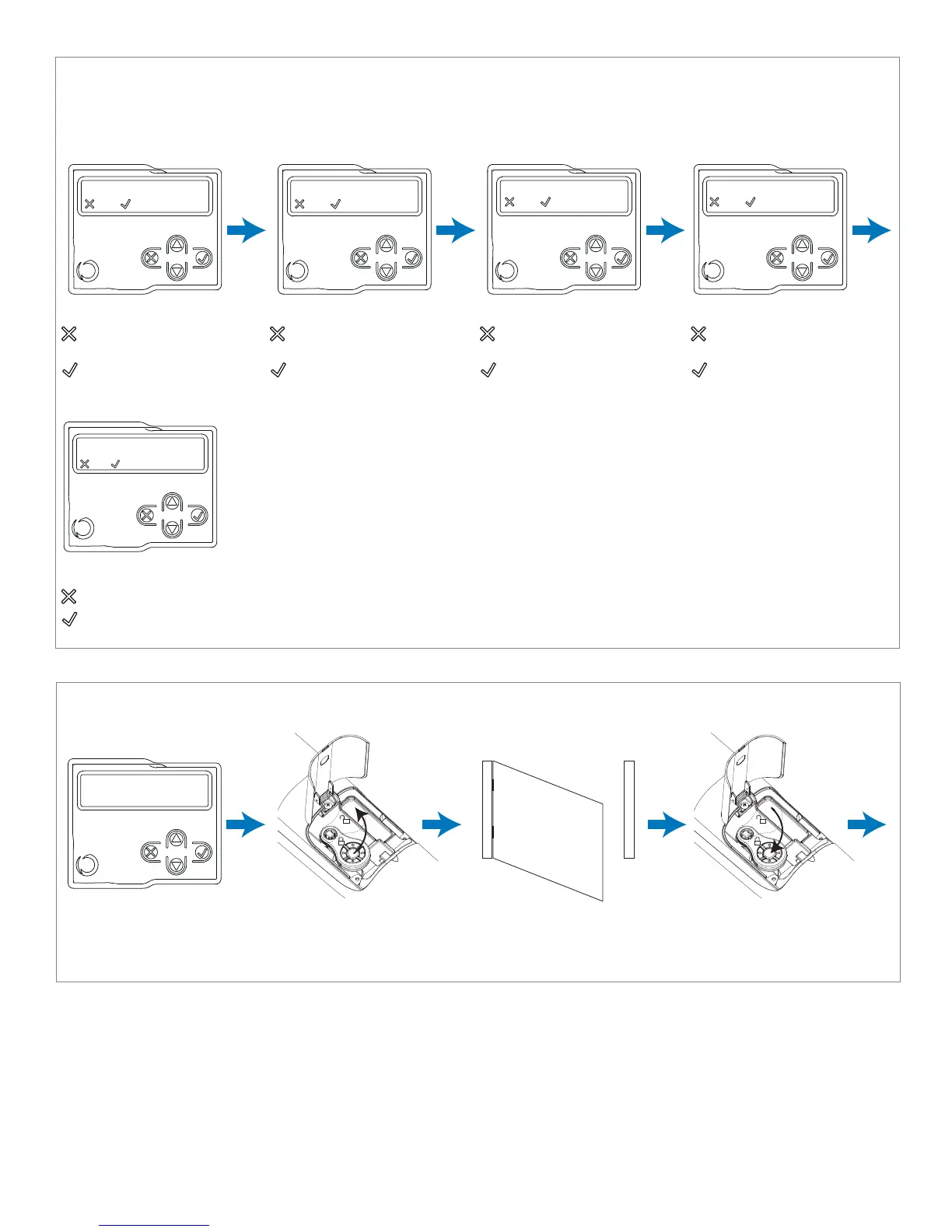
STEP 3: Check the Connection of the Safety Devices (Photo 1 – Photo 2 – Sensitive Edge – Stop Button):
During programming, you will be asked whether there are any safety devices connected to the system. If additional safety
devices are connected later, they are simply activated in the relative menu (see advanced settings parameter table).
STEP 4: Continue through quick auto-learning of gate and slow down lengths (preset values) by taking the
following steps:
NOTE: If there are safety devices connected, during travel stroke programming,
the safety devices can be deactivated to prevent accidental interruption of this
operation. At the end of the autolearning procedure, the safety devices selected
earlier will be reactivated.
UNLOCK MOTOR (S)
Position in the middle of
travel stroke path
Unlock motor(s) with
Key on Transmitter
Manually position
gate(s) in middle of
travel stroke path
Lock motor(s) back in
place with Key on
Transmitter
photo 1 connected?
=no =yes
Press either:
if photo eye 1 is NOT
connected
if photo eye 1 IS
connected
photo 2 connected?
=no =yes
Press either:
if photo eye 2 is NOT
connected
if photo eye 2 IS
connected
sensitive edge connected?
=no =yes
STOP BUTTON connected?
=no =yes
Press either:
if safety edge is NOT
connected
if safety edge IS
connected
Press either:
if stop button is NOT
connected
if stop button IS
connected
Safety device connected
during programming?
=no =yes
Press either:
if you DO NOT intend safety devices to be enabled during programming
if you DO intend safety devices to be enabled during programming
17



 To Next Page