4
3. Settings (2)
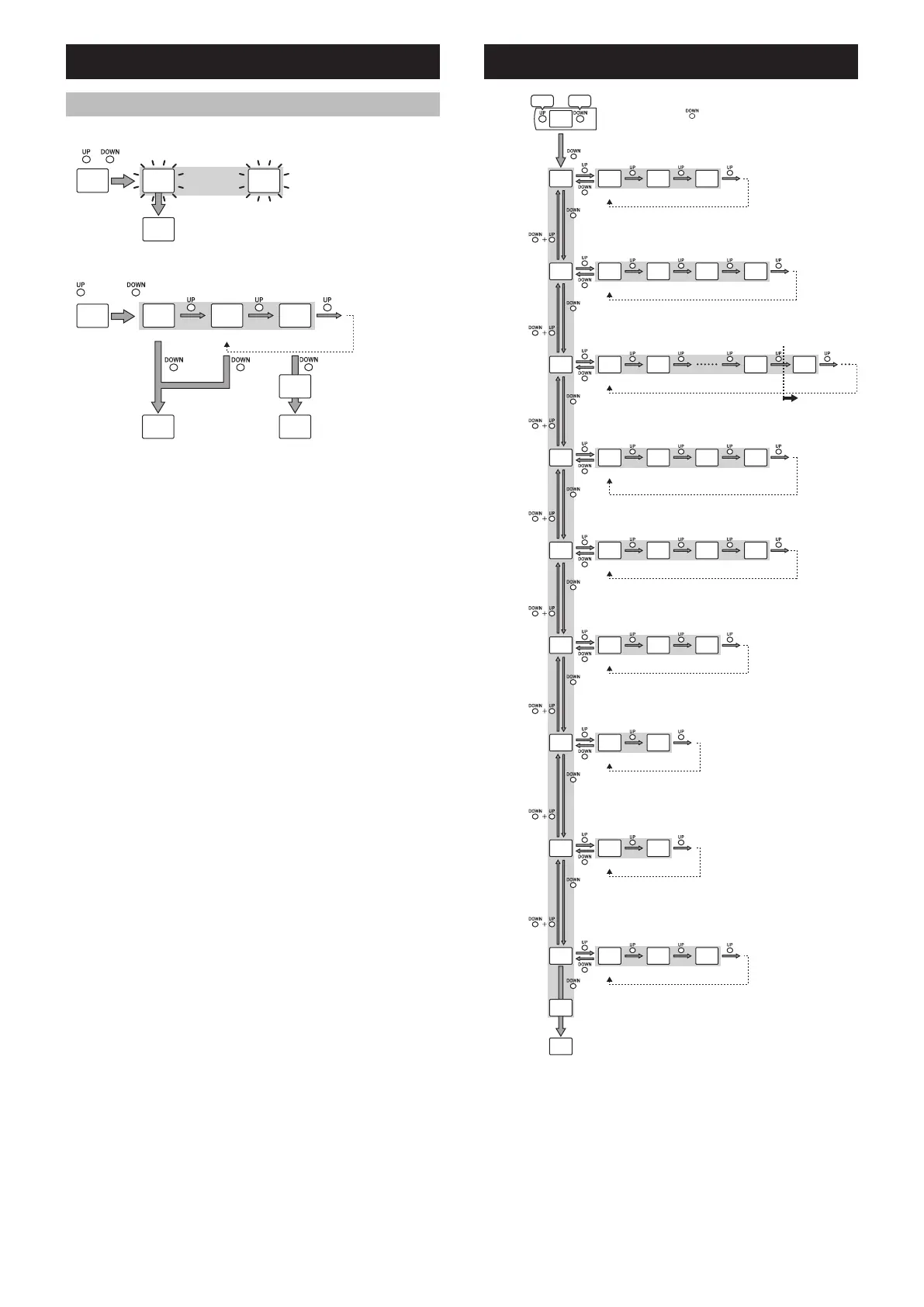
3-5 Useful functions
Key lock
( + ) >3s
(Run Mode)
(Run Mode)
Key lock/ Unlock
Initialization (return sensor to factory default settings)
× 5 while is pressed.
(Run Mode)
(Run Mode)
Return to the initial settings
(PNP/NPN selection)
screen.
Initialization
Do not initialize Initialize
4. Advanced Settings (1)
D#T
52F J52
.Q(
#FLKP 5'VQ((
FVK
5JVQ(F
F.[ QPFQ((
5(V Q((QP
DA**.F 2A*Q((
QHHF5% /+
F52 Q((QP
E.2 QPQ((
'PF
Response time
(page 5 4-1)
Delay timer
Amount of time
for timer
Only when an
option other than
“oFF” is selected
in “dLY”
External input
(page 5 4-2)
DSC function
*1
(page 5 4-3)
Hold function
(page 5 4-4)
Shift function
*2*3
(page 5 4-5)
Clamp function
*2
(page 5 4-6)
Display
Select
• Pressing and holding
while in the menus will exit the settings,
and Run Mode will be restored.
Set
>3s
50 ms
OFF
OFF
1 sec
OFF
ON
(Run Mode)
ON
OFF
10 ms 900 ms
Adjust
*1
0.25 sec
1.5 ms
ON delay
Tuning
3 min
Peak hold
OFF
Pressing any button will show the standard display
for a brief period of time even when the display is
set to [oFF] or [bAr].
OFF
ON
20 ms 1 ms
10 ms
OFF delay
Transmission
OFF
OFF
Bottom hold
Bar display
*4
One-shot
Only when “hSP”
is selected in
“SPd”
*1 Enabled only when “Universal Change Detection” is performed.
*2 Disabled when “Universal Change Detection” is performed.
*3 Utilized when “Datum calibration” is performed, regardless of setting.
*4 Cannot be set when “Universal Change Detection” is performed.



 To Next Page