Notes on Network Crossover Cable Programming
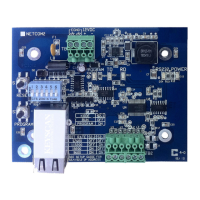
The NETCOM2 Rev. B can be programmed using a network cross over cable connected to
the NETCOM2 Rev. B’s RJ45 terminal. The NETCOM2 Rev. B requires a 12VDC power
source. Ensure that the DIP switch S2.1 is in the OFF position (Run mode). If you elect to
program it with the Network Connection via ARP Request, you require the NETCOM2 Rev.
B’s MAC address, which is printed on the RJ45 port. This method does not require setting
one of the NETCOM2 Rev. B’s embedded IP addresses. See Figure 3 or Figure 4 for
permanent operating connections.
Supplementary Documents
You may also require the following Keyscan documentation which can be located on the
Keyscan Products Documentation Library CD:
CIM Setup Guide
Keyscan Technical Guide
Prerequisites
NETCOM Program Utility version 6.0.16 or higher
Manually Configure the NETCOM2 Rev. B Serially
In the event that you program the NETCOM2 Rev. B using one of the three programming
connection methods previously reviewed and the device fails to communicate, refer to
manually configuring the device on page 13. You should only undertake these procedures if
you were unsuccessful programming the device with the NETCOM Program Tool Utility.


 To Next Page