Steps to Program the NETCOM2 Rev. B
These instructions assume you have completed section 1 and the Keyscan NETCOM Utility
is installed on a server/laptop connected on a local network with the NETCOM2 Rev. B. If
you are continuing from Steps to Set a Static IP Address for the Server/Laptop go to step
2.
1. Select start > All Programs > Keyscan NETCOM Program Tool > Keyscan NETCOM
Program Tool.
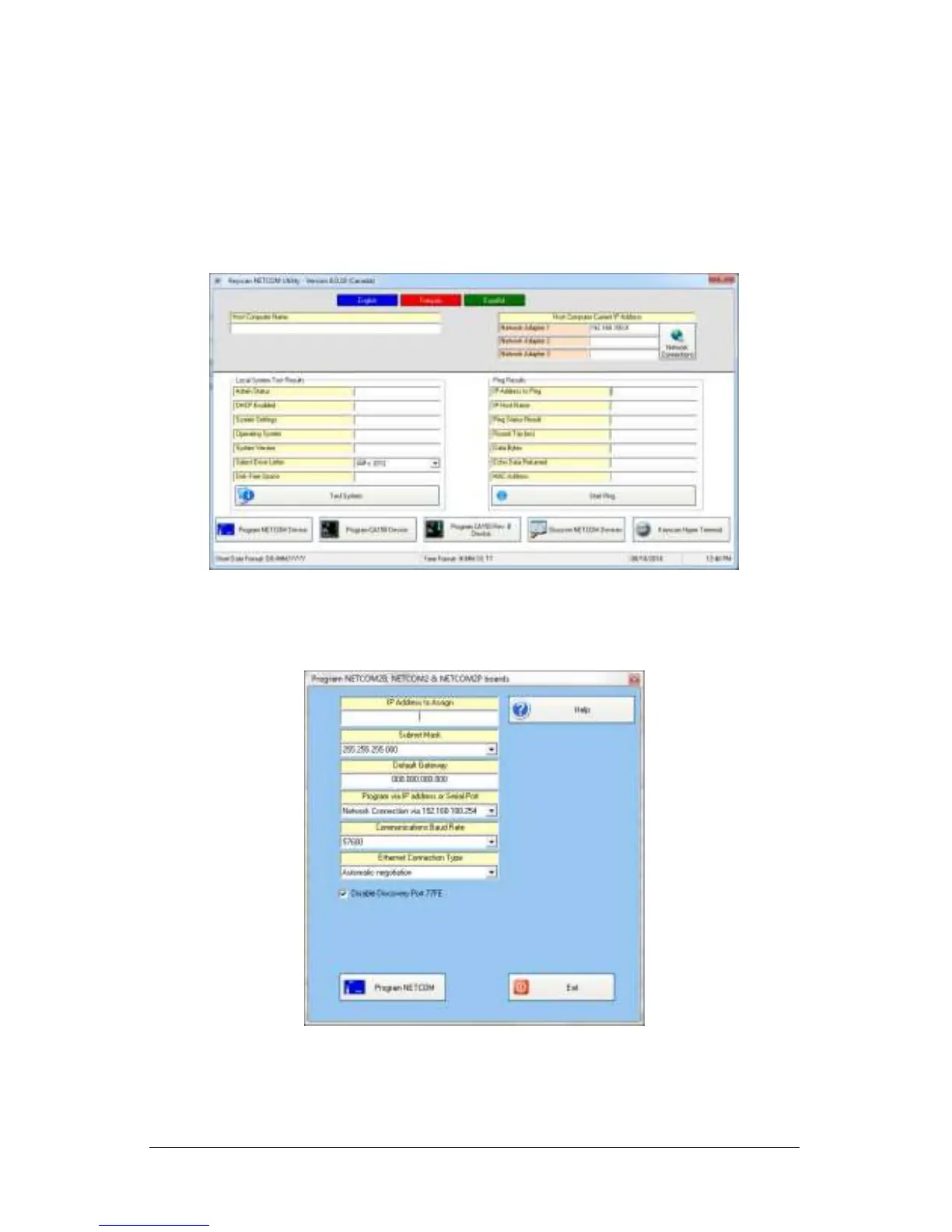
2. From the Keyscan NETCOM Utility screen, click Program NETCOM Device.
3. From the Select NETCOM Device Type, click on the NETCOM2 Family of Boards.
4. From the Program NETCOM2B, NETCOM2 & NETCOM2P screen, enter the assigned IP
address. This is not to be confused with the embedded programming IP address.
5. Enter the Subnet Mask by selecting an address from the drop down list.
6. For a gateway, optional, enter the number in the Default Gateway text box.


 To Next Page