Features of your vehicle
544
Auto Triple Turn (One-touch triple
turn signal)
On - The lane change signals will blink 3
times when the turn signal lever is
moved slightly.
Off - The Auto Triple Turn function will be
inactivated.
AVG fuel economy
Auto Reset - The average fuel economy
will reset automatically
when you drive after refu-
elling.
Manual Reset - The average fuel econo-
my will not reset auto-
matically when you drive
after refuelling.
Maintenance system (if equipped)
The Maintenance system informs the
driver when to replace engine oil and
rotate tyres.
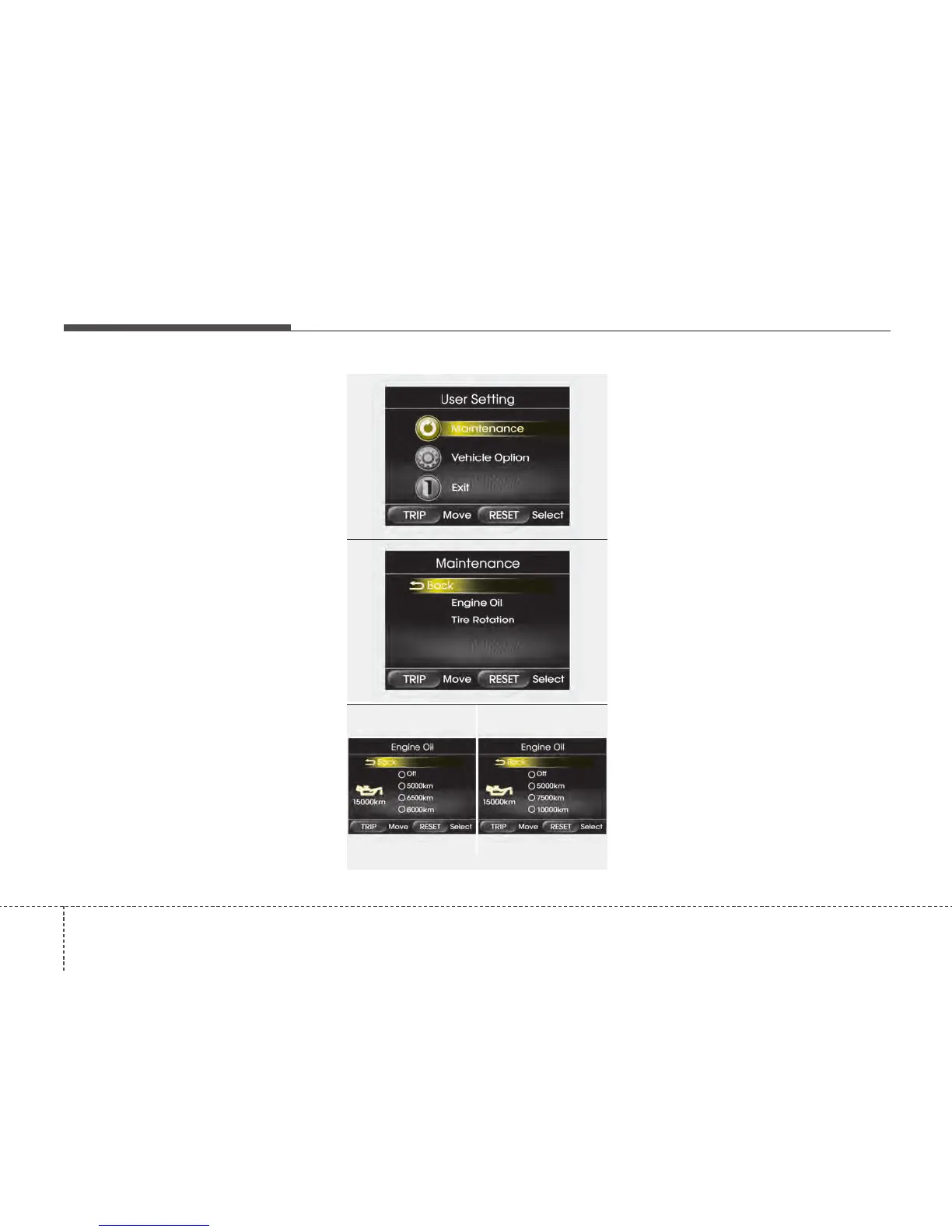
Maintenance
1. When the vehicle is at a standstill,
pressing the TRIP button for more than
2 seconds with the ENGINE START/
STOP button in the ON position or
engine running, the LCD display on
the cluster will change to the "User
Setting" mode.
You can move to the items by pressing
the TRIP button and select the item by
pressing the RESET button.
2. In the "User Setting" mode select
"Maintenance".
3. Select the desired engine oil (tyre rota-
tion) maintenance schedule.
4. If finished, you can come out of the
Maintenance mode by pressing the
TRIP button for more than 2 seconds.
OTF040074N
OTF040075N
OTF043076C-1/OTFS042076-1
■ Type A
■ Type B






 To Next Page