497
Features of your vehicle
Loading condition Switch position
Driver only 0
Driver + Front passenger 0
Full passengers
(including driver)
1
Full passengers (including
driver) + Maximum permis-
sible loading
2
Driver + Maximum permis-
sible loading
3
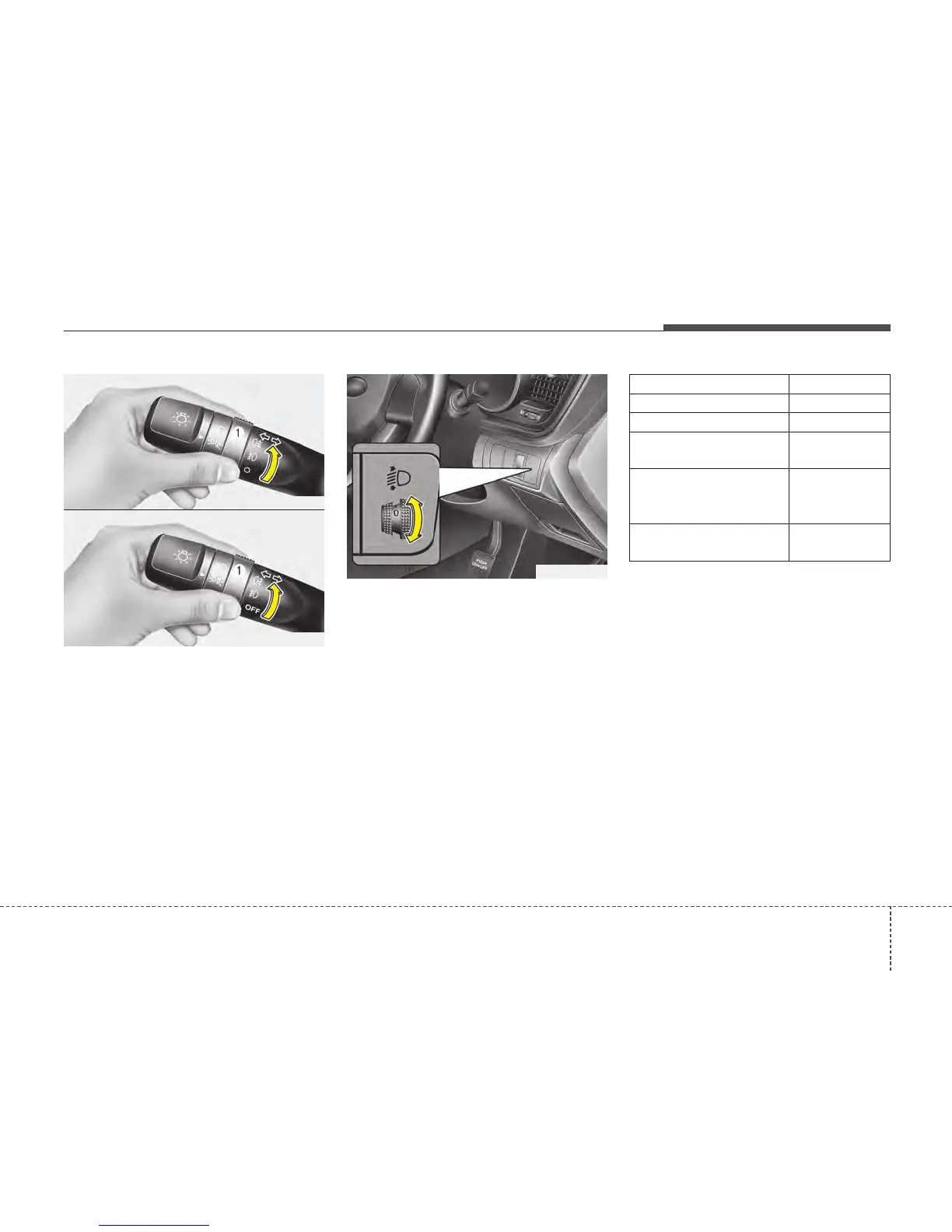
Rear fog light
To turn the rear fog lights on, turn the
rear fog light switch (1) to the on position
when the headlight is turned on.
Also, the rear fog lights turn on when the
rear fog light switch is turned on after the
front fog light switch (if equipped) is
turned on and the headlight switch is in
the parklight position.
To turn the rear fog lights off, turn the rear
fog light switch to the on position again.
Headlight levelling device
(if equipped)
To adjust the headlight beam level
according to the number of the passen-
gers and loading weight in the luggage
area, turn the beam levelling switch.
The higher the number of the switch
position, the lower the headlight beam
level. Always keep the headlight beam at
the proper levelling position, or head-
lights may dazzle other road users.
Listed below are the examples of proper
switch settings. For loading conditions
other than those listed below, adjust the
switch position so that the beam level
may be the nearest as the condition
obtained according to the list.
OAM049046L
OAM049046L-1
■ Type A
■ Type B
OTF040177R






 To Next Page