Features of your vehicle
704
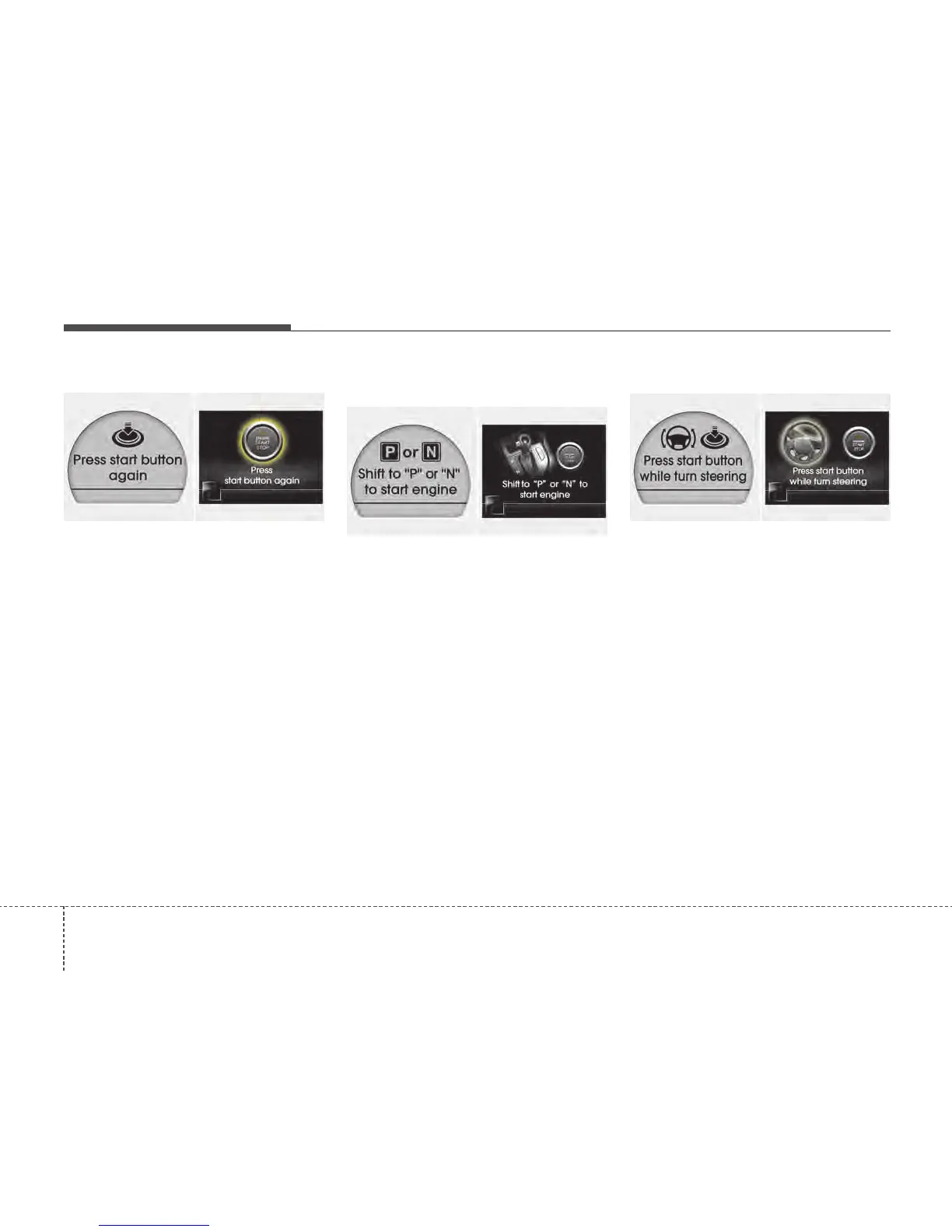
Press start button again
If you can not operate the engine
start/stop button when there is a problem
with the engine start/stop button system,
the warning illuminates for 10 seconds
and the chime sounds continuously to
indicate that you could start the engine
by pressing the engine start/stop button
once more.
The chime will stop if the engine
start/stop button system works normally
or the theft alarm system is armed.
If the warning illuminates each time you
press the engine start/stop button, we
recommend that you contact an autho-
rised Kia dealer.
Shift to "P" or "N" to start the engine
(for automatic transaxle)
If you try to start the engine with the shift
lever not in the P(Park) or N(Neutral)
position, the warning illuminates for
about 10 seconds on the LCD display.
You can also start the engine with the
shift lever in the N(Neutral) position, but
for your safety start the engine with the
shift lever in the P(Park) position.
Press start button whilst turn steering
If the steering wheel does not unlock nor-
mally when the engine start/stop button
is pressed, the warning illuminates for 10
seconds on the LCD display. Also, the
warning chime sounds once and the
engine start/stop button light blinks for 10
seconds.
When you are warned, press the engine
start/stop button whilst turning the steer-
ing wheel right and left.
■ Type A ■ Type B
OTF040088N
■ Type A ■ Type B
OTF040089N
■ Type A ■ Type B
OTF040181N






 To Next Page