493
Features of your vehicle
Lighting control
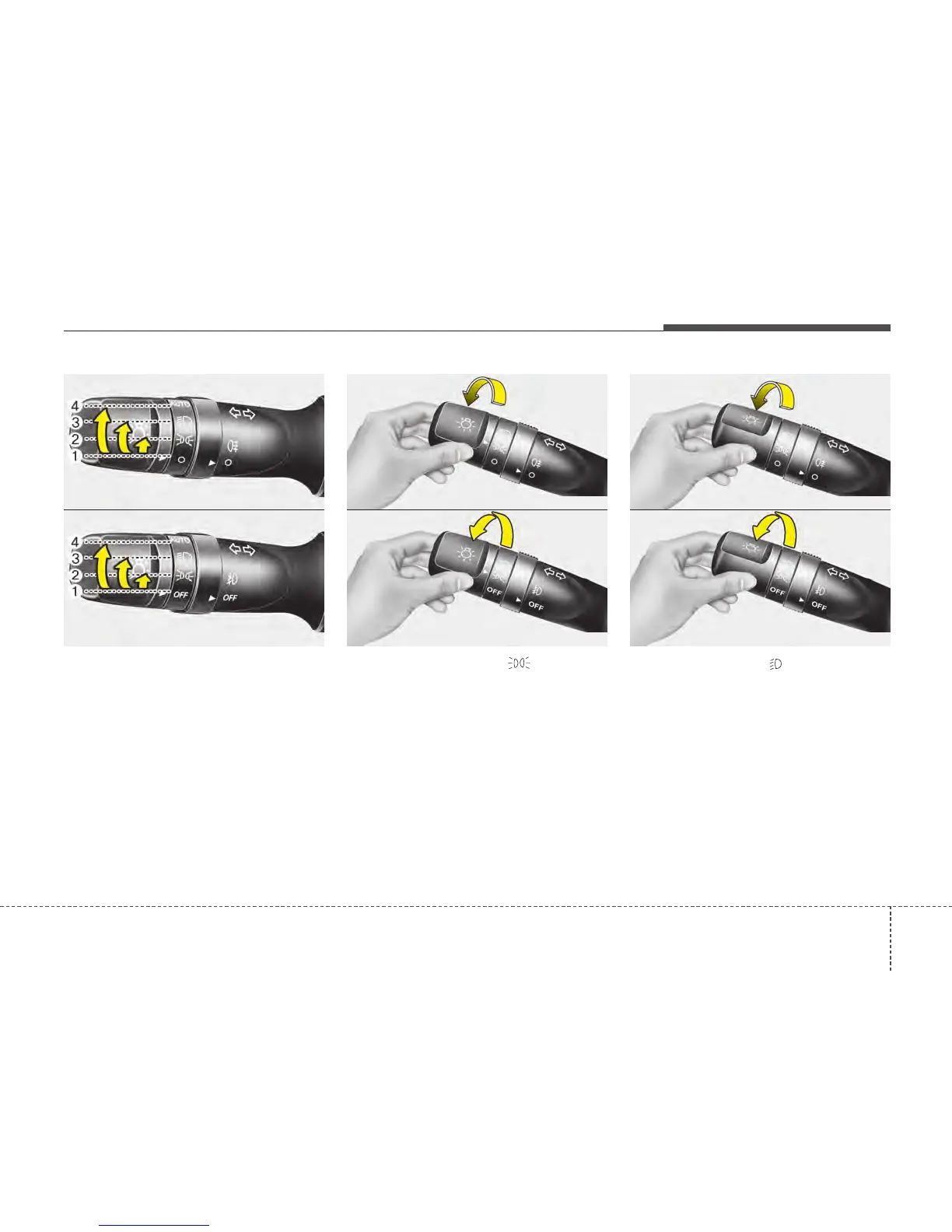
The light switch has a Headlight and a
Parking light position.
To operate the lights, turn the knob at the
end of the control lever to one of the fol-
lowing positions:
(1) Off position
(2) Parking light position
(3) Headlight position
(4) Auto light position (if equipped)
Parking light position ( )
When the light switch is in the parking
light position (1st position), the tail posi-
tion, license and instrument panel lights
will turn ON.
Headlight position ( )
When the light switch is in the headlight
position (2nd position), the head, tail,
position, license and instrument panel
lights are ON.
✽✽
NOTICE
The ignition switch must be in the ON
position to turn on the headlights.
OED040045
OBK049045
■ Type A
■ Type B
OED040046
OAM049041
■ Type A
■ Type B
OED040800
OAM049042
■ Type A
■ Type B






 To Next Page