4145
Features of your vehicle
8. Button
■ CD Player : PA710TFG
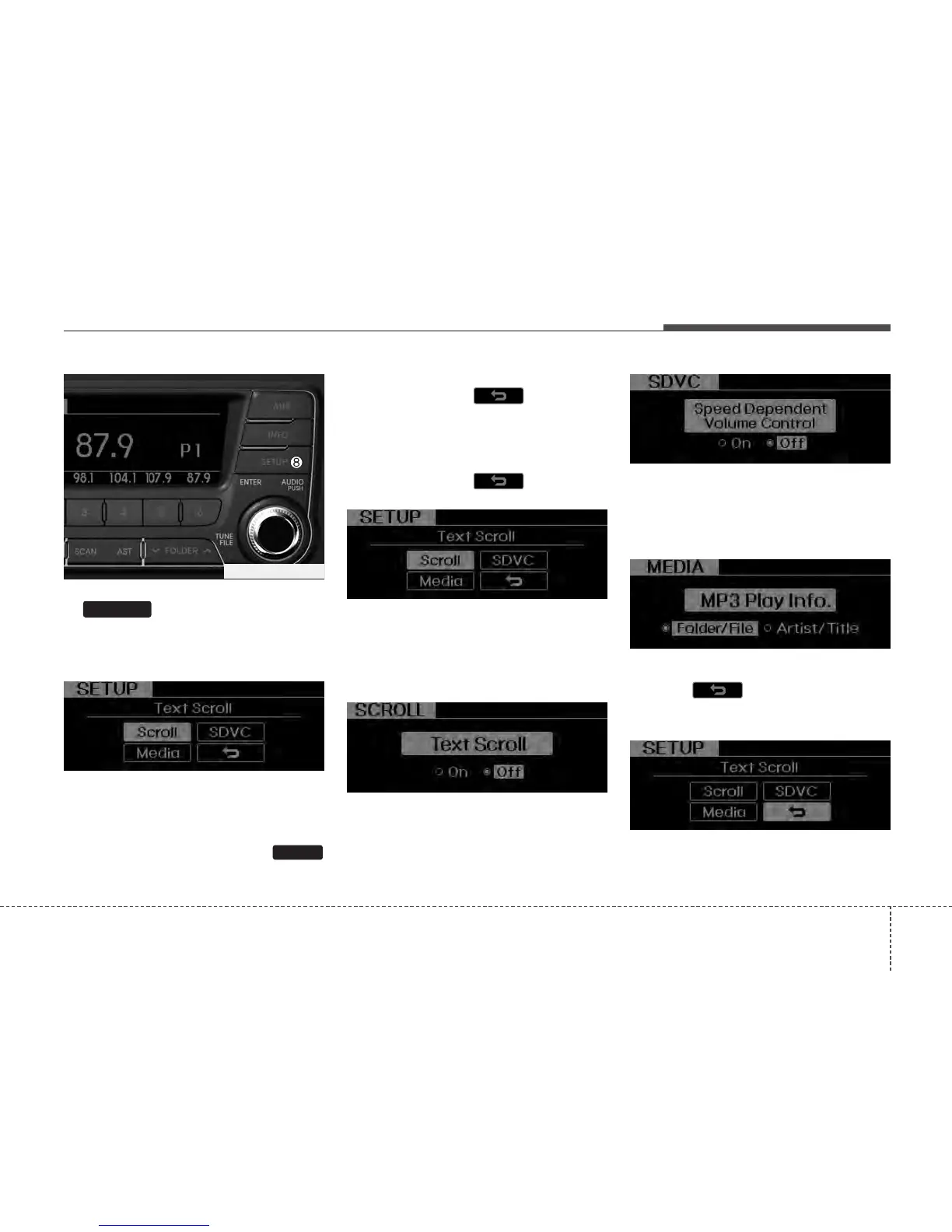
Press this button to turn to the SETUP
adjustment mode.
If no action is taken for 5 seconds after
pressing the button, it will return to the
play mode. (After entering SETUP mode,
move between items using the left, right
and PUSH functions of the
knob.)
The setup changes in the order of
Scroll ➟ SDVC ➟ ➟ Media ➟
Scroll...
■ CD Changer : PA760TFG
The setup Change in the order of
Scroll ➟ SDVC ➟ ➟ Media ➟
Scroll...
• Scroll
This function is used to display charac-
ters longer than the LCD text display and
can be turned On/Off through the sound
quality control knob.
• SDVC (Speed Dependent Volume Control)
This function automatically adjusts the
volume level according to the speed of
the vehicle and can be turned On/Off
through the sound quality control knob.
• Media
Select default display of MP3 play infor-
mation. “Folder/File” or “Artist/Title” can
be selected.
• Return( )
This function displays the previous MODE
screen.
TUNE
SETUP
PA760TFG_RADIO






 To Next Page