4151
Features of your vehicle
Using USB device
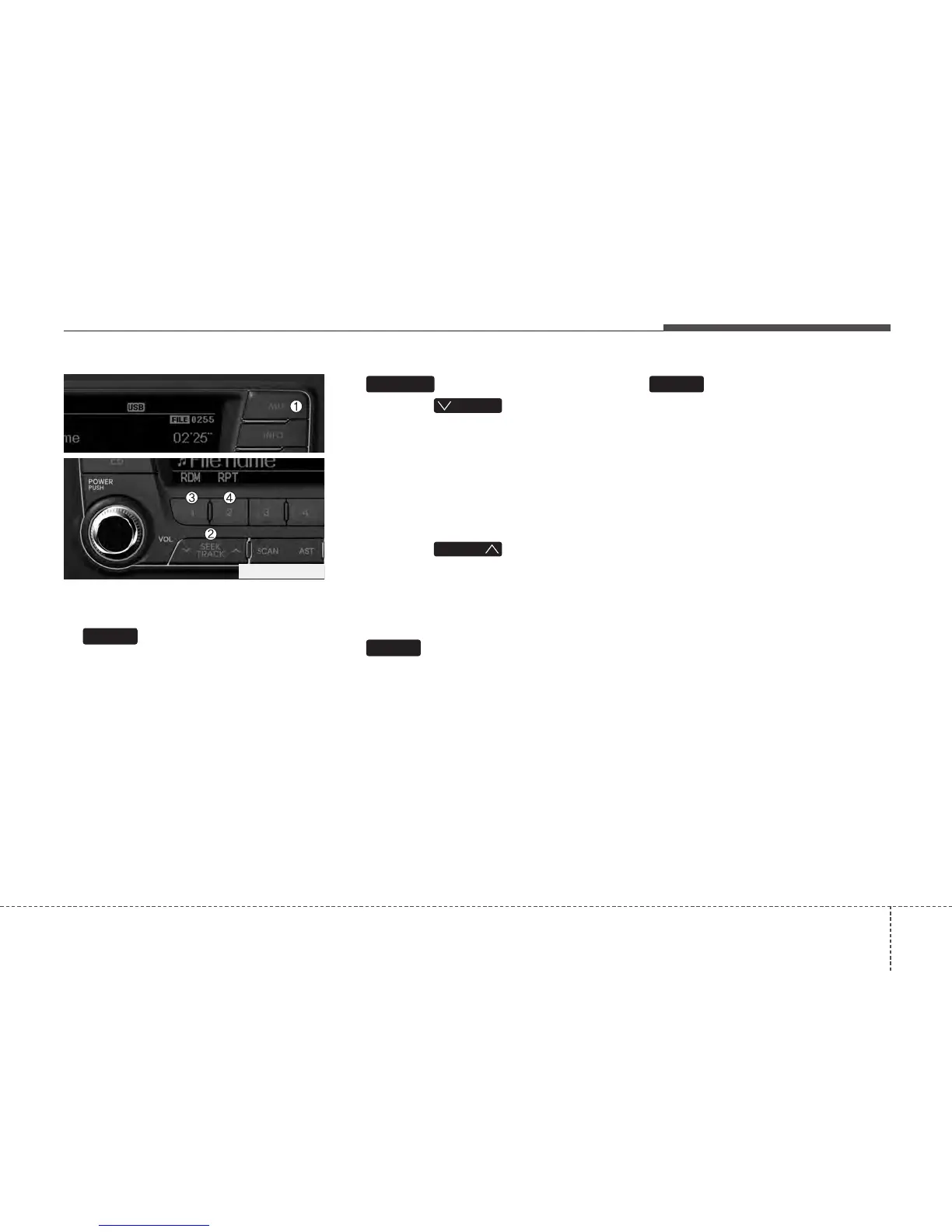
1. Button (USB)
If USB is connected, it switches to the
USB mode from the other mode to play
the song files stored in the USB. If no
auxiliary device is not connected, it dis-
plays "NO Media" for 3 seconds and
returns to the previous mode.
2. Button
• Press the button for less
than 0.8 second to play from the begin-
ning of the song currently played.
Press the button for less than 0.8 sec-
ond and press it again within 1 sec-
onds to move and play the previous
track. Press the button for 0.8 second
or longer to play the song in reverse
direction in fast speed.
• Press the button for less
than 0.8 second to move to the next-
track. Press the button for 0.8 second
or longer to play the song in forward
direction in fast speed.
3. Button (RANDOM)
Press this button for less than 0.8 sec-
onds to activate ‘RDM’ mode and more
than 0.8 seconds to activate ‘A.RDM’
mode.
• RDM : Only files in a folder are played
back in a random sequence.
• A.RDM : All files in a USB memory are
played back in the random sequence.
4. Button (REPEAT)
Press this button for less than 0.8 sec-
onds to activate ‘RPT’ mode and more
than 0.8 seconds to activate ‘FLD.RPT’
mode.
• RPT : Only a file is repeatedly played
back.
• ‘FLD.RPT’ : Only files in a folder are
repeatedly played back.
2
1
TRACK
T
TRACK
TRACK
AUX
PA760TFG_USB






 To Next Page