4157
Features of your vehicle
BLUETOOTH
®
WIRELESS
TECHNOLOGY PHONE OPERATION
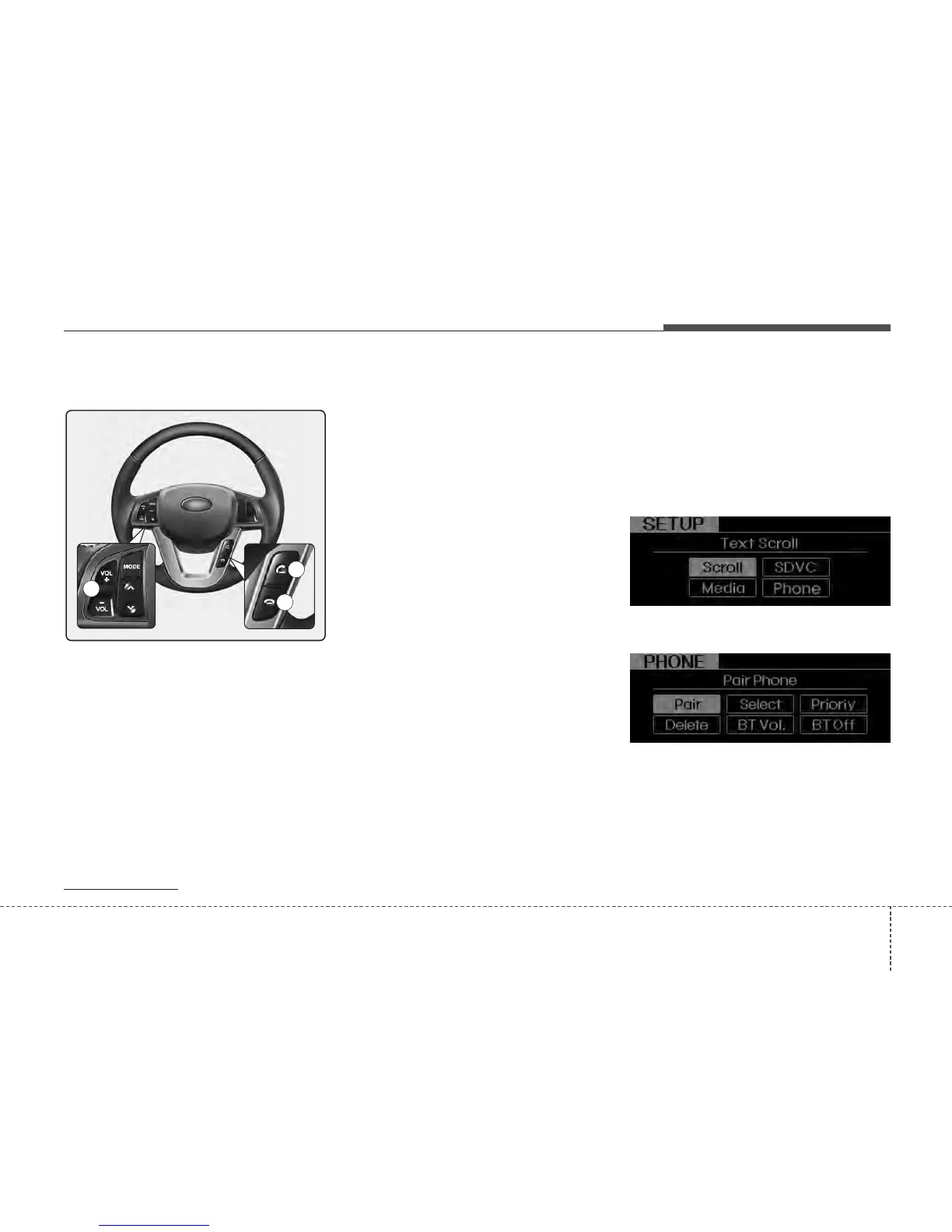
1. VOLUME button : Raises or lowers
speaker volume.
2. CALL button : Places or transfers a call.
3. END button : Rejects or ends a call.
■
What is
Bluetooth
®
Wireless
Technology?
Bluetooth
®
Wireless Technology is a wire-
less technology that allows multiple
devices to be connected in a short range,
low-powered devices like hands-free,
stereo headset, wireless remote control,
etc. For more information, visit
the
Bluetooth
®
Wireless Technology
website at
www.Bluetooth.com
■
General Features
• This audio system supports
Bluetooth
®
Wireless Technology hands-free and
stereo-headset features.
- HANDS-FREE feature: Making or
receiving calls wirelessly.
- STEREO-HEADSET feature: Playing
music from mobile phones (that sup-
ports A2DP feature) wirelessly.
✽✽
NOTICE
• The phone must be paired to the sys-
tem before using Bluetooth
®
Wireless
Technology features.
• Only one selected (connected) mobile
phone can be used with the system at
a time.
• Some phones are not fully compatible
with this system.
■
Phone Setup
All
Bluetooth
®
Wireless Technology-relat-
ed operations can be performed in
PHONE menu.
1) Push the SETUP button to enter
SETUP mode.
2) Select “PHONE” item by rotating the
TUNE knob, then push the knob.
3) Select desired item by rotating the
TUNE knob, then push the knob.
• Pairing a phone
Before using
Bluetooth
®
Wireless
Technology features, the phone must be
paired (registered) with the audio sys-
tem. Up to 5 phones can be paired with
the system.
1
3
2






 To Next Page