Features of your vehicle
1624
Using RADIO, SETUP, VOLUME
and AUDIO CONTROL
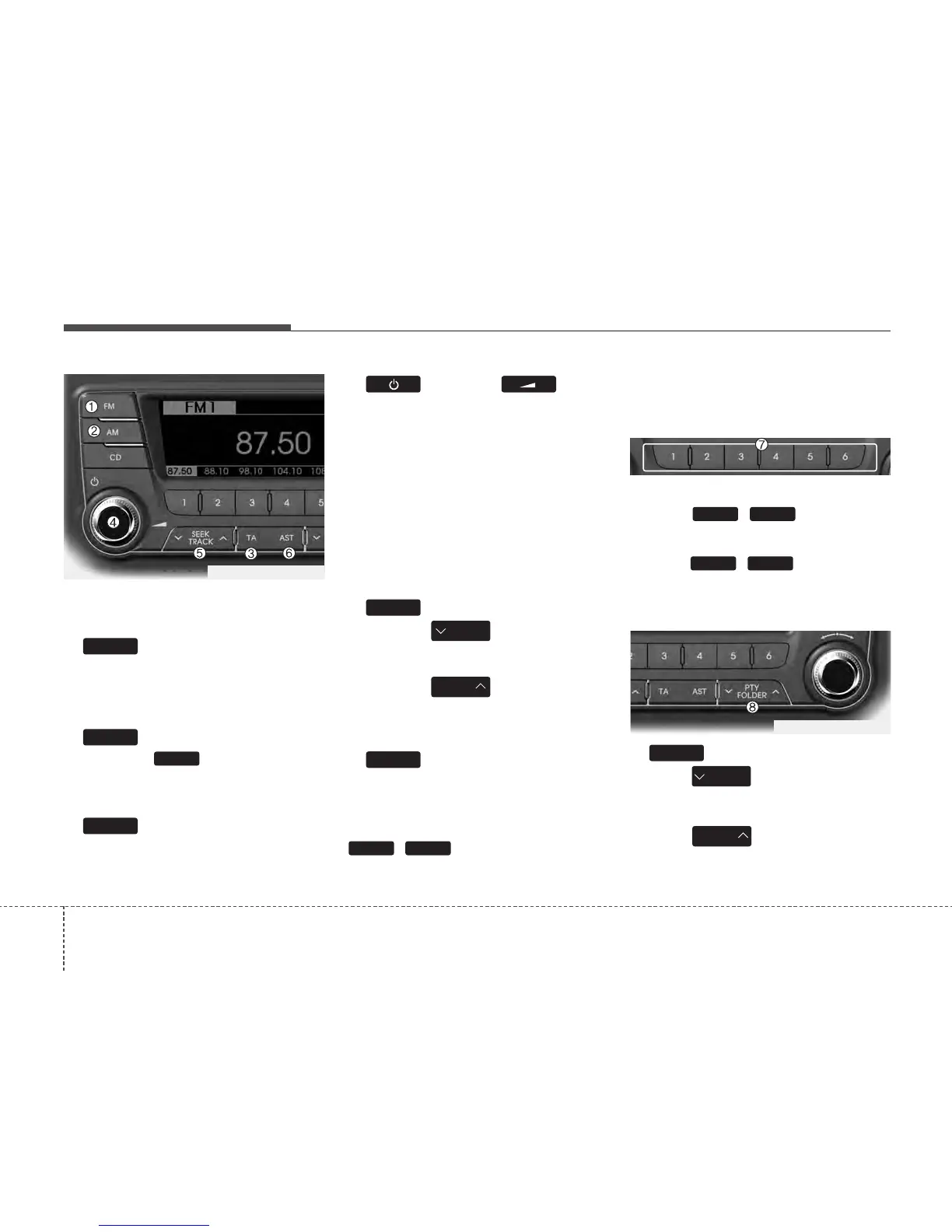
1. Button
Turns to FM mode and toggles FM1 and
FM2 when the button is pressed each
time. FM1
➟ FM2 ➟ FMA
2. Button
Pressing the button selects the
AM band. AM Mode is displayed on the
LCD. AM
➟ AMA
3. Button
TA(Traffic announcement) Channels in
FM, CD, AUX mode, turns on/off the
reception of TA channels of RDS.
4. Button & Knob
• Turns the audio system on/off when
the ignition switch is on ACC or ON.
• If the knob is turned clockwise/counter-
clockwise, the volume will increase
/decrease.
• Depending on the model if the ignition
switch is not on ACC or ON position.
the “Battery Discharge” warning appears
on LCD after 10 seconds of power-up,
and automatically turns off after 1 hours
of operation.
5. Button
• When the is pressed, it will
automatically tune to the next lower
station.
• When the is pressed, it will
automatically tune to the next higher
station.
6. Button(AUTO STORE
Button)
When the button is pressed, it automati-
cally selects and saves channels with
high reception rate to PRESET buttons
~ and plays the channel
saved in PRESET1. If no channel is saved
after AST, it will play the previous channel.
• Saves only to the Preset memory
(1)~(6) of FMA or AMA mode in some
models.
7. PRESET Buttons
• Press ~ buttons less
than 0.8 seconds to play the station
saved in each button.
• Press ~ buttons more
than 0.8 seconds or longer to save the
current station to the respective button
with a beep.
8. Button
• Moves Button when search-
ing PTY in RDS Broadcasting Program
Type selection.
• Moves button when search-
ing PTY in RDS Broadcasting Program
Type selection.
PTY
FOLDER
PTY
FOLDER
PTY
61
61
61
AST
SEEK
TRACK
SEEK
TRACK
SEEK
TA
AM
AM
FM
TF_PA710TFE_RADIO
TF_PA710TFE_RADIO






 To Next Page