INSTRUMENT CLUSTER
9
*IF EQUIPPED ALWAYS CHECK THE OWNER’S MANUAL FOR COMPLETE OPERATING INFORMATION AND SAFETY WARNINGS.
Forward Collision Avoidance (FCA) Assist*
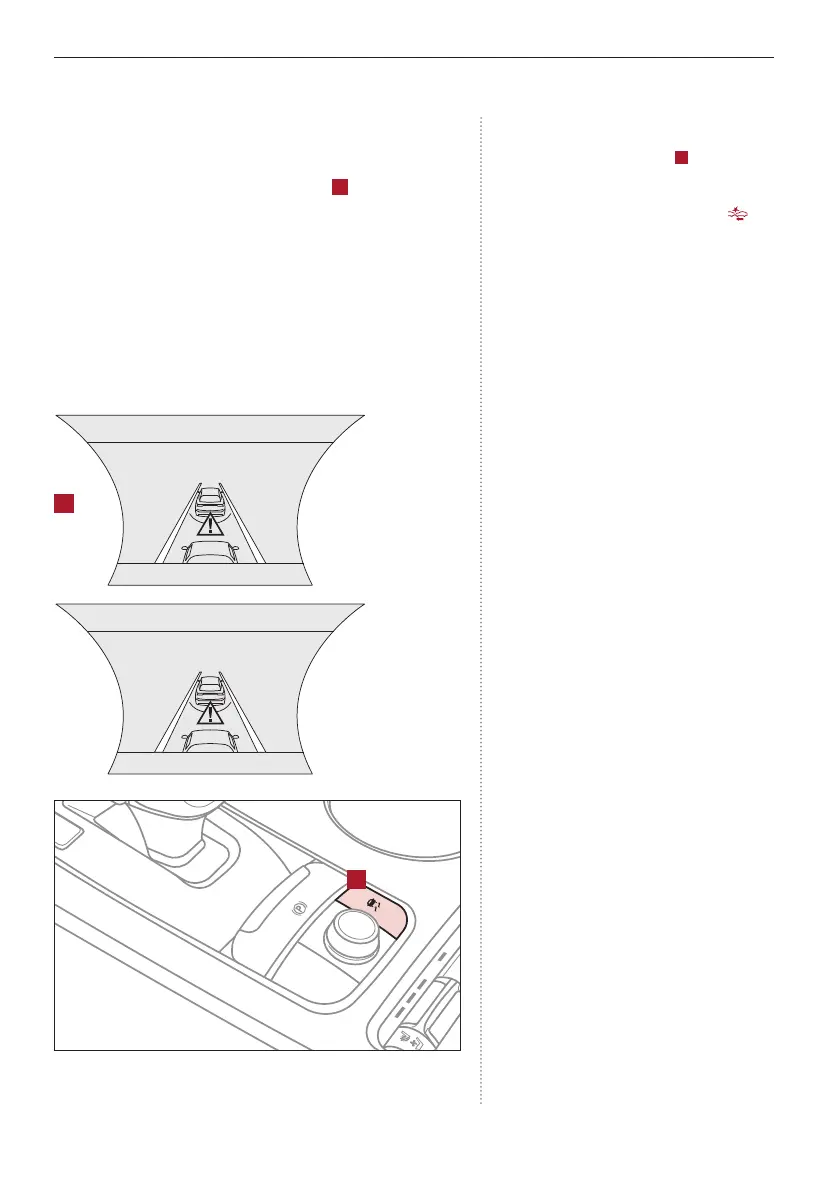
The FCA system is designed to detect and monitor the
vehicle ahead or pedestrian* and alert the driver that a
collision is imminent and provide braking if needed. Warning
messages will appear on the LCD screen
A
and a chime
will sound. The FCA can be turned on/off in User Settings.
When turned on, the FCA will activate when the Engine
Start/Stop button is in the ON position, and vehicle is
traveling forward more than 6 mph and system can detect
objects in front.
Select alert settings (Early, Normal, Late) in the User
Settings in the instrument cluster LCD display.
LED Warning Messages:
REMINDERS:
- If the FCA is operating and the ESC (Electronic
Stability Control) is turned off
B
, the FCA
system is automatically turned off.
- When FCA system is off, the FCA warning
indicator is on in the Instrument Cluster .
Your vehicle’s instrument cluster LCD may differ
from those in the illustrations.
For more information on FCA operation, see the
Owner’s Manual.
Forward Collision-Avoidance (FCA) Assist* is not a
substitute for safe driving, and may not detect all
objects in front of vehicle. Always drive safely and
use caution.
Collision Warning
Emergency Braking
R
N
D
AUTO
HOLD
DRIVE MODE
OFF
B
A
(Button is located in center console)



 To Next Page