DRIVER’S PANEL
*IF EQUIPPED
12
R
N
D
AUTO
HOLD
DRIVE MODE
OFF
A
B
Electronic Stability Control (ESC) is designed to help
stabilize the vehicle during cornering maneuvers.
Traction Control System (TCS) helps improve traction
while accelerating on slippery surfaces. It is a good idea
to keep both ESC and TCS turned on for daily driving
whenever possible.
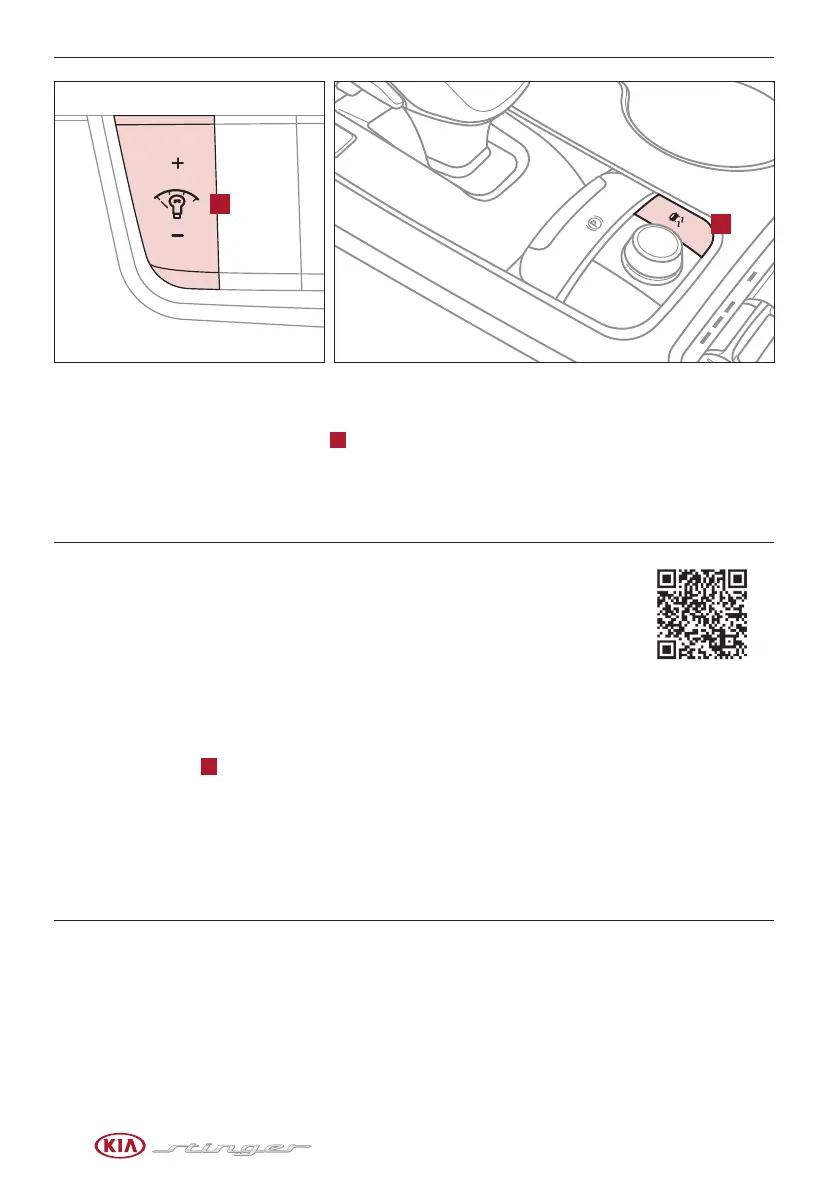
Press the ESC button
B
to turn Electronic Stability Control and Traction Control System OFF/ON.
To turn both Electronic Stability Control and Traction Control System OFF, press and hold the ESC button for
more than 3 seconds. Press again to turn ON.
REMINDERS:
- ESC is active by default at vehicle start-up. When ignition is cycled, ESC will turn ON again
- The ESC indicator light in the instrument cluster will be lit momentarily whenever ESC is active
Electronic Stability Control (ESC) /
Traction Control System (TCS)
Hill-start Assist Control (HAC)
Hill-start Assist Control (HAC) helps prevent the vehicle from rolling
backwards when accelerating from a stop while on a steep incline.
HAC automatically activates whether ESC is OFF or ON but does NOT
activate when ESC has malfunctioned.
Quick Tip
When HAC is active (e.g., during
initial acceleration from a stop on
an incline), you may notice that the
brakes will momentarily remain
engaged after you depress the
accelerator.
REMINDER: HAC does not operate when the gear shift is in P (Park) or N (Neutral) position.
With parking lights/headlights ON, press
A
(+) or (-) to adjust the brightness
of the instrument panel illumination.
Instrument Panel Dimmer
REMINDER: The Instrument Panel Dimmer does not adjust brightness on the navigation system
screen. Use navigation setup to adjust brightness on the navigation system.
ELECTRONIC STABILITY
CONTROL/ TRACTION
CONTROL SYSTEM VIDEO
To view a video on your
mobile device, snap this
QR Code or visit the listed
website. Refer to page 2 for
more information.
www.youtube.com/KiaFeatureVideos
For more information on Electronic
Stability Control (ESC) and its specific
features and operations, please refer
to your Owner’s Manual.



 To Next Page