5129
Driving your vehicle
LKA operation
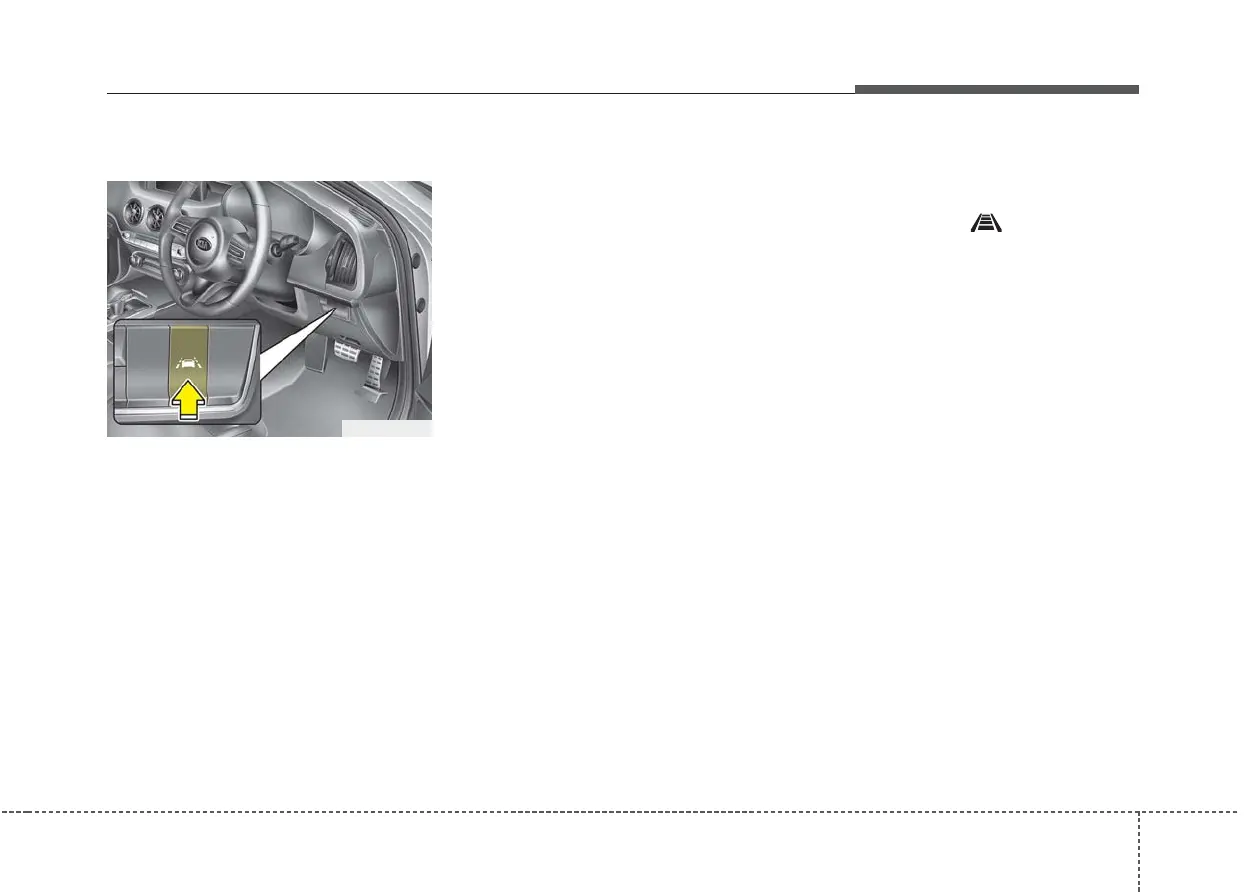
To activate/deactivate the LKA:
With the ignition switch in the ON
position, press the LKA button locat-
ed on the instrument panel on the
lower right hand side of the driver.
The indicator in the cluster display
will initially illuminate white.
When the indicator(white) activated
in the previous ignition cycle, the
system turns on without any control.
If you press the LKA button again,
the indicator on the cluster display
will go off.
The colour of indicator will change
depend on the condition of LKA.
- White : Sensor does not detect
the lane marker or vehicle
speed is less than 60kph.
- Green : Sensor detects the lane
marker and system is
able to control the steer-
ing.
LKA activation
• To see the LKA screen on the LCD
display in the cluster, Tab to the
ASSIST mode ( ).
• For further details, refer to “User
Setting Mode” in chapter 4.
• After LKA is activated, if both lane
markers are detected, vehicle
speed is over 60kph and all the
activation conditions are satisfied,
a green steering wheel indicator
will illuminate and the steering
wheel will be controlled.
OCK057038R



 To Next Page