14
8. Alarm Installation
NOTE: A dust cover has been installed on the alarm. Keep the dust cover on until all construction has
been completed for at least 24 hours (drywall, painting, varnishing, mounting plate install, etc). Retain the
dust cover and re-install it to protect the alarm during future construction projects. Construction dust and
chemicals can cause contamination and false alarms.
WARNING: DUST COVER MUST BE REMOVED FOR ALARM TO OPERATE.
STEP 1: Activate Battery
AA replaceable battery models:
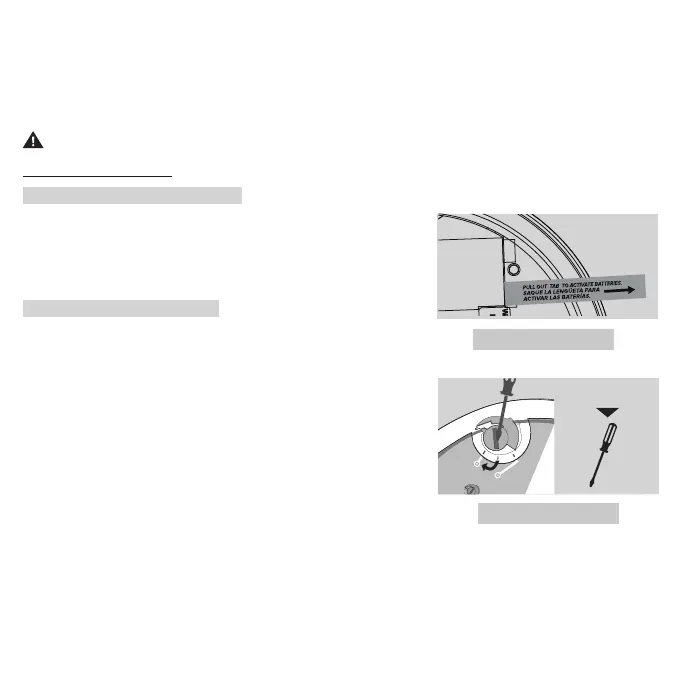
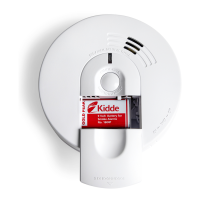
Pull out the battery pull tab first to activate the batteries (see
Figure 8-A). Battery activation is confirmed with a beep. If the
beep does not occur when the battery pull tab is removed,
remove the batteries and reinstall them. Confirm the battery
activation beep.
10 yr sealed battery models:
One of the following steps must be taken to ensure activation:
Battery activation is confirmed with a beep. Confirm the battery
activation beep.
A.
Activate the alarm battery by rotating the alarm fully onto the
mounting bracket in a clockwise direction. (reference Figures
8
-C and
8
-F) To allow for installation, battery will remain active
when unit is removed from mounting bracket.
-- OR --
B. Activate the alarm by locating the red wheel on the back
of the unit - turn the red wheel to the “ON” position using a
standard screwdriver. (see Figure 8-E). Battery will remain active
to allow for installation on mounting bracket.
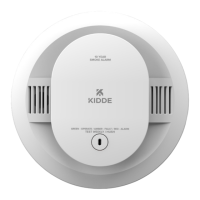
NOTE: Do not grab the shield to install or remove the alarm. Grab the alarm by the outside of the
enclosure. (Figure 8-C).
Figure 8-B
PERMANENTLY
DISABLE and
DISCHARGE
ALARM
ON
At End of unit life
or Low battery.
Figure 8-A


 To Next Page