Chapter 3: Configuration and commissioning
2X-A Series Installation Manual 65
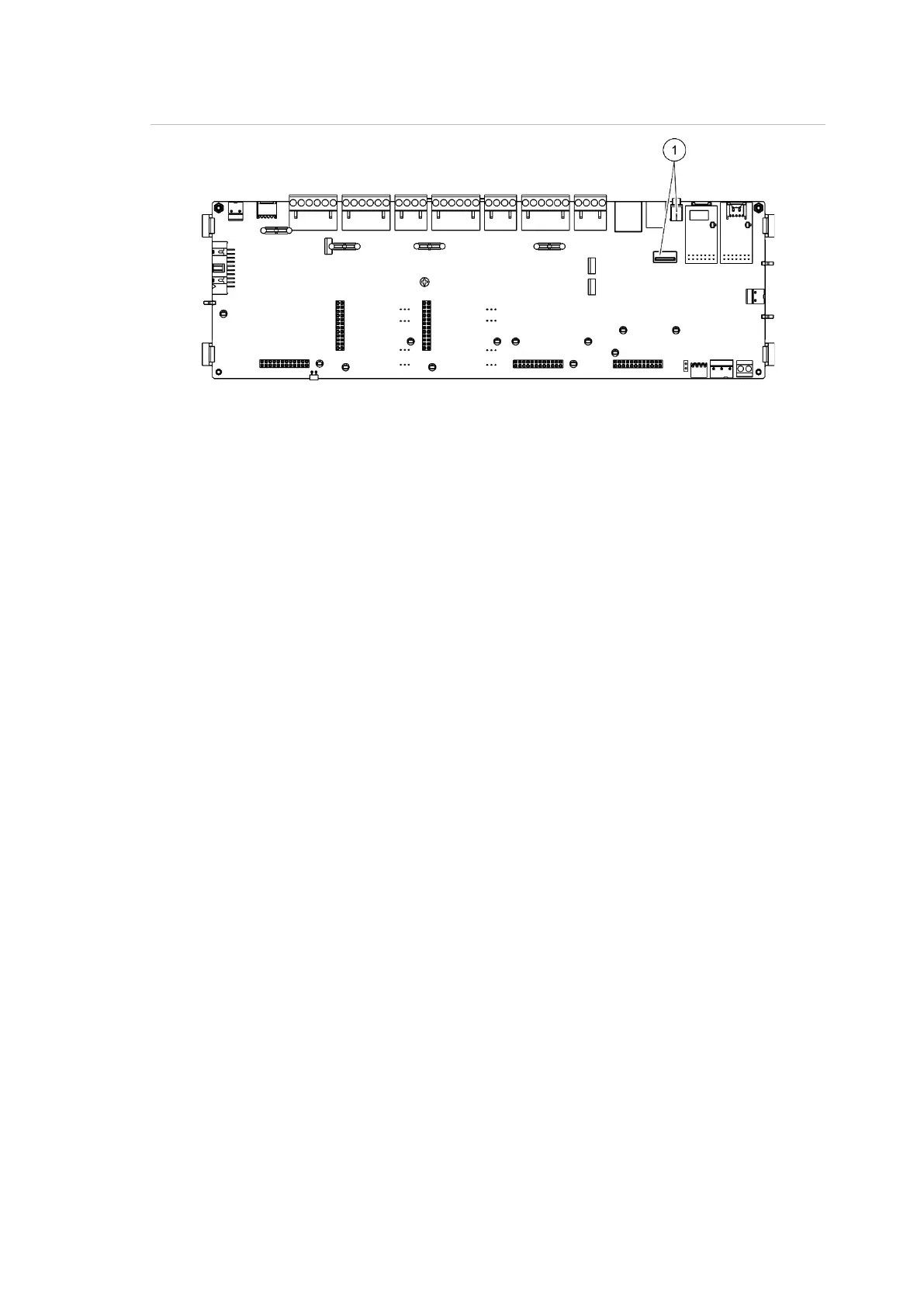
Figure 23: USB connectors on the control panel PCB
1. USB connectors
Saving reports
Select Save report to save a report. Reports are saved to a USB flash drive (not
supplied) in XML format and can be viewed with the Configuration Utility PC
application.
Note: Use only FAT32 file system USB flash drives with a maximum capacity of
32 GB.
To save a report:
1. Open the control panel cabinet door.
2. Insert a USB flash drive into either of the USB connectors.
3. Close the control panel cabinet door.
4. Select Reports from the Main menu.
5. Select Save report, and then select ALL or the report to be saved.
6. Press F2 (Exit) to exit.
7. Remove the USB flash drive as described in “Removing a USB device” on
page 57.



 To Next Page