Gross
Net
EZ-150
Gross
Tare
Zero On
Off
Net
Zero
EZ-150
Gross
Net
Zero
Tare
On
Off
Gross
Net
Net
Tare
EZ-150
Gross
Off
On
Zero
Off
Net
Gross
Tare
EZ-150
On
Zero
On
Off
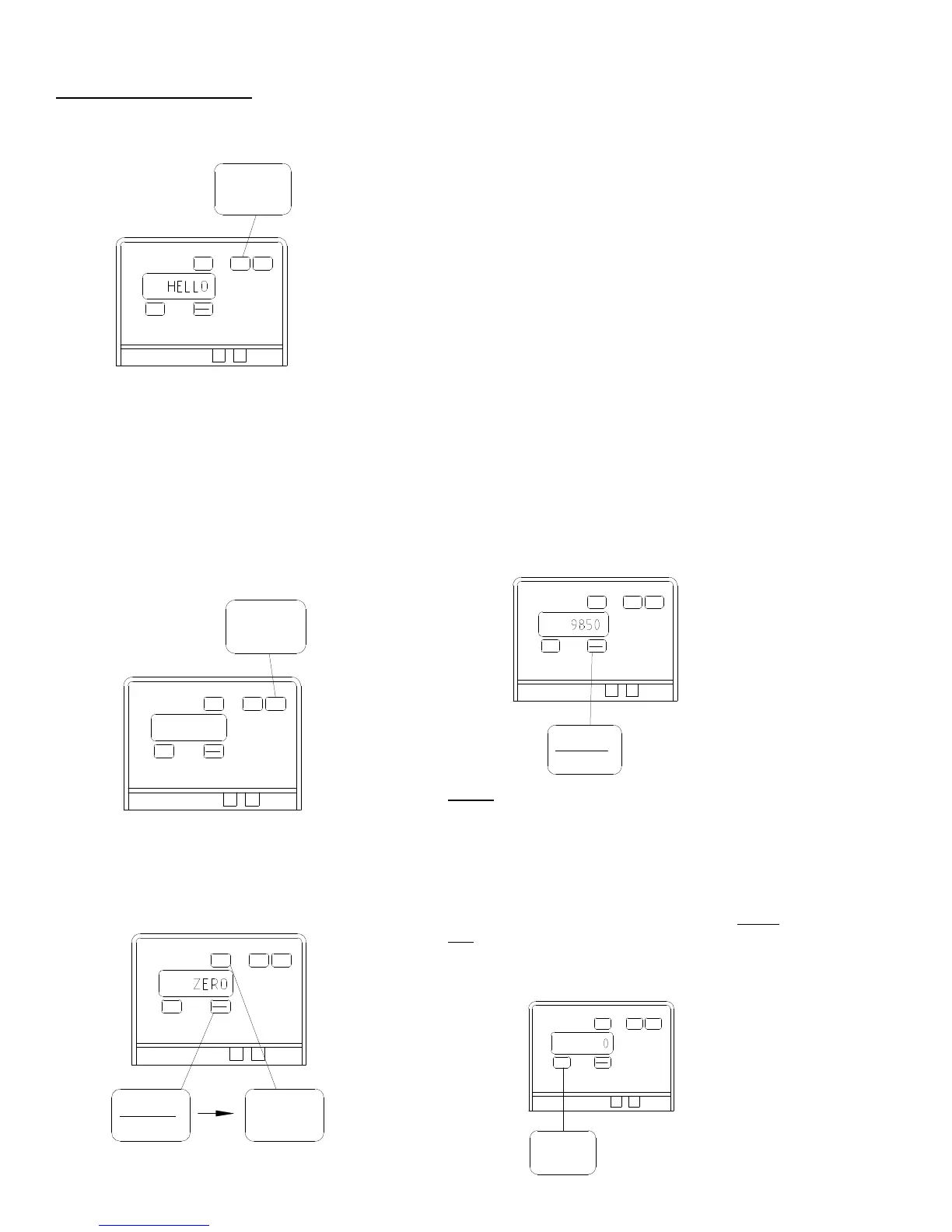
OPERATING THE SCALE:
Turning ON the scale:
1. Press [ON]
A brief message will be displayed (such as
“HELLO”.) The scale then selects the GROSS
weighing mode.
GROSS mode displays the weight change
since the unit was last ZERO/BALANCED.
Pressing [ON] a second time during normal
system operation starts the self-test.
Turning OFF the Scale:
1. Press [OFF].
To Zero / Balance the Scale (Balancing):
1. Press the [NET / GROSS] key and within
three seconds-
2. press the [ZERO] key.
OM02487
OM02487
OM02487
The ZERO / BALANCE will “balance off” the
dead load such as a trailer, bin, or platform
weight.
“ZERO” is displayed to show completion of
the step and the scale is then placed in the
GROSS mode. If the supply power is below
the “low battery threshold” (10.5 Volts), the
message “INDICATOR CANNOT BE ZERO/
BALANCED - LOW BATTERY VOLTAGE” is
displayed.
Pressing only the [ZERO] key will cause the
message “TO ZERO / BALANCE PRESS NET/
GROSS - THEN ZERO” to be displayed.
NOTE: A “low battery” (below 10.5 Volts) will
activate the message “LO BAT” to be peri-
odically shown on the display (approx. every
five seconds) to alert the operator of a low
battery.
To Select Gross Mode:
GROSS mode displays the weight change
since the unit was last ZERO / BALANCED.
1. Press [NET / GROSS].
NOTE: The scale is in GROSS mode if there
is a flashing arrow pointing toward the GROSS
text just above the [NET / GROSS] key.
To Select Net Mode:
Net mode displays the weight change after a
TARE has been performed. TARE is a tempo-
rary “zero” point.
1. If the scale “TARE” weight has not been
entered, press [TARE] to acquire a “zero”.
OM02487
Gross
Tare
Tare
Net
Zero
On
EZ-150
Off
OM02487


 To Next Page