Kinco-HP
User Manual
System will show ”Display Mode”, we can choose “Horizontal” or “Vertical”
Click 【OK】
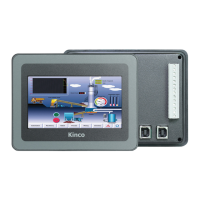
③choose device—choose PLC type(communication protocol)
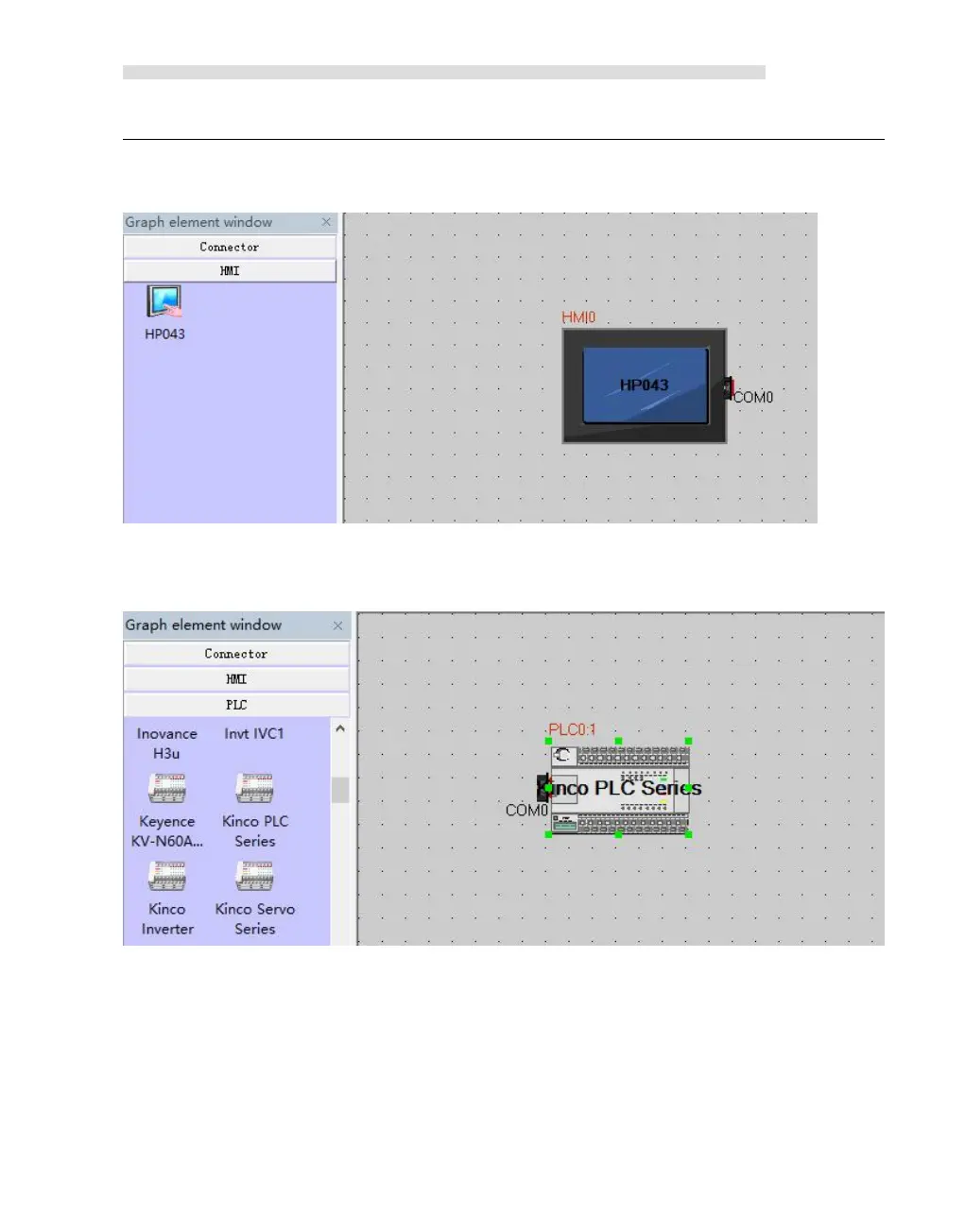
Drag “Kinco PLC series” in 【Graph element window】to construct window
1.3 connect devices
Drag “COM” of HMI to close left side of connector, until connector and “COM” move
together. Connect PLC and serial port with same way.


 To Next Page