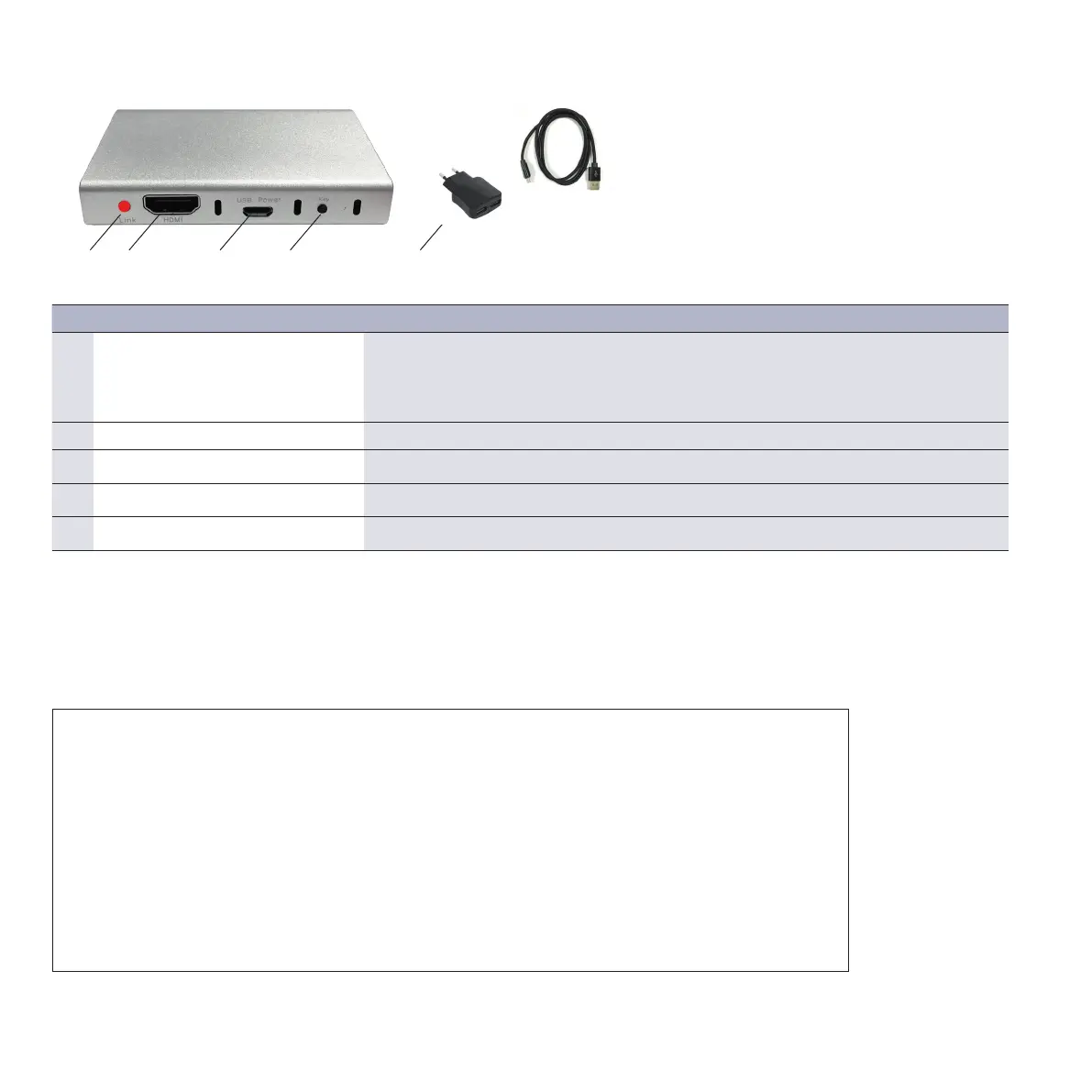
1 2 3 4 5
2.3. Setting the receiver
Connect the 60GHz receiver to a socket using the corresponding 5V power pack.
Connect the HDMI output of the receiver with a monitor or an appropriate
projector using the HDMI cable.
2.2. 60 GHz HDMI receiver: ports and button
IMPORTANT NOTE:
Wireless HD (WiHD) uses the 60GHz range for wireless, uncompressed HDMI transmission.
In the EU, a frequency range from 57 to 66GHz is enabled for use.
The advantages are high bandwidths, low signal latency and low susceptibility
caused by other wireless devices (WLAN etc.).
However, high frequency cannot overcome walls etc.; the transmission range in the air
is restricted to about 15m.
For a maximum transmission range, it is recommendable to position base station
and receiver in the same room facing each other in a direct line-of-sight.
Closed cabinets, larger obstacles or shielding metal enclosures will attenuate the signal
and reduce the maximum transmission range.
No. Denomination Description
1 LED display Slowly flashes red: transmitter is being searched
Rapidly flashes red: transmitter and receiver are being connected
Permanent red: audio/video connection active
Dark: standby
2 HDMI output Connect a playback device via a HDMI cable
3 5V power pack port Voltage supply via micro-USB
4 “Key” push-button Switches the receiver to the teaching mode for transmitters
5 USB power pack with cable DC 5V/1,5A or 2A
10
* The scope of supply for QuickPresent Air Lite does not include batteries



 To Next Page