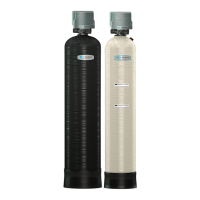
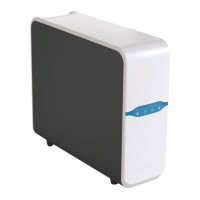
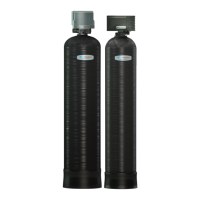
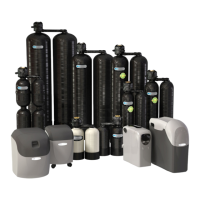
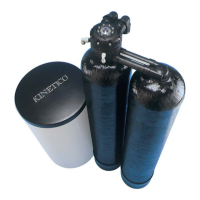
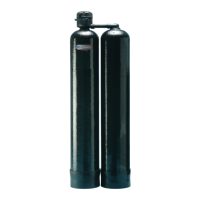
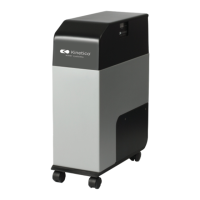
The Kinetico Powerline PRO Filters are a series of water treatment systems designed to address various water quality issues in residential settings. These filters are available in several models, including PRO 1040FD (17208), PRO 1248FD (17209), PRO 0840F (17210), PRO 1040F (17211), PRO 1248F (17212), and PRO 1354F (17213).
Function Description
The Kinetico Powerline PRO Filters are configured to solve different difficult water problems through specialized systems:
- Powerline PRO Calcite Systems: Designed to increase the pH and alkalinity of water.
- Powerline PRO Carbon Systems: Designed to remove chlorine and unpleasant tastes and odors from water.
- Powerline PRO Macrolite Systems: Designed to remove particulate matter, such as iron, from water.
The system operates through a series of cycles:
- Service: Untreated water enters the control valve, flows down through the filtration media and lower distributor basket, then rises through the center riser tube, and exits as clean water.
- Backwash: Water flows upflow through the media, expanding it to release contaminants, which are then sent to drain. This prepares the media for service.
- Rest: A short period is included to allow the media to settle.
- Rapid Rinse: A short downflow rinse is performed to rebed the media before returning to service.
During backwash and rinse sequences, the system bypasses untreated water, making it important to schedule these cycles during times of low water usage.
Important Technical Specifications
- Water Pressure: An inlet water pressure range of 20-125 psi is required for the backwash valve to operate effectively. The system should not exceed a water pressure of 125 psi.
- Water Temperature: The unit should not exceed a water temperature of 110°F.
- Electrical Facilities: Requires an uninterrupted alternating current (A/C) supply. The voltage supply must be compatible with the unit.
- Battery Backup: A 9-Volt alkaline battery should be installed and replaced yearly to maintain time of day settings during power outages. The display turns off during power failures to conserve battery power but can be activated for five seconds by pressing either button. If a power failure occurs during backwash, the filter will motor to a shut-off position to prevent constant flow to drain and will resume its cycle once power is restored. Without battery backup, the unit will stop at its current backwash position and restart there when power is restored, requiring a manual reset of the time of day.
- Freezing Conditions: The unit should not be subjected to freezing conditions.
Usage Features
- Advanced Control Valve: The system features an advanced, customizable control valve that can independently backwash as needed. The timing of backwash cycles is determined by specific water quality and usage patterns.
- User Interface: The control valve can be easily adjusted and monitored using either the front LED display or wirelessly via a proprietary application on a smartphone or tablet.
- Main Menu Navigation:
- Press the "Menu/Enter" button to enter the Main Menu (Time of Day will flash).
- To set the Time of Day, press the "Set/Change" button. Digits flash, allowing adjustment with "Set/Change" and acceptance with "Menu/Enter."
- To set A.M. or P.M., press "Menu/Enter," adjust with "Set/Change," and accept with "Menu/Enter."
- To set the Number of Days between Backwash Cycles (A), press "Set/Change." The maximum value is 29. Setting it to 0 will prevent automatic backwash. The default for filters is 6 days.
- To exit the Main Menu, press "Menu/Enter." The menu will automatically exit after 60 seconds of inactivity.
- Starting Extra Backwash Cycle:
- Delayed Extra Cycle: If the "Days Remaining Until Next Backwash" display does not read '1', press and hold the "Set/Change" button for 3 seconds until it reads '1'. The backwash cycle will initiate at the next designated backwash time.
- Immediate Extra Cycle: After setting the "Days Remaining Until Next Backwash" to '1', press and hold the "Set/Change" button for 3 seconds. The backwash cycle will begin immediately.
- Fast Cycle: After initiating an immediate extra cycle, press and hold the "Set/Change" button for 3 seconds to advance to the next cycle step. This allows manual progression through each cycle step until the valve returns to the home display (time of day).
- Display Indicators:
- The home display alternates between the Time of Day and the Number of Days until the Next Backwash.
- When the valve is between positions, the display will flash the number of the step it is moving toward.
- The motor's run direction during a backwash cycle step is indicated by the rotation direction of the last 2 digit displays.
- The default time for backwash is 12:00 a.m.
Maintenance Features
- Plumbing: Existing plumbing should be free from lime and iron buildup. Replace piping with heavy buildup.
- By-pass Valves: Always install a by-pass valve. If the valve is leaking, turn it from "Service" to "By-pass." A check valve (included in the extension pipe feeding the by-pass valve) must be installed on the inlet to the unit. If leakage persists, shut off the main water line and contact a service technician.
- Media Replacement/Replenishment: Filter media requires periodic replacement or replenishment. Contact an authorized Kinetico Dealer for details.
- Troubleshooting Guides: The manual provides a comprehensive troubleshooting guide for common issues such as:
- Fails to Backwash Automatically: Check power supply, control valve programming, power supply, and drive motor.
- Backwash at Wrong Time: Check time of day settings and backwash time programming.
- Poor Water Quality: Check by-pass valve, channeling, scaling/fouling of inlet pipe, fouled media, and improper backwash settings.
- Loss of Water Pressure: Check for fouled media.
- Continuous Flow to Drain: Check for foreign material/media in control, internal control leak, jammed valve, or stopped/jammed motor.
- Media in Service Line: Check for backward plumbing or internal leak.
- Media Flows to Drain: Check if media soaked long enough or for incorrect/missing drain flow control.
- Error Codes: The system displays error codes to indicate potential problems with the control valve:
- Error 2: Homing slot expected (valve will look for home, normal operation continues).
- Error 3: Encoder is not sending a signal (requires service).
- Error 4: Unable to find homing slot (requires service).
- Error 5: Motor overload (stalled position or shorted motor) (requires service).
- Error 6: No motor current (requires service).
For any adjustments to system settings, it is recommended to consult with a local Kinetico Dealer to avoid affecting system operation. Kinetico offers a full line of water treatment products and encourages customers to contact their authorized dealers or visit their website for more information. They also maintain a social media presence on Facebook and Twitter for customer engagement.



 To Next Page
 General