Page 9
continuous...
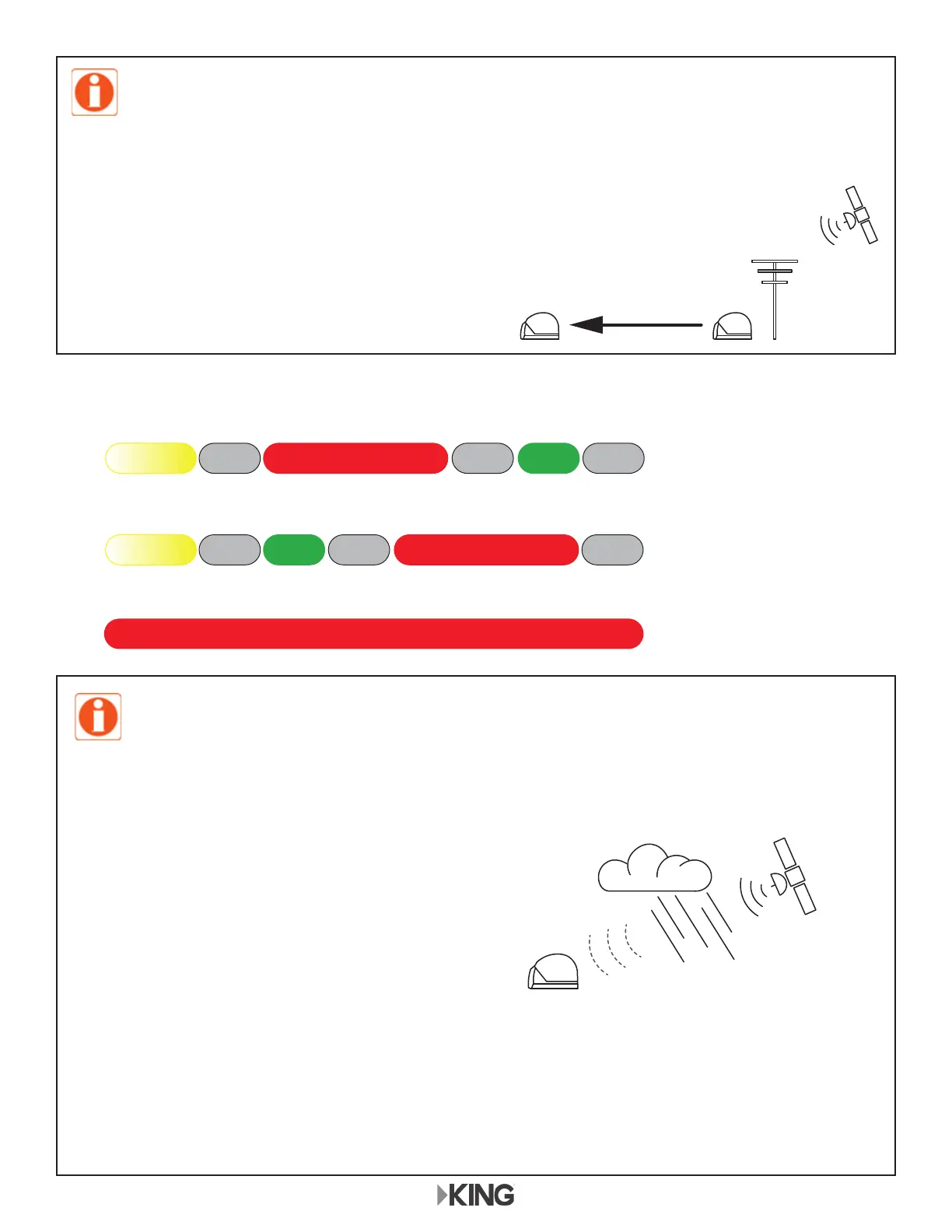
101 & 119 not found
pattern repeats...
101 not found
REDOFF OFF OFFYELLOW GREEN
pattern repeats...
119 not found
YELLOW GREEN RED
KC1262
SATELLITES NOT FOUND
RED
OFF OFF OFF
KC1192
,IRQHRUERWKVDWHOOLWHVZHUHQRWIRXQG\RXZLOOJHWRQHRIWKHÀDVKSDWWHUQVVKRZQEHORZ
Many times lack of satellite acquisition is
due to obstructions. Try moving the antenna
to have a better view of the southern sky
before starting a new scan.
If only one satellite is found, you can press the button to turn the LED yellow and watch TV
with limited channels (or press the button a second time to start a new scan).
If neither satellite is found, you will have to start a new scan (press button).
PLEASE BE PATIENT!
The antenna unit may lock onto the satellite in as little as 2 minutes, but may
occasionally take up to 10-15 minutes.
If you wish to start a new scan (for example the unit gets moved and you lose reception):
press and release the power inserter button.
Inclement weather can reduce signal strength and
cause temporary picture loss.
Picture will return as conditions improve.
The KING Quest will not receive channels broadcast from DIRECTV’s Ka band satellites at
99° and 103°.
When using page 7 connection diagram, you will not receive programming from the 119 satellite.
NOTE: To use the alarm feature, see page 10.
KC1168


 To Next Page