Page 3
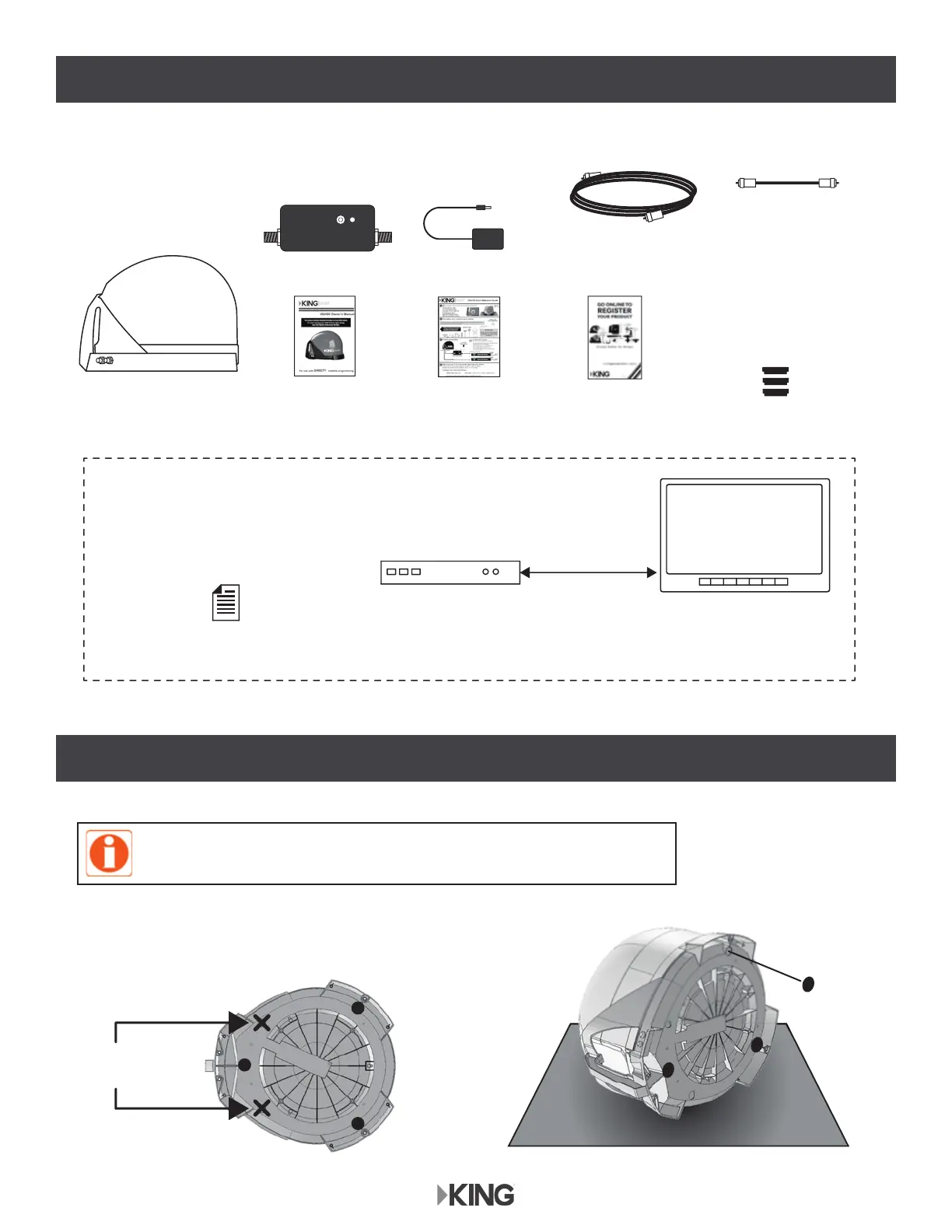
Do not
apply here.
Apply (3)
rubber feet
Soft, non-scratching surface
KC1153
UNBOX ANTENNA
APPLY RUBBER FEET
You will also need (sold separately):
DIRECTV
Programming Subscription
3 Rubber Feet
(taped to handle)
Power Inserter with Power Supply
Installation
Guide
Registration
Card
Antenna Unit
DIRECTV Receiver*
*For the most up-to-date receiver compatibility information, go to kingconnect.com/support.
Cable(s)
KC1356
TV
Short
Coax Cable
50’ RG-6
Coax Cable
Quick
Reference
Guide
Do not apply rubber feet if roof-mounting the antenna unit.
See OPTIONAL ROOF-MOUNT Section.


 To Next Page