Page 12
TROUBLESHOOTING
Symptom Possible Cause Troubleshooting
Antenna unit does not scan
for satellites.
No power to antenna unit. Make sure antenna unit is connected to power
inserter.
Make sure power supply is plugged into a known
good power source and connected to power inserter.
Antenna unit scans but no
picture on TV.
Improper connections made. Make sure antenna unit is connected to power
inserter, and power inserter is plugged in.
Make sure powered receiver is connected to TV and
the power inserter.
Antenna unit scans but does
QRW¿QGVDWHOOLWH
Line-of-sight obstruction. Move antenna unit to have a clear view of the
southern sky. Start a new scan.
Picture on TV goes in and out. Temporary obstruction of signal. Heavy rain or snow may cause loss of signal.
Reception will improve as weather clears.
Make sure nothing is temporarily blocking view to the
southern sky (like tree branches blowing in the wind).
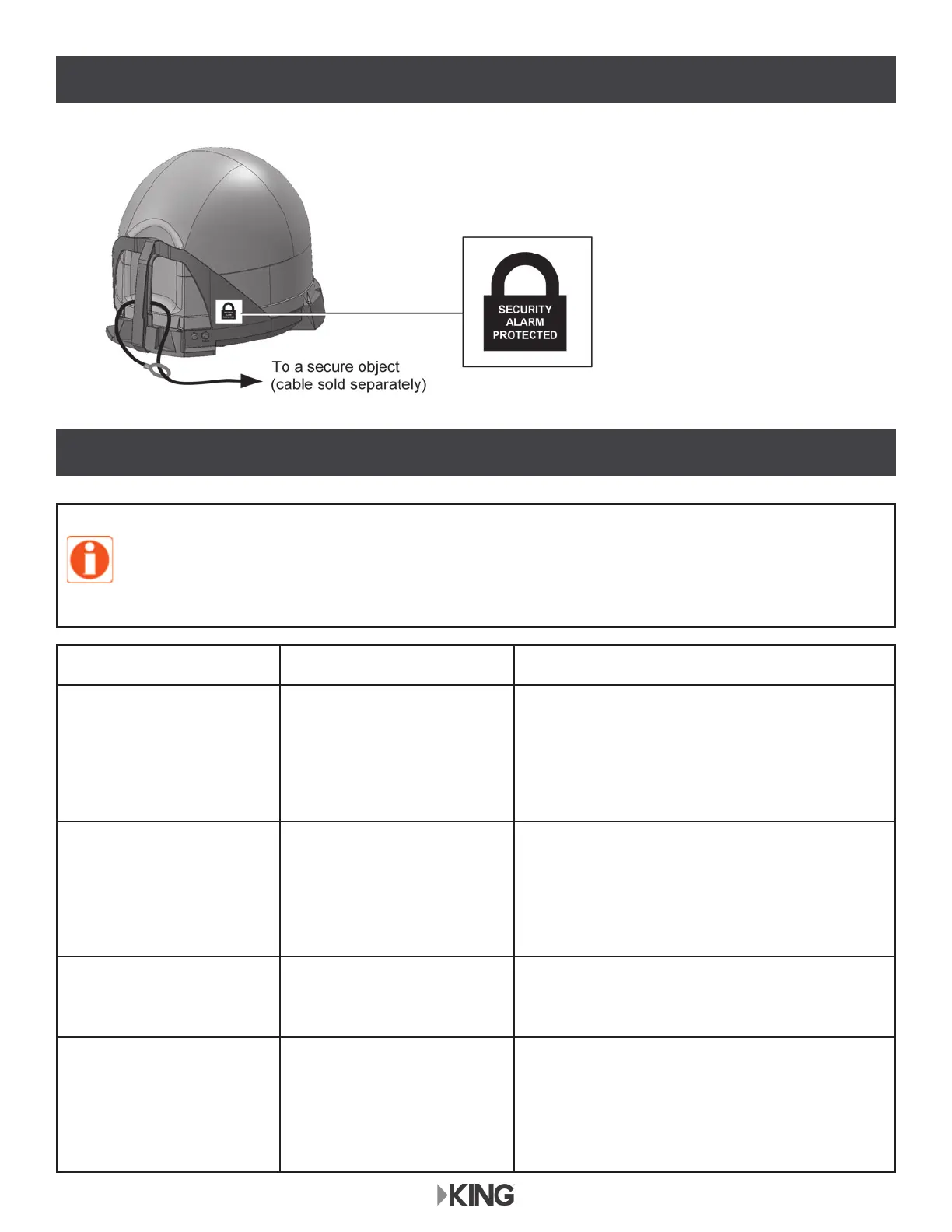
SECURE THE ANTENNA
The KING Antenna can be secured to an object by
looping a cable thru the handle.
If using the security alarm,
apply the included sticker for
additional theft deterrence.
If you connect or install the antenna unit using any of the vehicle’s internal wiring/coax,
and the antenna unit does not work properly, it could be the vehicle’s wiring/coax. Connect
a known good coax directly from the antenna unit to the power inserter and see if the
problem goes away. If it does, the vehicle’s wiring/coax is at fault. KING is not responsible
for faulty vehicle wiring/coax.


 To Next Page