Onboard Diagnostics
DIAGNOSTIC TROUBLE CODES (DTCs)
The computer compares the values received from these sensors with its preset
reference values, and makes corrective actions as needed so that the sensor
values always match the preset reference values for the current driving
condition. The computer makes adjustments by commanding other devices
such as the fuel injectors, idle air control, EGR valve or Ignition Module to
perform these actions.
Vehicle operating conditions are constantly changing. The computer
continuously makes adjustments or corrections (especially to the air/fuel
mixture and spark timing) to keep all the engine systems operating within the
preset reference values.
On-Board Diagnostics - First Generation (OBD 1)
Beginning in 1988, California’s Air Resources Board (CARB), and
later the Environmental Protection Agency (EPA) required vehicle
manufacturers to include a self-diagnostic program in their on-board
computers. The pro-gram would be capable of identifying
emissions-related faults in a system. The first generation of Onboard
Diagnostics came to be known as OBD 1.
The Computer Control System consists of an on-board computer
and several related control devices (sensors, switches, and
actuators).
OBD 1 is a set of self-testing and diagnostic instructions programmed into the
vehicle’s on-board computer. The programs are specifically designed to detect
failures in the sensors, actuators, switches and wiring of the various vehicle
missions-related systems. If the computer detects a failure in any of these
components or systems, it lights an indicator on the dashboard to alert the
driver. The indicator lights only when an emissions-related problem is
detected.
The computer also assigns a numeric code for each specific problem that it
detects, and stores these codes in its memory for later retrieval. These codes
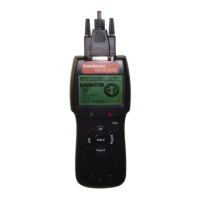
can be retrieved from the computer’s memory with the use of a “CanScan” or a
“Scan Tool.”
D900 CanScan 14


 To Next Page