Using the Code Reader
CODE RETRIEVAL PROCEDURE
for your vehicle.
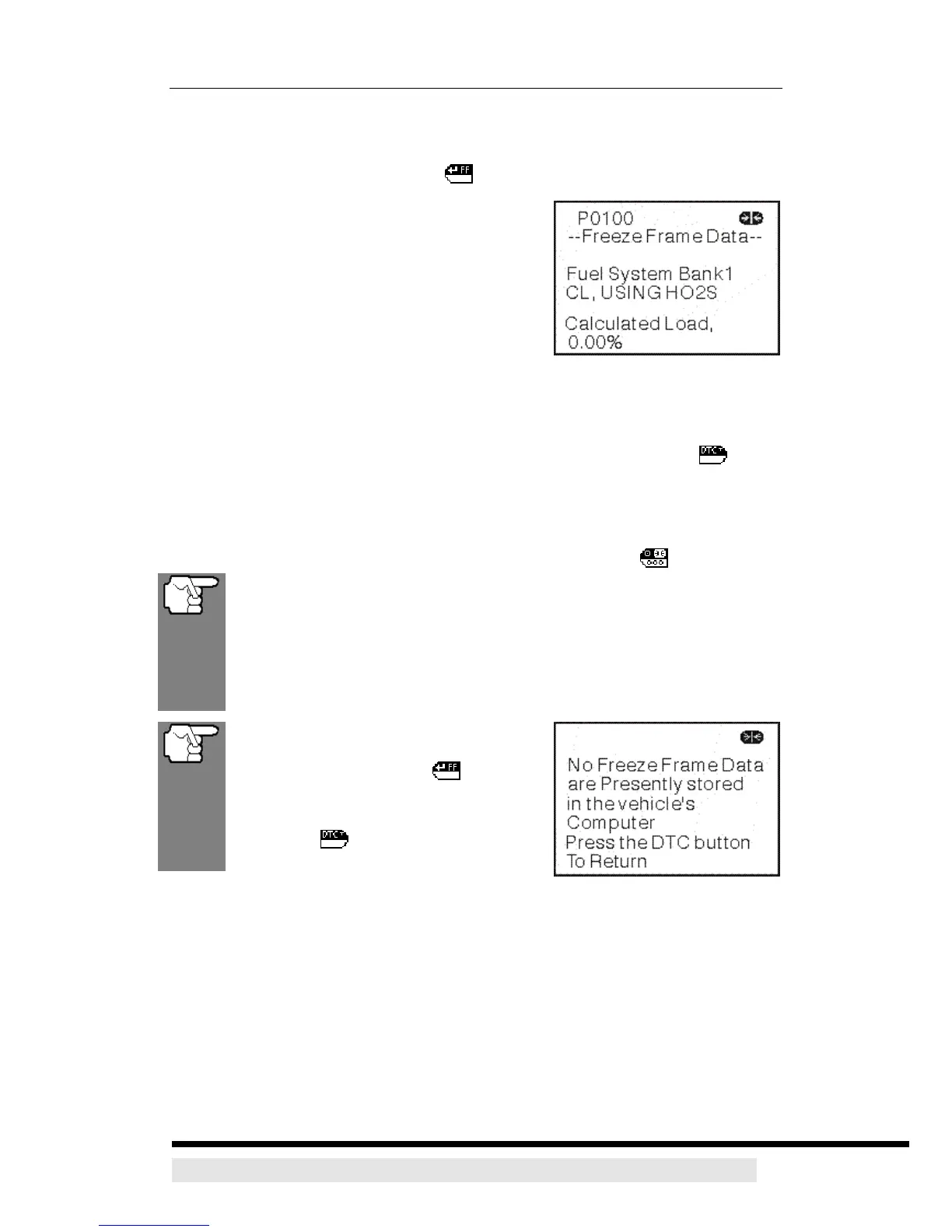
10. Freeze Frame Data (if available) can be viewed at any time (except MENU
mode) by pressing the ENTER/FF button.
¾ In OBD2 systems, when an emissions-
related engine malfunction occurs that
causes a DTC to set, a record or snapshot
of engine conditions at the time that the
malfunction occurred is also saved in the
vehicle’s computer memory. The record
saved is called Freeze Frame data. Saved
engine conditions include, but are not
limited to: engine speed, open or closed loop operation, fuel system
commands, coolant temperature, calculated load value, fuel pressure,
vehicle speed, air flow rate, and intake manifold pressure.
11. If more than one code was retrieved press the DTC SCROLL button,
as necessary, to display additional codes one at a time.
¾ Whenever the Scroll function is used to view additional codes, the
CanScan’s communication link with the vehicle’s computer disconnects.
To re-establish communication, press the POWER/LINK button again.
If more than one malfunction is present that causes more than one
DTC to be set, only the code with the highest priority will contain
Freeze Frame data. The code designated “01” on the CanScan
display is referred to as the PRIORITY code, and Freeze Frame data
always refers to this code. The priority code is also the one that has
commanded the MIL on.
If Freeze Frame data is not available
for the code shown on the LCD display
when the ENTER/FF
button is
pressed, an advisoory message shows
on the LCD display. Press the DTC
SCROLL
button to return to the
previous code display.
12. Determine engine system(s) condition by
viewing the CanScan’s LCD display for any retrieved Diagnostic Trouble
Codes, code definitions, Freeze Frame data and interpreting the green, yellow
and red LEDs.
¾ If DTC’s were retrieved and you are going to perform the repairs yourself,
proceed by consulting the Vehicle’s Service Repair Manual for testing
instructions, testing procedures, and flow charts related to retrieved
code(s).
¾ If you plan to take the vehicle to a professional to have it serviced,
D900 CanScan 25


 To Next Page