Page 7
Please connect this device
to your WiFiMax network.
OK
Back
KC1121
Let’s Get Started
WiFiMax Setup
Antenna Paired
Scanning, Selecting, Locating Networks
Back
Continue
KC1122
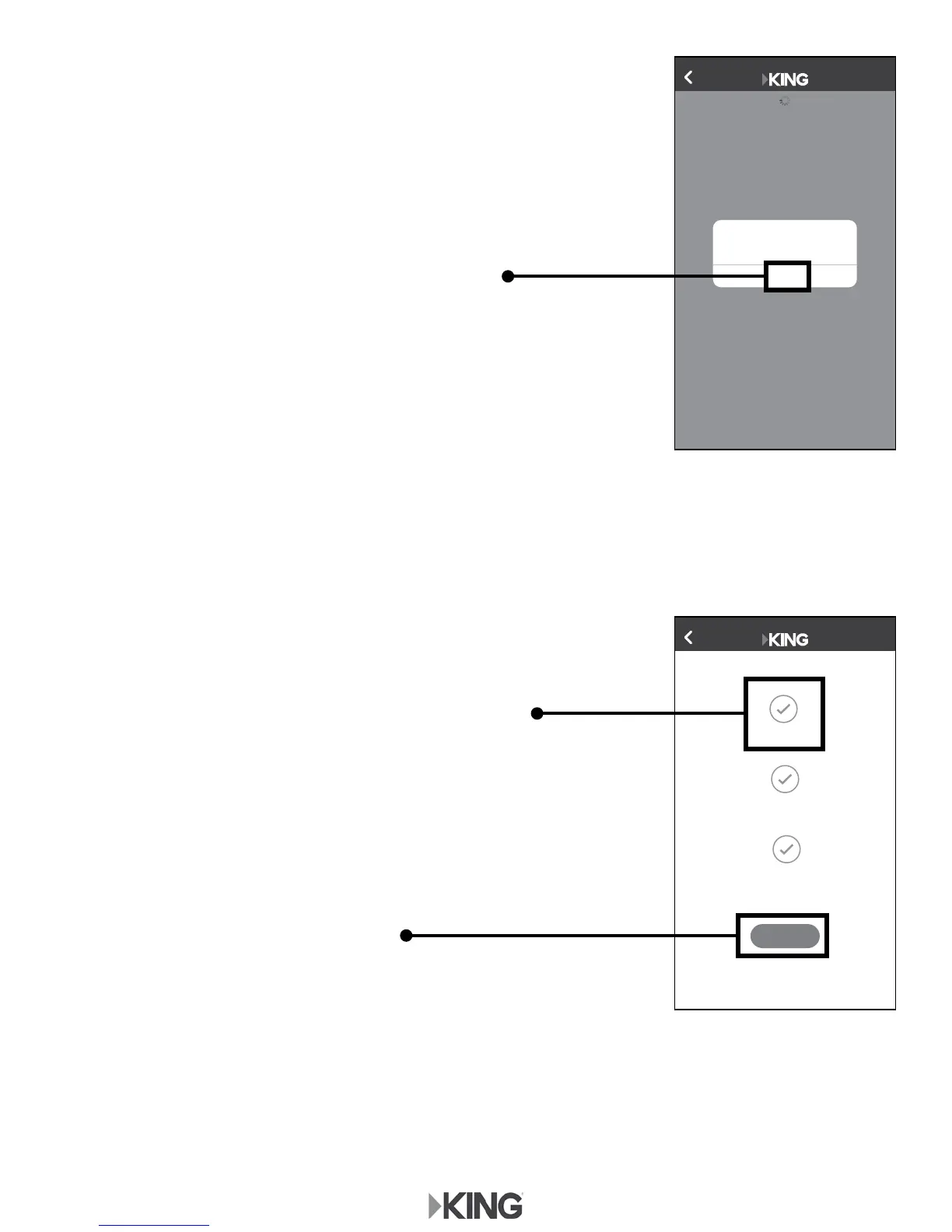
3. Once you have connected, return to the app and
tap "OK" in the pop up window.
When the next screen appears, tap the “X” in the
upper left hand corner.
The KING WiFi app will conrm your KING WiFiMax
setup and that the connection was successful.
(Check mark turns green.)
4. To pair your antenna, tap "Continue"
and go to the next page.









 To Next Page