9. install software 9. install software
1514
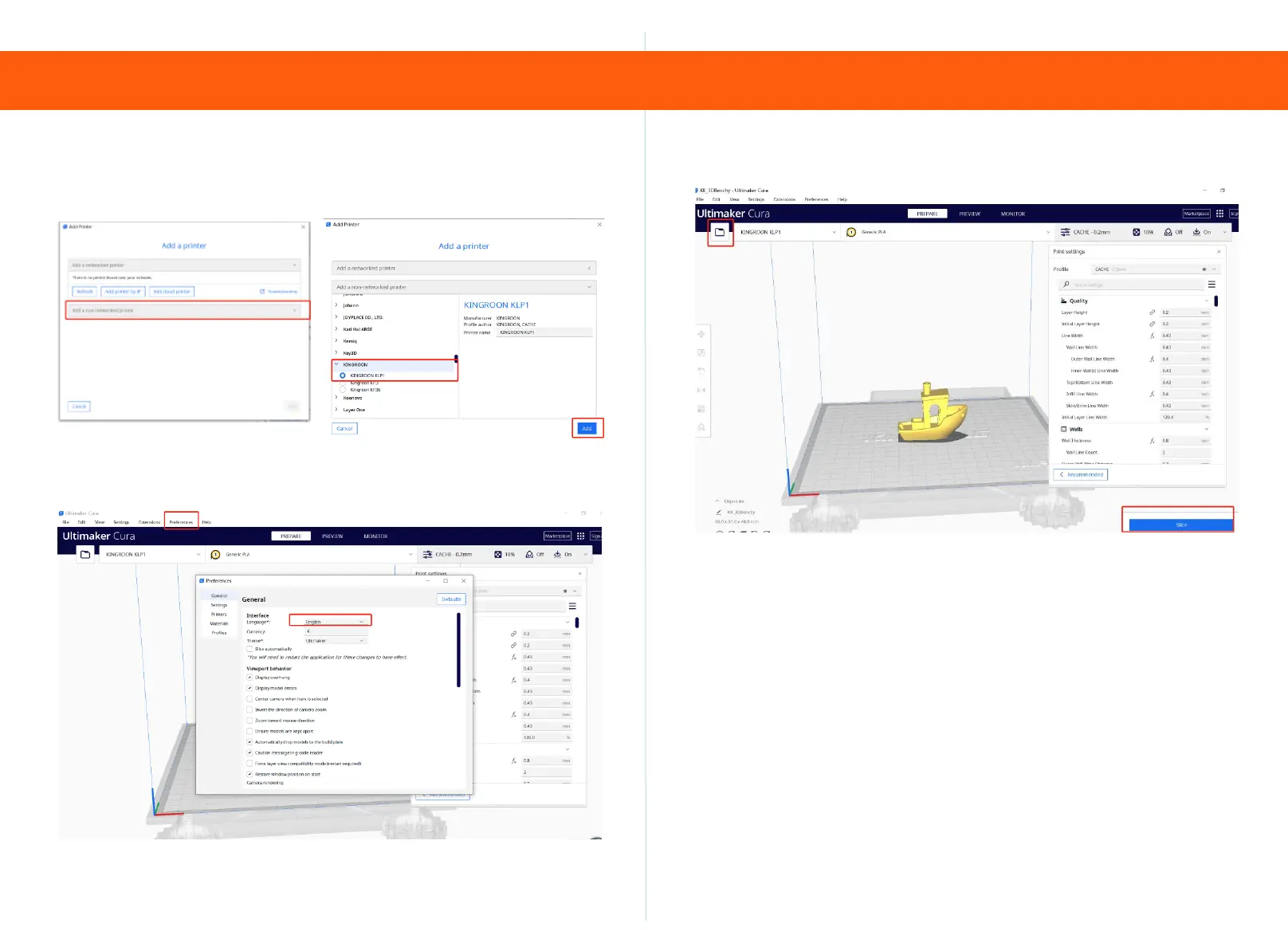
Step 4: Open cura, select a printer that is not connected to the
network, and select KLP1 from KINGROON.If the model is not
available, please check if the previous step is correct.
Step 5: Select the language you need and restart Cura
Kingroon has configured all parameters,
You can directly save the Gcode to a USB drive for printing,
Alternatively, you can directly upload Gcode for printing on the webpage.
If you have any questions, please contact KINGROON customer service.
We will solve the problem for you as soon as possible,
You can also join Facebook discussion groups.
Step 6: Load the model and start slicing.



 To Next Page