10. frequently asked question 11. matters need attention
1716
1.Do not operate the motherboard and adapter board while powered on.
2. Non professional players are not allowed to change the configuration
file at will.
3. After the machine is powered off, it cannot be turned on for 2 minutes.
Due to the fact that Klipper runs on a Linux system, the KLP1 motherboard is
designed
with a capacitor that stores power. The capacitor provides temporary power support
during a power outage, achieving a soft shutdown of the Linux system and saving
data,
effectively extending the system’s lifespan. Therefore, it cannot be powered on
immediately after a power outage. It is necessary to wait for the capacitor's power
consumption to complete before powering on. This process takes approximately 1-2
minutes.
4. When the filament exhaust sensor detects that the filament is used up, it will
automatically trigger the automatic exit filament function. Do not power off or operate
the
machine when the automatic exit filament function is running. This process takes 10
minutes. When the target temperature of the extruder is O, the remaining filament
can
be pulled out. If there is resistance, please apply a little force to quickly pull out.The
automatic exit filament function using the Macros option also
5. For better printing results, please use kingroon high-speed printing filaments or
third-party high-speed printing filaments. Using third-party ordinary printing filaments
may cause other problems requires the above process.
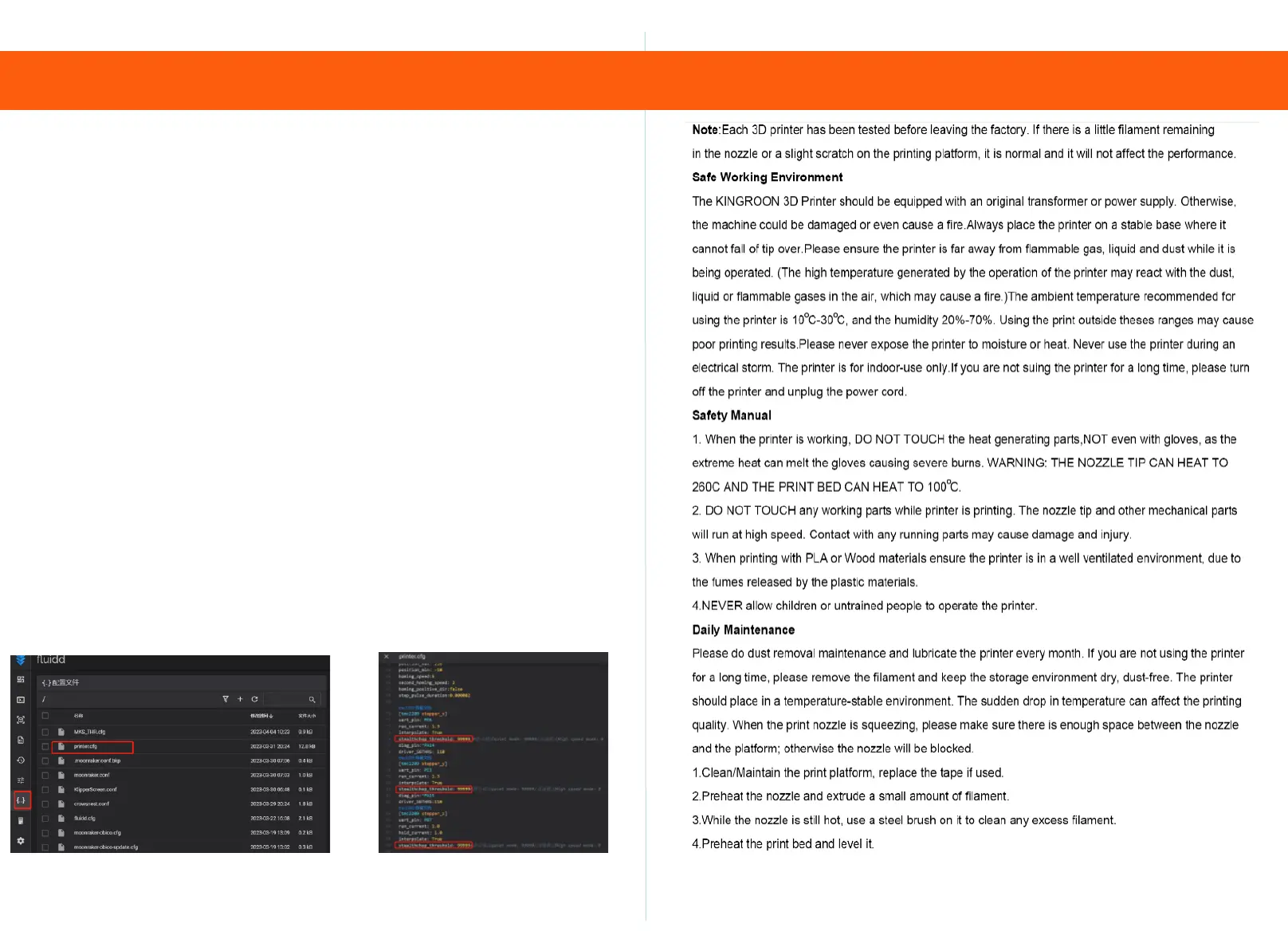
6. The default factory setting for the drive is non high-speed mode. If the printing
speed is above 300mm/s, please turn on high-speed mode. Stealthchop_ Threshold:
99999 changed to Stealthchop_ Threshold: 0 to enable high-speed mode.


 To Previous Page
 Loading...